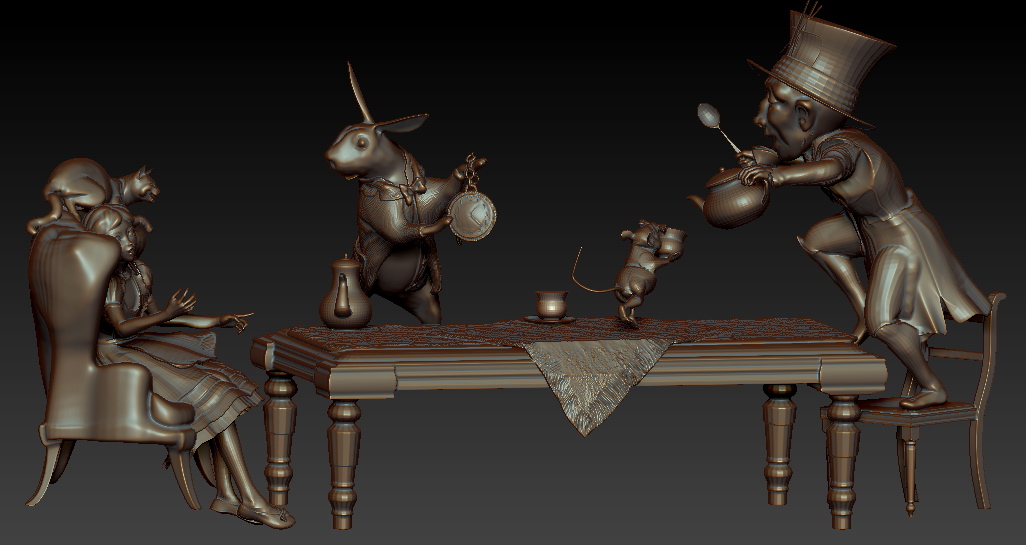
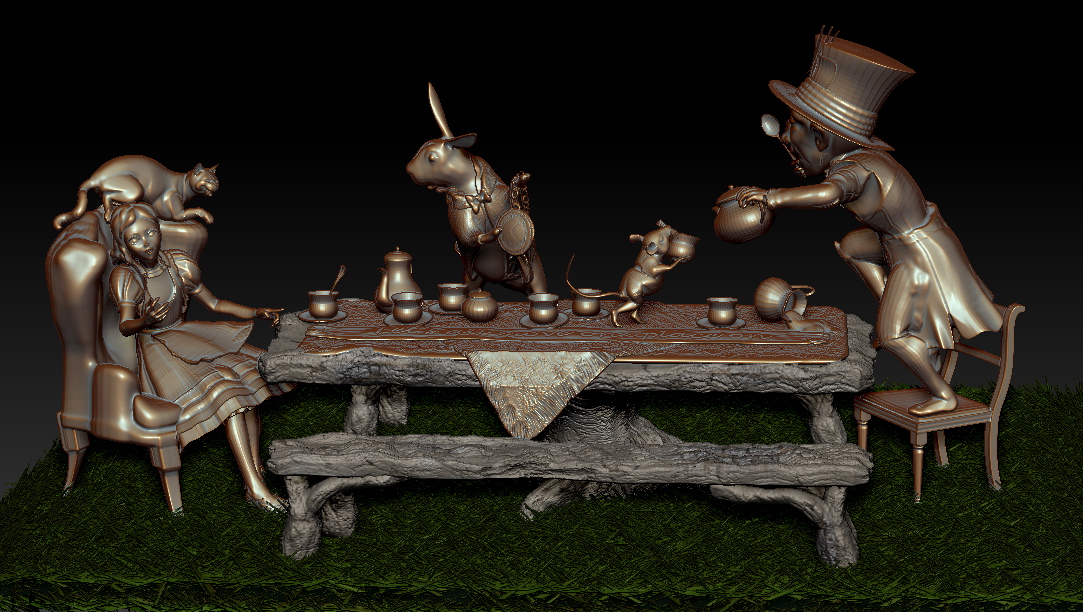
I am a traditional sculptor using zbrush to help “sell” a presentation to a client for a life0-size sculpture for a park. It is still a work in progress and a very rough sketch, please try to look past that. I have two questions about workflow.
Question one. Recently when I was working on another project I was trying to show two different materials. However, when I would click on a subtool ZBrush would often change all subtools to the same material. It is very important that I use a bronze finish and so I am using a bronze material. In the case of this presentation I am also wanting to show a collaboration between bronze and faux bois, which basically is concrete sculpted like wood. This will be incorporated in the benches that line both sides of the Mad Hatter Tea party table and possibly an alterante table( not sculpted yet) . That means I am back to using two different materials. Someone on this forum suggested I paint the objects instead. So I suppose that would mean I would bring a sample of bronze into spotlight and paint each piece? Then do the same with the faux bois?
Question Two.
Here is the clincher- besides showing that this piece is a wonderful addition to a park as a life size bronze that people can come to and have tea with the Mad Hatter and Alice, I really want to show individuals around the table interacting with the bronze. I know I can do this in poser but what is the best way to work this work flow. Complete the tea party and save it as an obj and then bring it into Poser so that I can pose daz children and adults interacting with the sculpture? If I do this will the color bronze and faux bois come with the piece?
Thanks in advance, and as always- you guys rock.
bridgette
Attachments