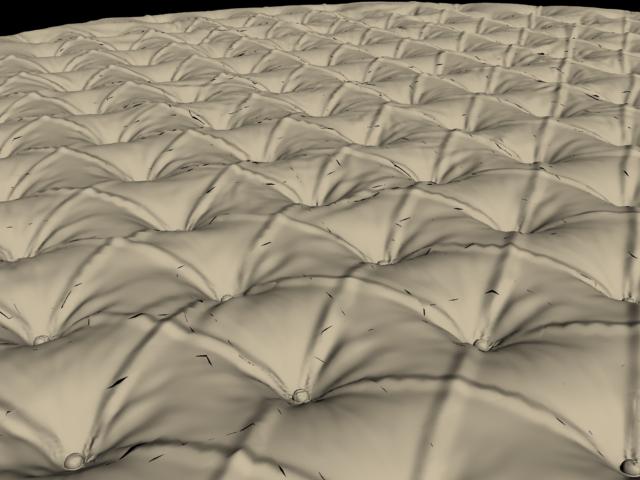
Hello and BIG thanks to all who can help, I have looked all over the zforums, google, etc, but all the fixes/advice I tried has not solved this issue- help is VERY much appreciated!!
Essentially, I have been attempting to create what is basically a big “ottomon” cushion, with “tufted” buttons. I built the basic mesh in max, exported to zbrush, painted in seams and wrinkles, then exported the lowest subdiv back to max, along with a displacement map-
for the disp map, I followed this tutorial word for word:http://www.zbrushcentral.com/zbc/showthread.php?t=61434&highlight=displacement+vray
Once in max, I continue following that tutorial, nothing too special. However, every time I render I get ugly jaggies in the result. I originally suspected lack of geometry as the problem, but have since tried it as a 1.5million poly model in max, with no better luck (versus previously 395,000 poly).
I will GLADLY provide the file/any info that might be helpful to figure the prob out, at this point I am stumped- I have tried massive poly, 4096x4096 16 or 32 bit maps, different amounts of blur (only muddies it), different AA filters, etc, but no luck 
Thank you again, please see pic for an example of what I am getting…

Attachments