ZBrushCentral

Help with finding the right tool

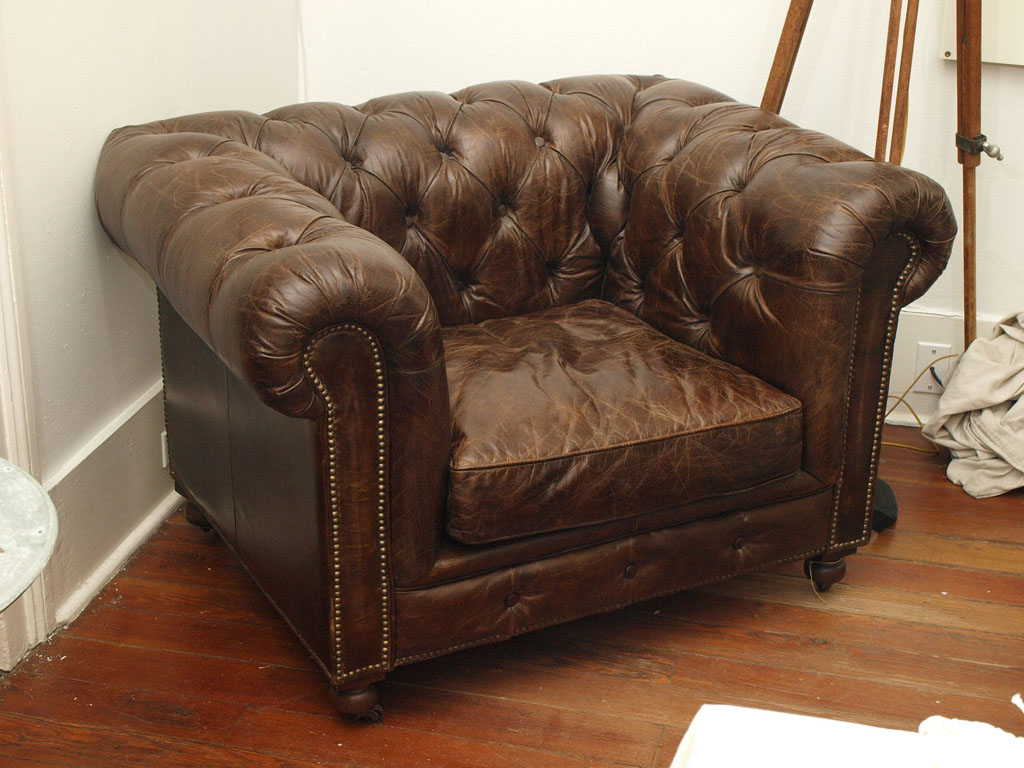
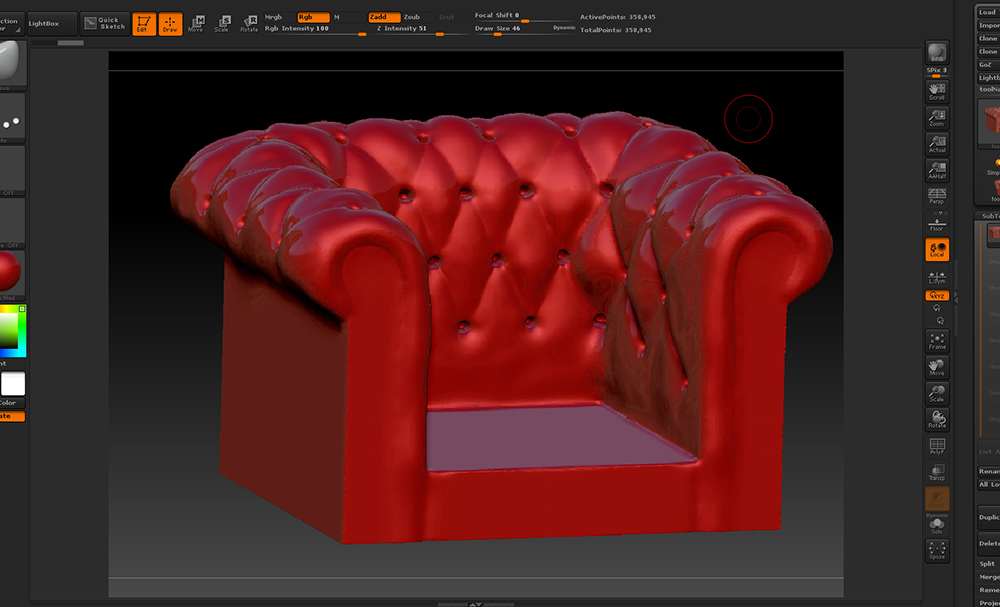
So I’m trying to create some furniture in Zbrush and I’m working on this Chesterfield type of chair right now. What I’m looking for is a good way to create the straps/seam that go from indent to indent on the chair. I tried messing with some of the newer curve brushes but couldn’t get anything to work properly. Any help or suggestions would be appreciated. Below is a picture of my WIP and a reference photo so that you can see what I mean.

Attachments

b.jpg

Hmm, my WIP didn’t post so let’s try it here. Ah, ok just figure it out, image was too big.

Attachments

LeatherChair.jpg

I also tried painting them as masks and extracting but they did not look too great either.

You could use the Inflate brush or the Standard brush or the Move Topological brush to raise the areas between the seams more. Protecting areas either manually or by one of the automatic means provided may help. http://docs.pixologic.com/reference-guide/brush/auto-masking/

The area between the seams I’m fine with, I find working clay in and smoothing out works good. What I’m asking about is how to create the seams themselves.

http://www.zbrushcentral.com/showthread.php?171313-How-to-texture-a-stitch

Mask + the inflate deformer might work better than an extraction in this particular case. Then you could go in with dam_standard or a similar brush to emphasize it a bit more.

Another alternative is an insert brush to create a tube that flows along the surface. With this particular method you would have significantly more control over the resulting shape vs an extraction.

Yes, I played around too with using inflate deformer with mask but had fairly rough edges which makes it seem like it would be a lot of work to adjust manually. Is there a tip or secret to getting a really sharp edge on a mask so that my inflate will be cleaner (other then subdividing the model again- I may already be at the limit I want to work at polygon-wise)?

Thanks everyone for the suggestions

There’s the option to sharpen masks, but I personally think that doing a manual pass over it with dam_standard or Ryan Kittleson’s crease brush (perhaps even pinch or slash 3) would produce a better result than an inflate alone might achieve, without adding an extraordinary amount of time to the whole process. It’s nice when there are tools and techniques that can automatically speed the process along, but at the same time I have seen people spending several days trying to find a way to avoid spending 10 minutes of manual sculpting. So there’s a balance to be found.

The insert method would give you the crispest edges possible and the most control over the result (by letting you create the shape of the insertion itself, and because the topology is completely isolated). At the same time it might even be excessive detail depending on the project (a normal map and/or low resolution texture likely wouldn’t require as much fidelity)