ZBrushCentral

Help with displacement in Lightwave 8

Hi all,
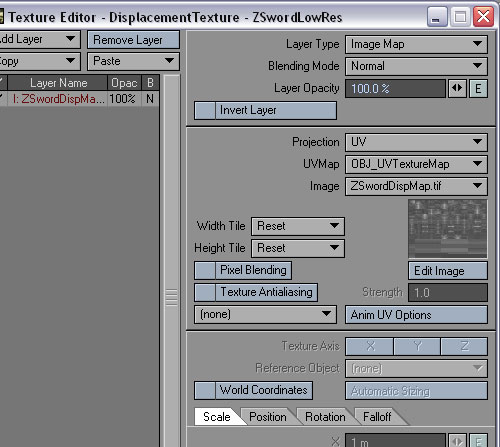
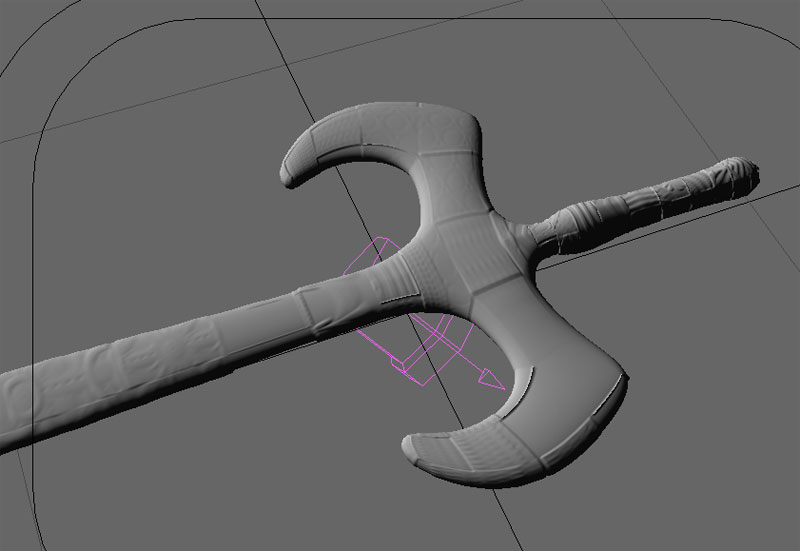
I am still very new to ZB and am having great difficulty getting my displacement maps to work properly in Lightwave 8. I have tried both models from pixolator but I constantly get incorrectly mapped squares mapped to the mesh. I have also flipped the map vertically but no real change there.
I have tried following a few of the walk throughs but I am obvoiusly missing something.
Can any one tell me what I’m doing wrong?
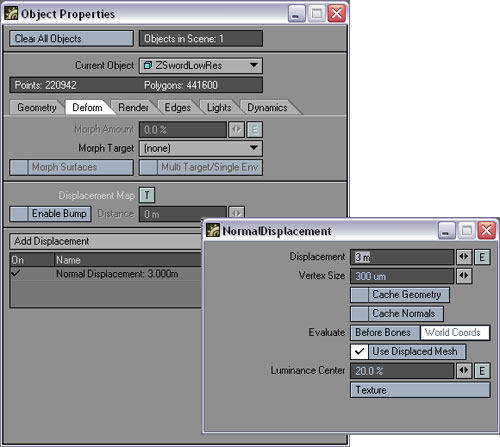
here are some screen shots of the settings and the result I’m gettinglayoutsword.jpg
Attachments

displacementmodifier.jpg

mapping.jpg

Hi Dr_poly,

I’ve been having trouble with this also and I don’t know exactly what’s wrong with your image, the settings that you show look good. I know a couple of things that may help. Before loading the object into Layout, take it into Modeler and set it to subpatch (tab key) and save it. Then when you bring it into Layout set the render subpatch level to a higher amount in the object properties geometry panel, try 10 instead of 3 for example. Also make sure smoothing is on for the surface.

Like I said, I’m still experimenting also and I hope to see more information about this here :confused:

Well there are two normal displacement plugins. One that comes with LW, and one by lynx. The lynx one is the only one that work correctly. It seems like you are using lynx’s plug. Also very important to also get lynx’s tiff loader. From looking at your settings it seems that for one you should turn luminence center to 50%. And then possibly turn subD level up some more, then play with the displacement value. 3m seems extreme to me, but I have not played with this model so can’t say for sure.

Get the plugins here:
http://lynx.aspect-design.de/plugins/normal_displace_info.htm

Check out this thread for more information on using these plugins.
http://www.spinquad.com/forums/showthread.php?s=&threadid=1265

Good luck,
James

Just curious as to wether using the cage mode in Z brush when creating a displacement map in LW was considered necessary ? The tests I’ve run have shown some unusual distortion with the Zbrush cage (areas where surfaces that were very close together in the LW model now intersect in the imported Zbrush cage version). I didn’t get the same problem when using an “un caged” level 1 mesh exported from Zbrush and the results appear to be just as good.

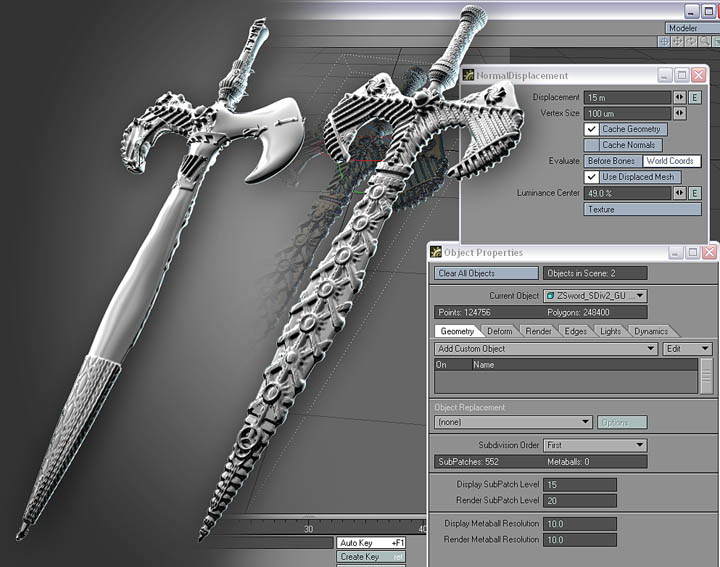
I went back and downloaded the sword file and tried this again, and this time I got it to work. Dr_Poly, it looks like you were in subpatch mode because you wouldn’t have gotten that far without it, but I do think that you still have map flipping issues, even though you said you did flip it. For my example I used the GUV version of the downloaded file at the bottom of Pixolator’s first post.

The sword on the left shows the result of the unflipped map and the one on the right is after flipping vertical in Photoshop. I noticed also in Pixolator’s post the mention of a program specific exporting mode that will be added to the program to make this all easier.

DisMapEx.jpg

Many thanks to Lynx3D for his amazing plugins also :+1: