ZBrushCentral

Help with Baking Polypaint to Texture

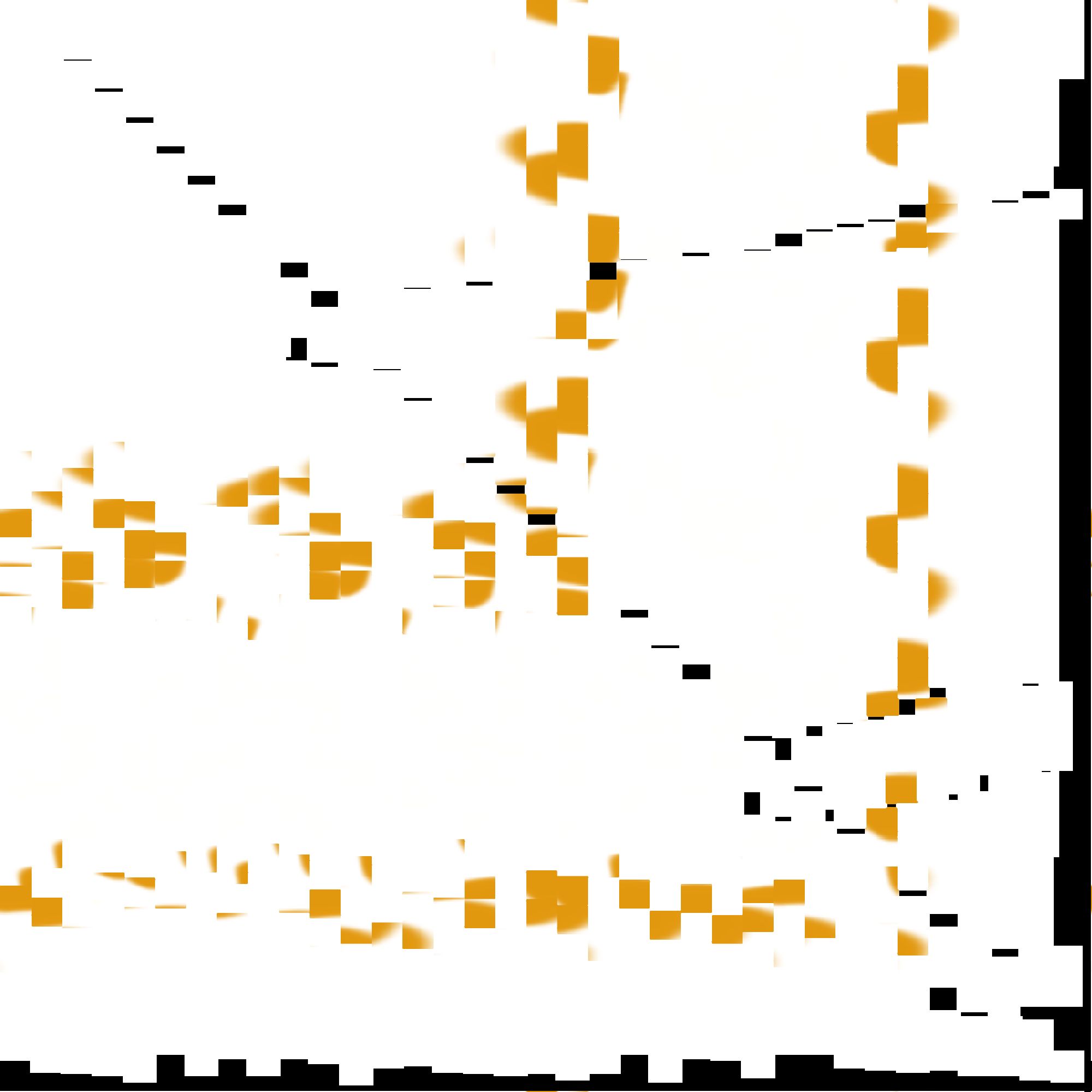
I sculpted a crown in ZBrush and I followed the directions in the ZBrush Help for converting polypaint into a texture, but whenever I make the UVs (in ZBrush using the GUV) and then click Col>Txr my texture map comes out wrong and looks like the uploaded image file. :frowning:

Can anyone tell me how I can correctly make a texture map of my crown?
Any help would be greatly appreciated.

Attachments
ZTexture06.jpg

That’s sort of what a “tiled” texture looks like (AUV, PUV, GUV).:wink:

Why do you think it’s “wrong”? (If you’re planning to use the texture in another program, be sure to export your mesh after you created the UVs and in some programs you may have to flip the map vertically to apply it.)

-K

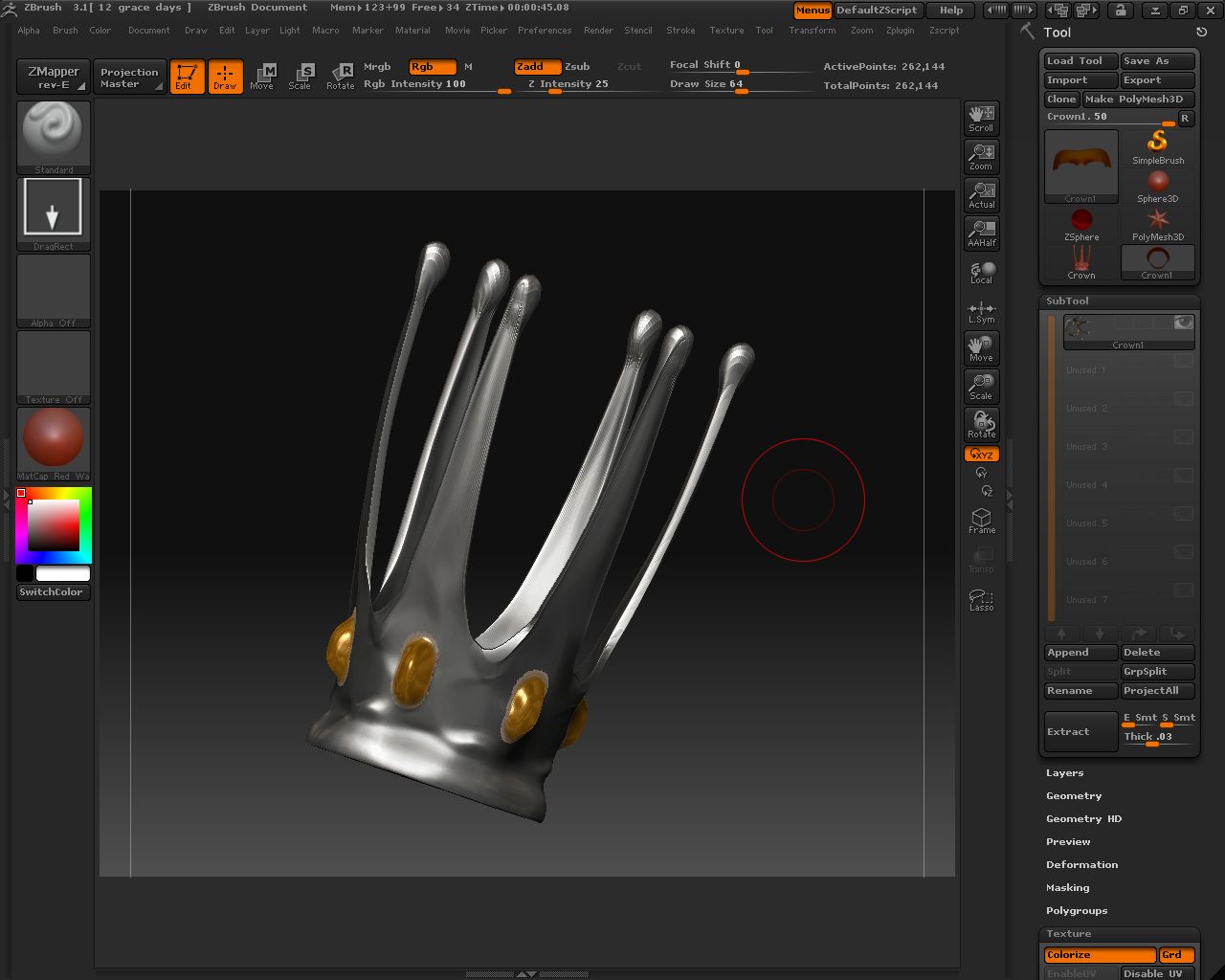
Here is a picture of the polypainted crown I made. How do I go about making an accurate texture map for it, because that GUV method is not working the way I expected?

Attachments

Crown.jpg


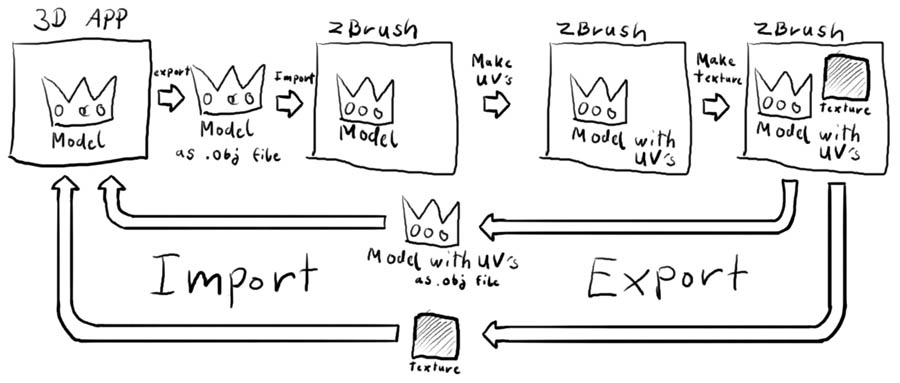
  1. UV Model (either in Zbrush or load the UVs from an external modeler.
  2. Set map size (Texture or UV tab depending on version)
  3. Convert Polypaint to Texture (either col>txr or new from polypaint, depending on your version.)
  4. Save map (usually a PSD or jpeg) and model (as a .obj)

Okay, if I want to create the UVs in ZBrush, what exactly do I use, because using the GUV didn’t work.

I use packed UV tiles myself (PUV tiles). Or I create UV’s in modo and reload them.
-K

Just to make it clear. If you want to get a texture map in which you can visualy recognize your model, you will have to do the unwrapping yourself with a software outside of ZBrush. The UV-mapping methodes which ZBrush offeres are all based on technical grounds and generated automatically. They are as optimal as possible from the technical viewpoint (no wasted texture space, no distortions…) but they are not exactly readable for the human brain and therefore not suitable for manual modification i.e. in Photoshop afterwards.

I don’t exactly want to modify it. I simply want to make a texture map so when I import the crown into DAZ Studio I can apply the texture to it via the Surefaces tab. It worked for a cone-shaped object I made but no such luck (following the same directions) with the crown.

Any assistance would be greatly appreciated.

That cone I guess is a standard object and therefore probably has standard uv coordinates already assigned to it, I would guess. The crown is something you made from scratch and so it has no uv´s yet.

[uvs_from_zbrush.jpg]

I have never tested this, but that should be the way it works.

I think I understand the process but what exactly do I use in ZBrush to make the UV’s? I have tried using the Tools: Texture GUV but that did not work how I wanted it to.

Help please. >.<

To make quick UVs in ZB:

  1. Go to the lowest SubD level for the mesh.

  2. Go to Tool>UvMap, and press PUV, GUV, or AUV tiles button. (Consult documentation for the difference between these modes).

Viola.

As mentioned earlier though, Zbrush’s tile UVs are designed for a minimum of fuss and maximum of ease. If you need more deliberate UVs that are easier to make sense of in an external image editor, or if the tile mapping method proves problematic for the external program (results vary), you will have to unwrap the UVs manually in an external program.

What I think you’re missing is that your texture is not messed up. When Zbrush UVs it does it in tiles, so it looks all over the place. If you export your crown from ZB it will take (tiled) UV with it. Then if you import it into your 3D package of choice and apply the weird looking texture to the tiled UV, it will look as it does in ZB.

Thank you, that worked nicely, though I wish I could give the crown the same metallic sheen in DAZ Studio as it had in ZBrush. Does anyone know how to accomplish that?

Tabs -> Surfaces -> Basic and adjust Highlight/Specular to a bright color.

Tabs -> Surfaces -> Advanced and toy with the specular glossiness, color, and strength. Also, Reflection settings (light colors mix with reflected values) and strength should give you some reflected light from the environment.

-K