ZBrushCentral

Help: Trying to UV unwrap my Axe

Hi guys I’m a traditional guy coming over to zbrush and still struggling with the technical end of it. I’ve just finished my Axe project and sent it to keyshot for some cool photos. However I want to add UV maps to it so I can work on texturing it and bringing it into unreal engine.

Basically it’s composed of around 33 subtools. Cloth straps, wooden bits and ofcourse the metal blade. First i grouped them all by material (all wood bits together, all cloth together) so i could assign materials in keyshot, Then finally i combined it all into one subtool before exporting.

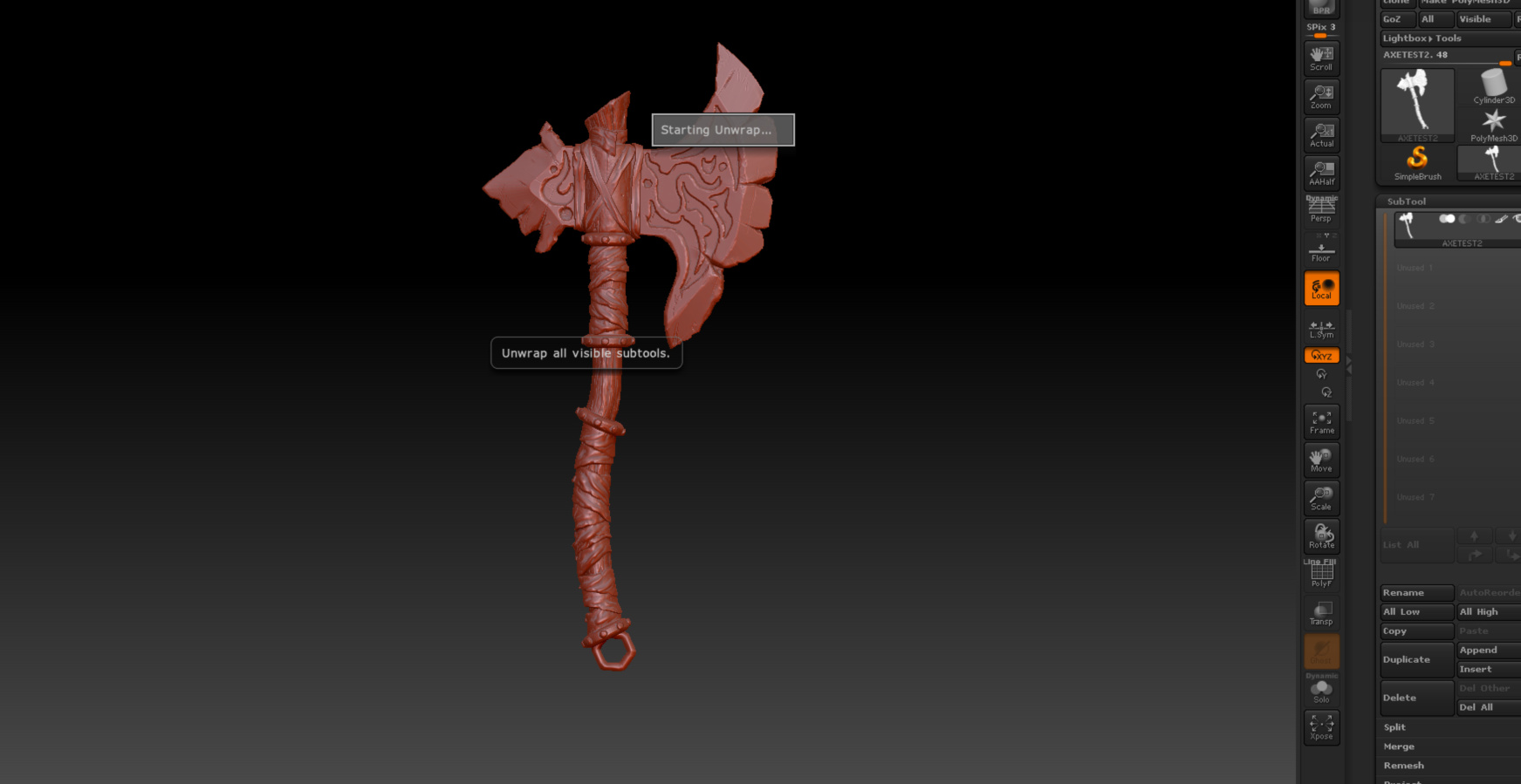
I am having trouble figuring out how to use UV master on my finished axe now because it simply freezes when i select “UNWRAP ALL”.

I also tried using the “split all” option, to go back to individual subtools before using unwrap all but same result. do i need to take each object down the the lowest subdivision level before using this feature?

Thank you for your help

Attachments
Capture1.PNG.jpg

You can use UV Master only on lowest subdivision level.
Under Subtools is a button “All Low” to brimg all tools to lowest level.

But i think, if UV Master freezes, your polycount in your subtools is too high for UV Master!

oddly enough clicking on “all low” doesn’t do anything for my model. Is it important to separate the subtool into all of its individual parts first?

also about the size. The top most wood bit seems to have around 630,000 active points and total points sais 2.6 million.
is this way too high?

Seems like zbrush wont let me lower these further

Random thought but do I need to decimate the entire model by a HUGE amount and then try UVmaster?

Nope even tried decimating it 75% and still doesnt work not even on one individual subtool.

Shame I worked so hard on this

All Low is only good, if you have your parts, as single tools.

Try to decimate it to a really low polycount, only to answer the question if it works.
I think 650K is a way too big for UV’ing

Better will be this way: duplicate your high poly part --> do a retopo --> devide it and project your details from your high poly tool back.
Do your UV Master on this lowest level.

Most time this UV Master do a really good job!

Im unfamiliar with the retopo process. Been googling for the last 45 minutes. Do you mean using Zremesher on the model?

If not can you maybe point me to some tutorials on this?

Can’t see the interface in your screen shot, so can’t see the point count. The most likely cause is that this has been created by dynamesh and is way to high a poly count to UV. You need to get the poly count way down and unwrap a low poly version. 2 there are three ways to do that.

Decimation - keeps the detail but drastically lowers the poly count. - try it down at 5% or something. I would suggest 50K or less points

Zremesher - just use it to get a low poly. This will lose all your detail so you need to copy your mesh onto a new tool, and once you have a low poly version, use project as you subdivide so that you end up with a mesh with various subdivision levels, and then can go to the lowest level and run UV master.

Retopologize - either using ZBrush or another tool. Either way, you still need to do the reprojection bit above.

What is your current point count? How low have you got it using decimation master?

Hi,Rifflord

In my way ,i’ll unwarp the axe as follow:

  1. export each subtool(u have grouped by material)
  2. retopogoly to low poly(maybe topogun or wrapit…)
  3. unwrap lowpoly model (uvlayout is good)
  4. import lowpoly to zbrush
  5. append highpoly below it in subtool layer(lowpoly on top layer, highpoly below it)
  6. projection all first
  7. ctrl+D, increase lowpoly’s subdivision level, then projection all again
  8. repeat step 7) until the lowpoly’s polycount similar to the highpoly
  9. now you can hidden or delete the highpoly
  10. in the end, you have unwraped model with subdivision level
  11. repeat step 1-10,finally append all unwraped subtool

hope it can help

Thanks for the help guys I was able to do achieve this by using zremesher, then projecting the high to low one division level at a time like you described :slight_smile: