Hey guys im pretty shure i read it before somewhere but i just cant
find the right words to search it seems.
In 3.5 the subtools that are visible affect my sculpting theyr kinda magnetic.
How do i dissable this?
Thanks in advance and sorry if its been answered a million times before:D
Magnetic Subtools? Could you explain a little further?
Shure thing.
Here you see two strokes with the same speed.
The stroke passing thru the subtool trys to reach the surface of the subtool
as quick as possible.
Could be helpfull at times but not yet.
Its a new feature in 3.5 but i cant find it to disable it.
[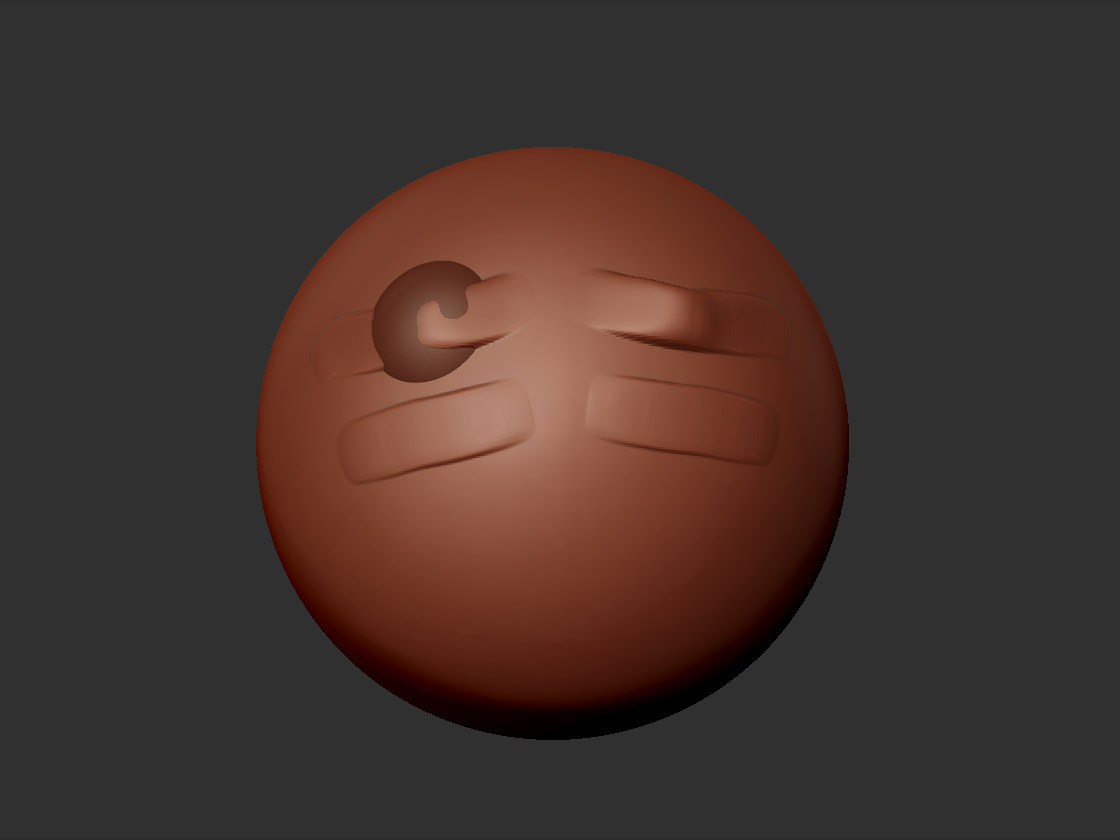 ]
]
Id like to add another question.
Im retopoing the feet of a character, just the feet.
Im using project to get the details back but its not working.
One foot gets the details projected the other isnt affected.
I had this before and it was solved by retopoing untill the x axis was
connected but id like to be able to just retopo some parts and projecting on
both sides.
Well, I think I see what you’re saying. The stroke tries to adhere somewhat to the shape of that protrusion, and is mirrored on the other side. Im not sure if thats really a feature, or just a quirk.
In either event, it’s an easy fix. If a Subtool is interfering with your sculpting, just click the eyeball icon in the subtool palette and hide it. Or if you want to see it represented, hit the “Transparency” button, and all non-active subtools are “ghosted”. The influence of this effect seems to go away then.
Yeah that helps cheers.
Would still be nice to be able to disable it with subtools active and nontransparent for sculpting eyelids and such things.