hello , i added , noise , and skin details , i am trying to paint over , and that is the effect
same effect appears when i use spotlight to project photo , what to do ?
or i have to paint first , and than sculpt details ?
Attachments
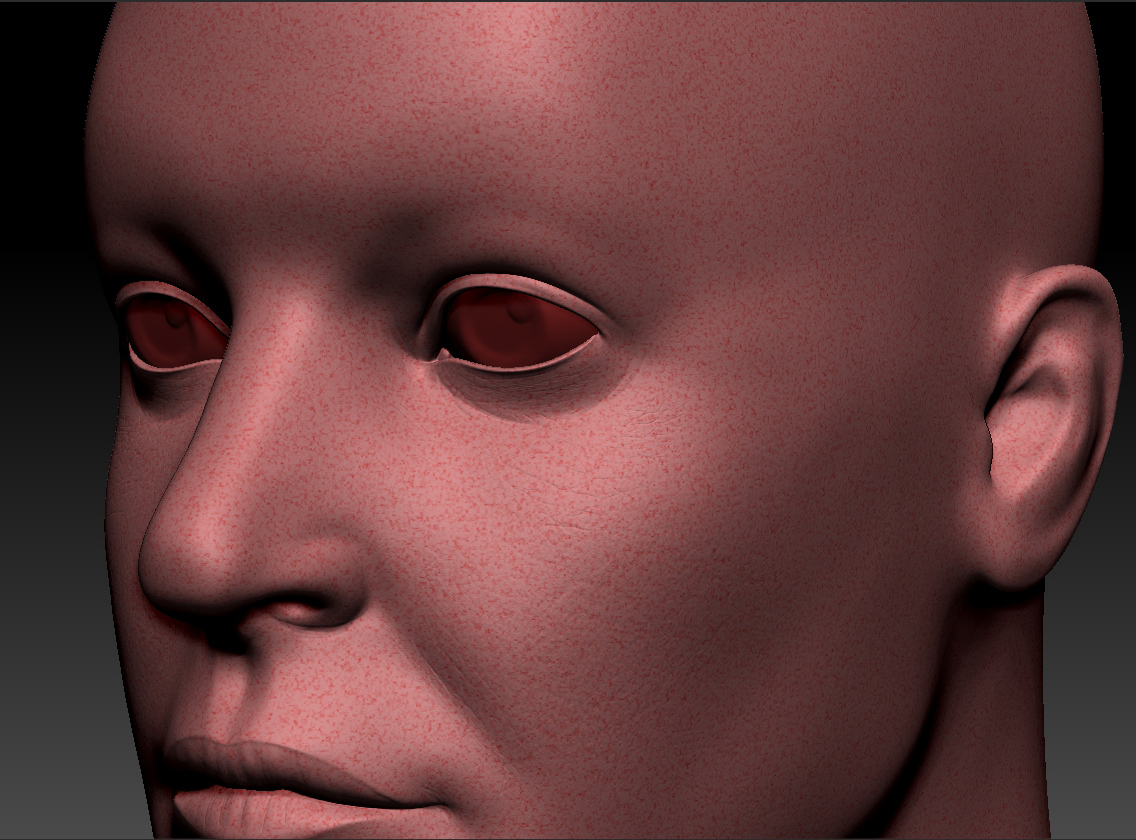
hello , i added , noise , and skin details , i am trying to paint over , and that is the effect
same effect appears when i use spotlight to project photo , what to do ?
or i have to paint first , and than sculpt details ?
Are you applying the noise to the mesh or painting while the noise filter is still active? I have found that painting without applying to mesh can cause unpredictable results.
hmm , havent tried to apply ,not sure what do you mean ,its not on a layer
Are you using the noise function under the Surface subpalette? If so, it is just sort of a visual filter on the mesh until you click “apply to mesh” meaning that it isn’t actually altering your geometry at all until you have applied the noise. So painting on the object with noise turned on but without clicking “apply to mesh” might create some strange results. When applying, you want to have a pretty high level of division as this will give the model a greater ability to match the noise defined by the noise filter. Good luck, hope that makes sense.
yeah got it now, works perfectly fine now , thank you very much :), one simple button made all the difference haha