Hi
I’ve been looking around this and other forums and havent been able to find another problem like this one. Hopefully its a very common problem so that someone can give me a fast and easy answer to what needs to be done.
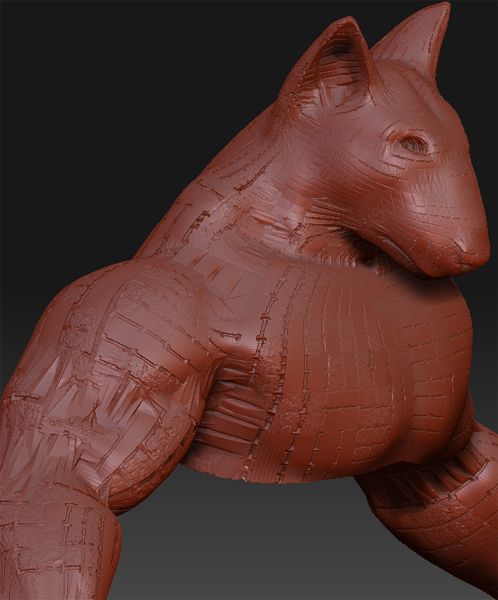
Ive made a model from z-spheres and after sculpting it i exported it to Max for unwrapping. When i imported it back it looked fine at the lowest subdivision, but when i upped the sdiv the model it looked like this (bugg.jpg).
After a couple of days ripping my hair out i reinstalled zbrush and the problem was no more! YAY!
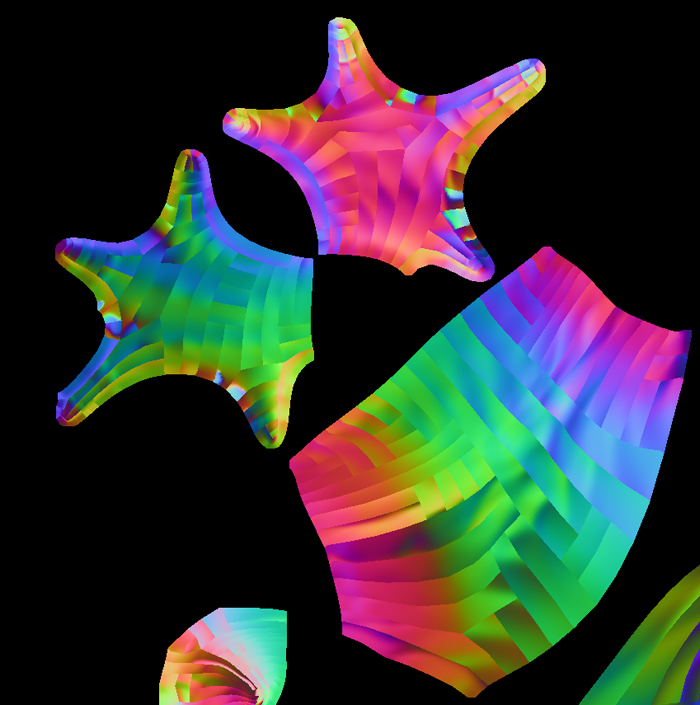
Then i take ONE step and another problem presents itself… I press “Create Normalmap” and what i get is a normalmap with alot of lines following the models edges (normalmap.jpg)
So… Can anyone tell me whats wrong here and how to fix it?
Any help is highly appreciated! 
Attachments