hi guys , i new to zbrush  i would like to know where can i set the settings where when u brush ur model one side the other side also follow the same …thks
In the Transform palette, switch on ‘Activate Symmetry’. You’ll then have options as to which axis you want to use.
The hot key for it would be ‘X’, but you would still have to toggle with the option to get the desired result.
thks alot , hm… just asking on how about exporting textures as bump?
hmmmmm…u mean making a texture map into a bump map?
Yeah , how to export texture as bump map , and also is there any way to unwrap ur models in z brush?,
For my texture maps I just use photoshop…change it to grey scale and boom theres your bump. You can mess with it even further by darkening or highlighting what you want shown. The darker something is it will appear to ‘sink’ in, the lighter something is it will appear to ‘pop’ out more. Unwrapping models in zbrush im not sure…I use Headus UV Layout. Its a fairly simple program that will take about an hour to learn depending on how you take to programs. But it makes unwraping characters way easy.
ok , but how u export texture in zbrush out to go paint it in photoshop?
and also the headus uv layout, is there any tutorial on it? sorry for so much question but just asking when u unwrap ur models do you separate it ? like head one texture file , body , one texture file? or it can be together?
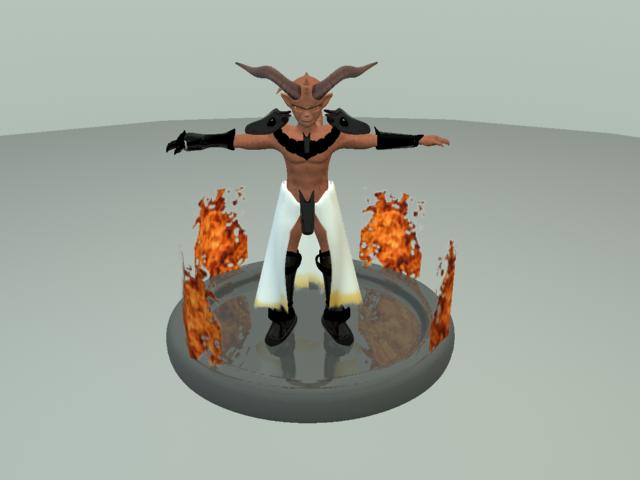
Bottom here is a sample of my character which have done in my school assignement , so for this how should unwrap it? together or seprate it ?
Attachments
UV Mapping can be done in ZBrush by the following:
- Assign a blank texture to the model that is the size that you want to ultimately paint.
- Press Tool>Texture>GUVTiles
- Save the model.
As for painting the model and then exporting that to other apps, check out the polypaint section at www.pixologic.com/docs