ZBrushCentral

Help Needed - How to create the default Cube3D with no triangles?

Couldn’t add an image even via URL, it just kept saying invalid file type… but anyways here’s a link to my question: http://img.photobucket.com/albums/v351/angel_or_devil28/zbrush1_zps092be394.png
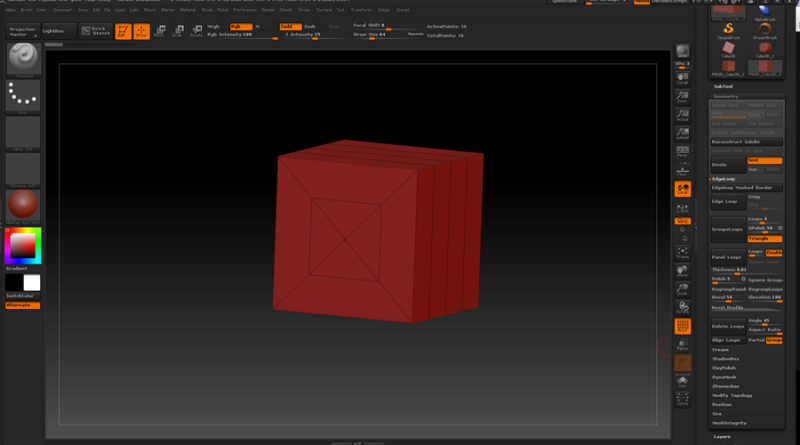
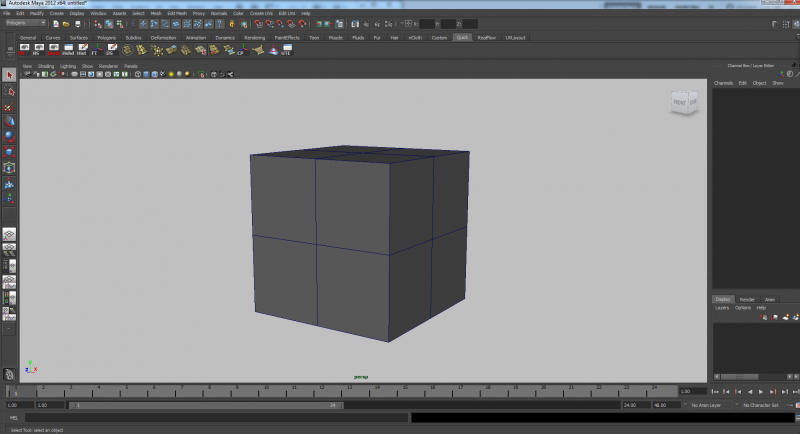
So my question is… Is there a way to create a default 3D cube in zbrush with proper quad polyflow resemebling the one in Maya (http://img.photobucket.com/albums/v351/angel_or_devil28/maya1_zpsa793aa8a.png) please? Why are those triangles defaulted into ZBrush or is that the accepted polyflow used in ZBrush please?
Thanks.

Try dynamesh.

You could use the default cube in Lightbox-Project-DefaultCube.ZPR

ooh thanks! but is that the only way to get the quad polyflow cube please? Is there a way to draw one too?

No need to create one from scratch. Just load the DefaultCube.zpr from the Projects section of LightBox.

And if you want it to be even fewer than 4x4 polys (which is where it is at level 1), use Tool >> Geometry >> Reconstruct Subdiv a time or two.