ZBrushCentral

Help me please

hi, i am new to z brush and i don’t know how to merge two different ztools.
i have made a face and saved it as a tool…and the body as another tool.
now i want to merge the face with the body …how do i do that?

and is there anyway to build polygons? :cry:

(ps:- i don’t have any technical knowledge)

You can combine models by using SubTool Master (from the download center - see my signature).

For retopology, see the online docs – also in my signature.

thanx a ton :smiley:
one more question …can i use this thread for my other queries too ? :confused:

:confused: i was going through the “no more whiskey” tutorial there was a mention of “Damien standard brush” from where to download that brush and the other alphas please help :cry:

It’s a great little brush. Well worth using:

http://www.zbrushcentral.com/zbc/showthread.php?t=57944&page=6&pp=15&highlight=maddam+brush

thankyou mxhaunted… i downloaded it and its working amazing :lol:


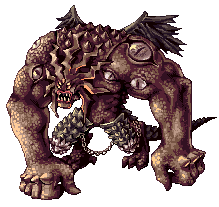
i have made this fan art based on this reference image!
its not accurate as i am using zbrush for the first time…!!

refrence image

my 3d thing


i donno how to add a jaw and wings to it…
any tutorial how to make a jaw and wings?..
critics and suggestion will do a great deal of help :slight_smile:

:smiley: i have completed my model in z brush. watched some tutorials of how to make maps… went out for zmapper and came to know my card doesn’t support it:cry:

so is their anyway else i can create my normal maps in? any other software?
and whats the difference between normal maps and UV maps.

please helppp!!!

the big difference between the two is that they are very far from doing the same thing…
1st the uv map is a map which basically holds your colour information of your model… the uv map has boundries and border edges based on the structure of your model. so this is why your colour info is kept in between the line of your model’s uv map.

2nd the normal map is a map based on the structure of your uv coordinates accept that it is used to give your model the illusion of more detail than it really does have.Say for instance if you made you 20 million bolly model and you create the normal map of the 20 milion polys then you can take your lowest level model and use that to base the normal map on…this allows your low oly model to have the same appearance of the 20 million poly model.

Hope that clears it up for you.

Angelblade thanx a ton…

but you din answer my other question.

" i have completed my model in z brush. watched some tutorials of how to make maps… went out for zmapper and came to know my card doesn’t support it

so is their anyway else i can create my normal maps in? any other software?"

please please do help me !

Sorry man have not come across any other 3rd party software… if i do find something i’ll let you know.

you can use Xnormal to bake normals…you just have to export out your high and low poly objects and then tell xnormal to bake the maps for you. Not sure if you need openGL or DX to do it as you don’t have to look at the result. I am guessing you don’t…but try it and see.

freeware.

@ thnx goast666, I’ll download and let you know about it.
@ Angelblade thnx for a quick response

No problem Jaggudada we are all here to grow as person and as artists enjoy.:smiley:

:mad: i guess my card supports “openGL”

i have updated the drivers.
it opens the mapper but gives an error.

any changes to make in opengl settings? :cry: