Greetings Everyone,
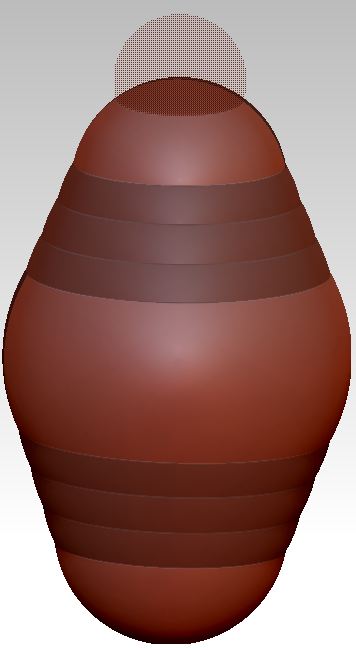
I constructed a simple zsphere structure (see image, EXH_1). Then, in Edit/Draw mode, I accidentally hit <alt> click on a connecting sphere just below the top zsphere. The structure changed as indicated in EXH_2, where the top zsphere has been converted to a transparent-screen representation. Can anyone tell me what happened here? I am interested in knowing whether I simply messed-up the model, or whether I unwittingly transformed the model in a way that could be useful if done purposefully.
I know that in Edit/Move mode, <alt> drag on a link is used for “natural linked posing” (I have no idea what that means), but I haven’t come across <alt> click on a link sphere as an option in Edit/Draw mode. Any assistance would be much appreciated.
DocPit
Attachments