ZBrushCentral

Help!! (FIXED!!!!)

Hey guys,

So I am trying to render out an image from ZBrush and have been looking all over the forums for help on this and from what I can gather tshi is what I need to do:


  • Double the size of my document
  • Render with Best settings applied
  • Hit AA Half
  • Export.
I seem to keep having issues with the quality of my render though…the antialiasing is extremely bad…is there something I’m doing wrong?

Any advice on this would be absolutely amazing!!

Thank you!

:cry:

Hello miruku, I think your steps are correct.
How many Polys does your model have? And could you post a screenshot please? Maybe that helps to solve the problem.

Hey Moni! Thanks for getting back to me!!

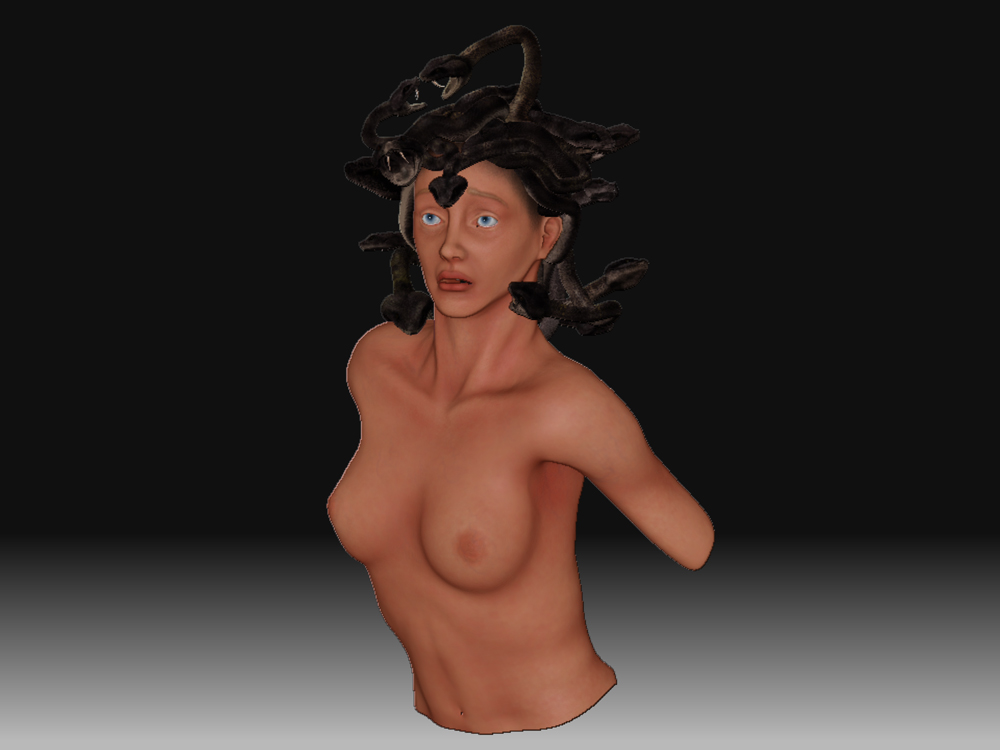
The model is at 5.569 million polys…when I increase the document size however she just seems to pixelate.

Heres a quick redner I exported out…this doc size was set to about 4000 wide before the AAhalf. Not sure whats happening.

Attachments

Test render.jpg

Loving your sketchbook by the way!! :wink:

Thanks. :slight_smile:
Have you increased the size of the document before you dragged the model onto the canvas?
Try this:

  1. Document Palette - New Document
  2. Press “Double”
    (or set a new width/height - in this case you need to press “Resize”)
  3. Now drag your model onto the canvas
  4. Render
  5. AA Half

Hey thats fixed it!!! :D:D:D;)

Thanks Moni your an absolute star!! I was afraid I wasn’t going to be able to get a render of her out!! Thats brilliant! :smiley: