ZBrushCentral

having radial symmetry issues, need suggestion

I am trying to get insert sphere in radial symmetry on a specific spot on my model while in Dynamesh mode. Radial Sym will not apple to the spot i want it on, it seems to only want to apply to the circumference of the whole model. in black I have where I want the spheres, to show what i am talking about. what am I doing wrong? Or should I go about this a different way? I am stumped. :o

Attachments
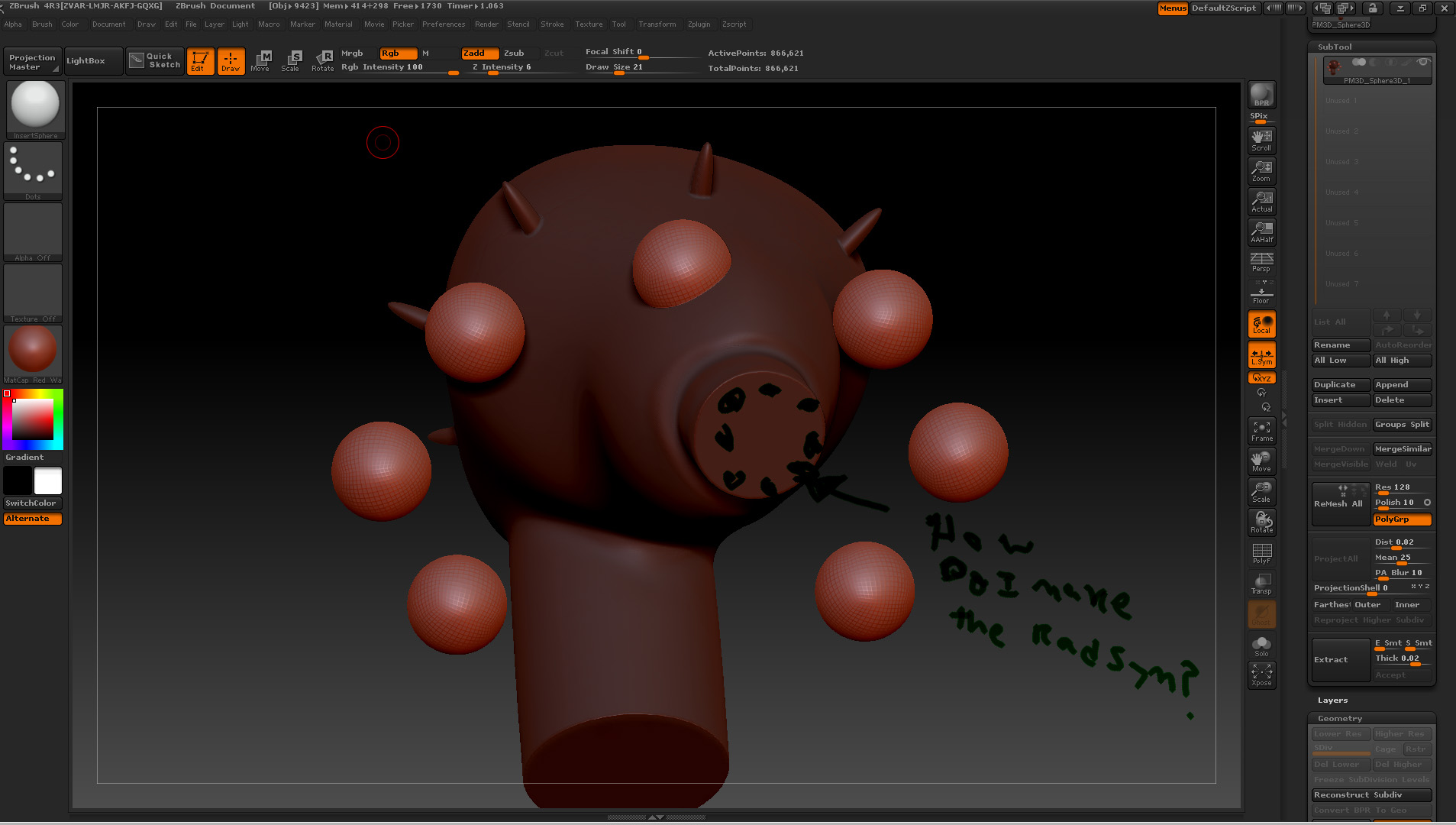
issue copy.jpg

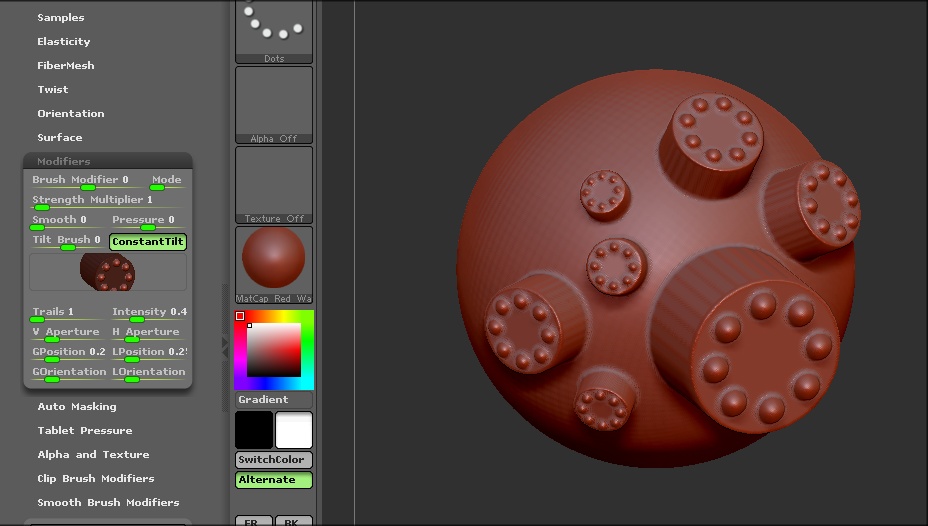
You could make the cylinder with the spheres separately, then use that as the insert. Keep this method in mind as it can open up a whole new array of possibilities using Dynamesh.

insert.JPG

so you recommend using the mesh insert dot? Making the cylinder with spheres pattern then importing it into the mesh brush? Not a bad idea. I will give it a try. For as long as I have had Zbrush, I still have so much to wrap my head around.

Thank you for the tip! puzzeling it out in my sleep last night, I was thinking perhaps another way to go about this would be to apply the radial pattern to a plane then append and merge it to the mesh via dynamesh. I was wondering though… If I was to do this, to add a radial pattern via a plane, the merge it, is there a way to get it to shrink wrap to a specific area? So that it follows the same plane that I’m applying it to?

It doesn’t necessarily have to be the MeshInsert Dot. If you are using Dynamesh, you can use any of the Insert brushes and just select the mesh you want to use by clicking on the Mesh Insert Preview icon in Brush > Modifiers submenu. All I did in the image above was draw a cylinder on the canvas then select the InsertSphere brush with radial symmetry which would be centered on the cylinder. At this point, I had the cylinder with the inserted spheres that I could select in Mesh Insert Preview icon in Brush > Modifiers submenu on one of the Insert brushes. It’s quite easy really.

thanks Again!

Any thoughts on my 2nd idea? about adding the pattern to a plane, and somehow shrink wrapping it around an area? or is this just over complicating a process?

Regarding your second idea, you should look into using the MatchMaker brush. There were some vids on it in the old ZClassroom and I don’t know if they are still there or not. If not, I’m sure you will find it on Youtube.

Thanks! I will check that out. if they aren’t there, I’m sure there will be something on google.