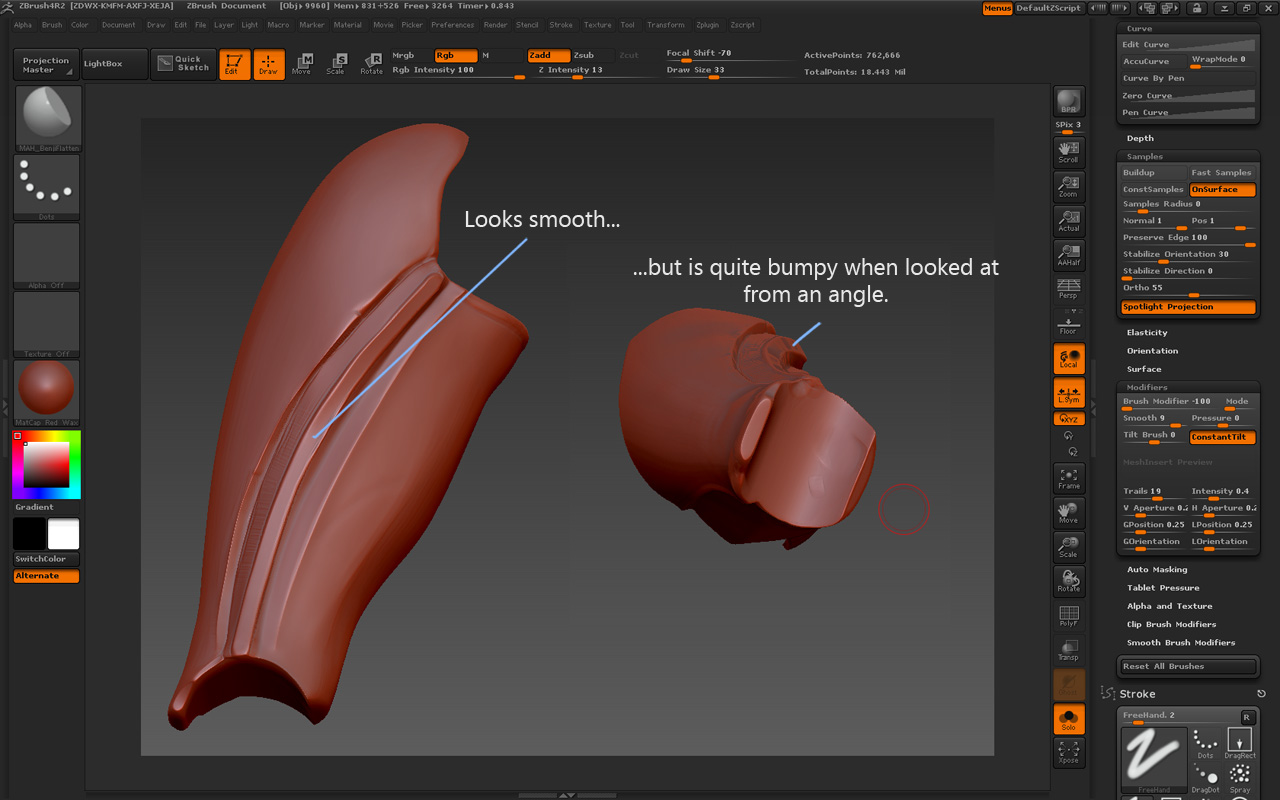
I’ve been trying to get a nice, smooth, sweeping hard metallic surface (see image). The problem is, that if you look at the model from an angle, you can see there are a lot of little irregularities. Not ideal.
My method is usually to lay down strokes of clay (Clay Tubes) and then use Hard Polish or the MAH Brushes (I read about them recently and looked them up on the internet).
Obviously to fix the problem, I’d need a brush setting, that averages out the little bumps and leaves me with a nice smooth road.
Question is: Should this brush also use Stroke > Backtrack and Snap To Track? If so, Path or Spline?
I’m fairly sure the solution will have to involve Brush > Samples. There are several things to play with here that sound like they average out things.
Maybe sb. knows how to get sweet hard-surface brushes going. Thanks!
Attachments