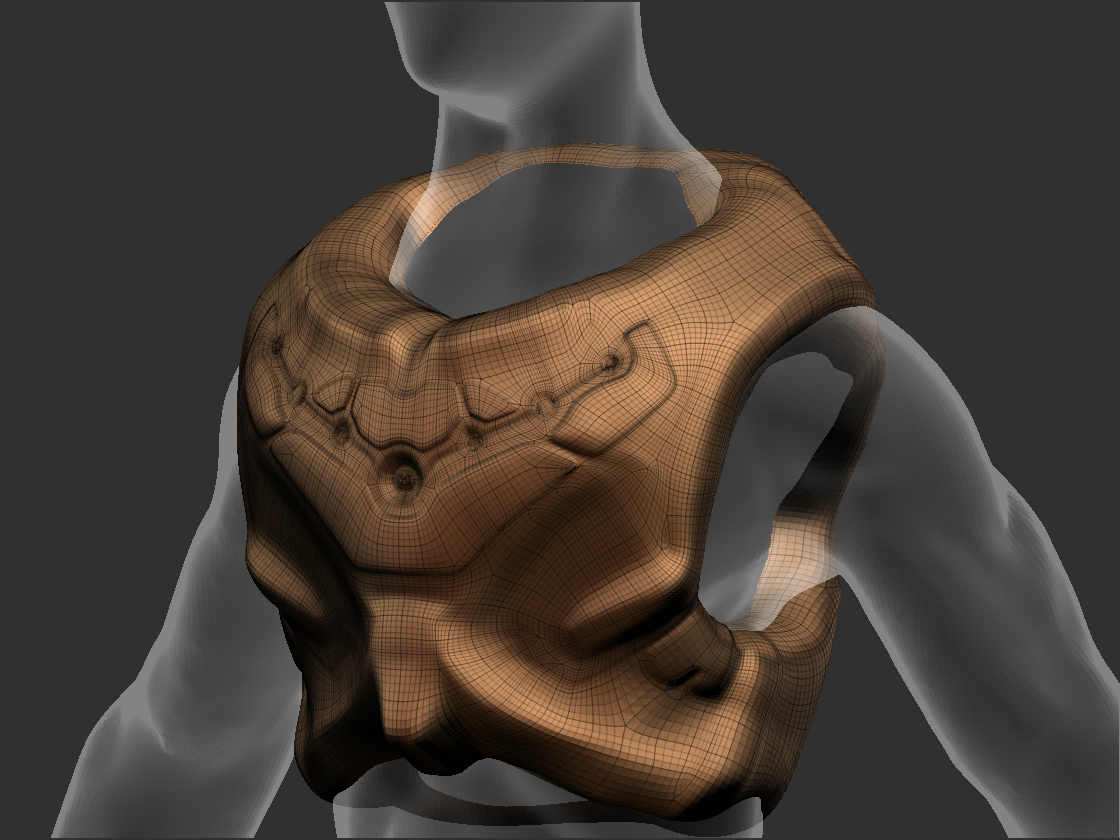
Hello everyone, I’m having a problem concerning hard surfaces. I don’t have any idea how to sharpen and make more “hard surface” look to my model http://img269.imageshack.us/img269/6587/93570890.jpg
I tried to use flatten brush but there is always some organic look to it.
Of course I tried to use some great new planar brushes but the result would be very chaotic http://img28.imageshack.us/img28/1046/43618497.jpg.
You may be fighting your underlying topology, try posting some wireframes (polyframes) of your underlying mesh.
It does look like your strokes are a little ragged. Experiment with Lazymouse settings (stroke pallet) a bit . . .
You may also want to play with hard edge stencils (alphas layered of the model in screen space . . .) to give you a hard, straight line to brush against.
The flatten and planar brushes, In my opinion, are more for detailing, and not really a substitute for deliberate topology, good modeling, and creased edges when it comes to mechanically precise, complex objects. For the type of thing you’re trying to do, I think you’d have better luck redrawing the topology for the basic shape in deliberate fashion along the edges you’d like crisp, applying a crease to those edges, and then using those sorts of brushes to help detail areas.
@muchlove106, I know they are great, but still I need a lot more practicing and studying to make some use good of them
@Kerwin, well I made the armor with Zspheres2 so this is reason for underlying topology. Good news is that I correct all that (kinda… ).
@Bingo_Jackson, I listened to your advice and retopo whole model. This isn’t maybe great topology but is much better and much more easier to work with.
(yeah I know, it sucks but is good for now)
Thank you for reply, you really helped me!
Cheers!!!
Are you familiar with Zbrush’s Creasing Controls? Now that you have some more manageable lo poly geometry, hopefully with edge loops along logical cease points, you can apply creasing for perfectly crisp edges.
Delete any higher subdivision. Hide all but the poly group whose edges you’d like creased. Apply "crease"in the geometry palette. Now when you subdivide, the edges for that group of polys with stay perfectly crisp. Apply a creasing level of say, 4, or so, so it stays crisp up through about 4 divisions, but softens a bit at the highest levels so it doesnt look impossibly crisp and more realistic.
This is probably the most reliable way to get "hard " edges in conjunction with complex, highly curved shapes, which can be problematic for the flatten and planar brushes. Those brushes can then be used to further detail that basic shape though.

 ).
).