ZBrushCentral

Hard Edge Creases: Even when using sub-divide and smooth

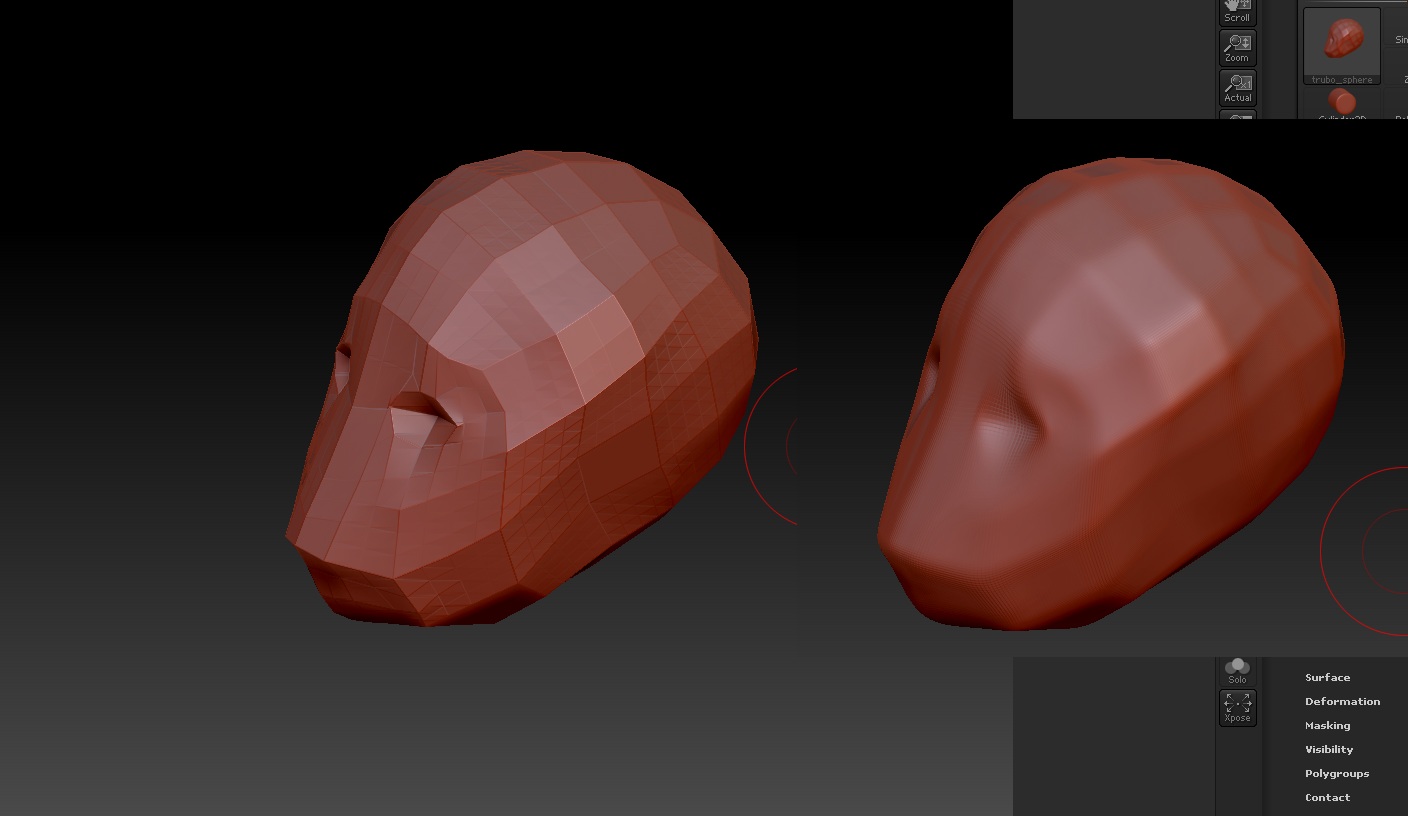
In the attached image the left copy of the mesh is at suD level 4, on the screen shot to the right its at subD level 5 with smoothing on. You will notice on this organic shape there are hard edge creases. Continuing to add subD levels continues to make these edge creases harder. Obviously you do not want hard edge creases such as this when dealing with organics. Please see attached screenshot.

I started with a standard cube imported from 3DS max and subdivided it 1 time and shaped it. And then continued to add more subdivisions as I needed to describe form. However these hard edges keep appearing.

Attachments
sadj.jpg

It has hard edges because you had smoothing turned off for your first 4 subdivision levels. You can use the smooth deformer to fix that or smooth it by hand. Or simply reimport the mesh again and turn smoothing back on then step up sub d levels.

The unfortunate part is if you smooth at lower subidivions it destroys the form of the object. How do I got about using the smooth deformer?

And to avoid this problem altogether should I just start at a higher subdivision level to begin with.

Canned Mushrooms posted a very interesting video on the crease tool in Maya > ZBrush:

http://www.youtube.com/watch?v=-ycMj3ez5to

I don’t know if 3d Max doesn’t have something similar. I do know there’s a Blender crease tool, but I haven’t figured out if it can somehow be recognized by Zbrush.

As an alternative, if you put your hide/show function in loop select mode and at your lowest subdivision select loops you want to keep sharp, or otherwise select areas to sharpen edges , just press the CRISP button in the geometry palette and add a loop. The loops are just on the edges to hold the shape. Example:

Crisp..jpg