You are spending to much effor tmodeling the ‘smooth’ parts yourself. You have to have the subdivision algorithm make the work for you. Frenchy is ‘cheating’ as a nurbs modeling program has -ZERO- problems with subdivisions as it represents the surfaces proceduraly rather than with real polygons. That meant you define the edges, and the system creates the faces in runtime. Check out the Telephone tutorial in THE GUIDE. That will give you the right ideas. You are on the right way. Once it clicks, you will create great models. Just hang in there and keep learning/experimenting.
Lemo
Aha. Making more sense now. Ta for the advice. I shall continue to experiment.
A suggested approach - zscript using zspheres… 
EDIT: you will have to position the low res structure closer to your shape and add more zsphere’s for a more advanced shape. Even the neck if you like.
If you want a hole inthe guitar, just ad a zsphere to that area, and push it in to the guitar, it can be shaped later, but will provide a nice clean edge to work with.
Trying the zsphere approach atm. Used em before on other models just didn’t really think to approach modelling the guitar in that way.
The guitar.txt file is interesting. I think it’s similar to what Ive already tried in importing an alpha of the silhouette of the guitar and making it 3d. Trouble is the edges are very jaggy. Got the idea from this thread.
http://www.zbrushcentral.com/zbc/showthread.php?t=10952
Again thanks for the advice. Hopefully post the finished model in a couple of years. Hehe.
Well I hope the zsphere approach works for you. It is very powerful. Zsphere’s are used more and more, even by the current beta testors to get the quick structure necessary to go really insane.
The other approach in the link you provided is very hard to do well in the current Zbrush. Hint, hint…
Waiting to see your rock and roll images!
Could not stand it any longer, made a quick tut 8).
Hope it is what you are looking for.
I like ‘el cheapo’ ways to do things. If you use markers and add geometry you can easily plop buttons onto the body and mount tuners onto the neck etc.
Lemo
Rockin. Finally getting somewhere. Zsphere to basic mesh (as you can see hehe). Used the ref image plug in to help see how to pull the mesh into shape. Judicious use of the flatten deformation transform to get a nice flat face and back. Just a couple more questions and I can crack on. Does this mesh look ok. And am I going to get problems using the edge loop-crisp feature.
Lemo can’t see any tut in your link. Be interested to see how you aproach the problem. Thanks for the help guys. It’s much appreciated.
Attachments


http://www.zbrushcentral.com/zbc/showthread.php?t=43175
And, haha, looks like you found a way to make a guitar body out of an inflated goat skin rofl. But you are definitely getting the idea! I simplified it one level. But it’s pretty much the same background. Just no goat haha.
Lemo
Lovely ta. I’ll check it out now. Think I’m there btw. Morph target on body and hey presto 1 guitar body phew. Now for the neck, nuts, strings, trem and paintjob. And of course the owner.
Attachments
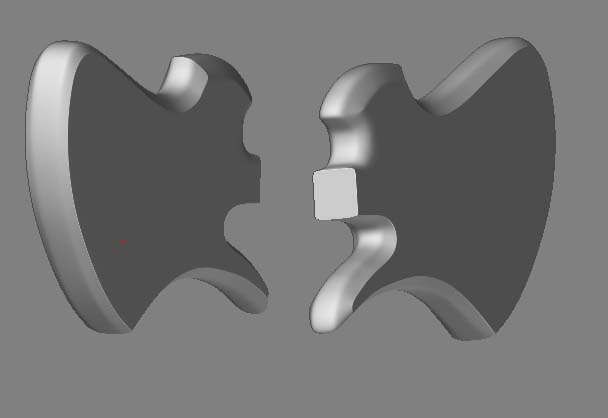
Nice tut. I may just have another crack using that method. I could do with the practice. A lot of those things would of saved me time if I’d seen them 2 nights ago hehe. Spent ages figuring our morph target and that xyz thing.
If you do not have another external modeler, then go and check out the free Wings3D. For me, and that is my personal opinion, the subd modeling in Zbrush forces you into a ZBrush unique workflow which becomes at times an effort just because of the efforts sake. What I want to say with that is that sometimes a few complex operations in ZBrush are easily replaced by a simple ‘gesture’ in other more polygon oriented applications. You will also experience that if you work the polygon modeling hard, that you will encounter a lot of ‘effects’ which signal clearly that ZBrush’s core is now getting quite confused… Then, you have to think about the theoretical internal representation of data and why ZBrush is now faulting while edgelooping, why all of a sudden polygons are being unmasked while they should not be unmasked and so on. That… is the moment where I bail out, accept the Zbrush limitations and come back with a mesh I modified in XSI,Modo,Silo,Wings3d.
BUT, what you do in ZBrush, is echoed in the other apps. The workflow is the same, only the tools you use are different and there are a few more options what edge,vertex and polygon manipulation relates.
Good luck and a great weekend
Lemo
I think your guitar came out fine. You will learn through multiple projects as time goes on. Zspheres make great strings as well! I can tell you these techniques will benefit you greatly when the update is available.
Guitars coming along nicely but I’ve run into another problem. I’ve changed the preview angle under the guitar tool so when it is first drawn it is coming in like the first pic. What I need is to change it back so it looks like the second picture. Now I know I could just change the preview again so it looks like the second picture but is there a way to get it exactly right. I need the preview so the main face of the guitar is dead flat on to me when drawn.
Attachments
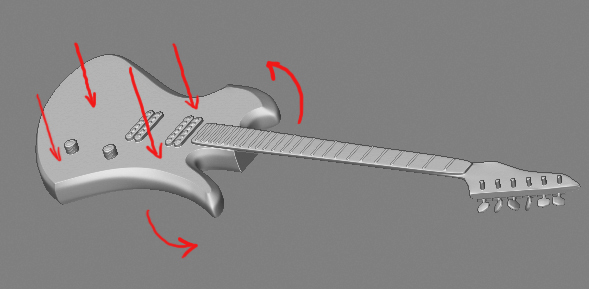
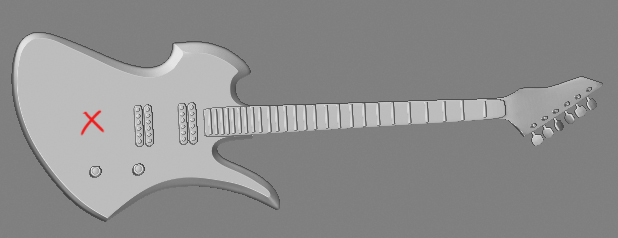
… move the little red cross + Shift
hmm doesnt seem to snap it to dead flat when over body. I’ve been playing around and could probably make do for now with doing it by eye. Annoying though.
you could try under TOOL/DEFORMATION - UNIFY
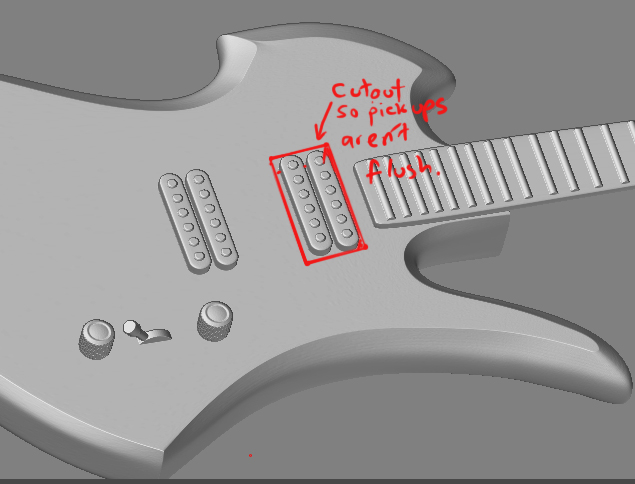
Tried that already spaceboy. No joy unfortunatly. I can get away with lining it up by eye for now but it is a pain as I was going to cutaway some of the body by the pickups and if if was exactly flat I could edge loop then offset on z axis but if its not dead flat the offset won’t go straight down.
Attachments
Dammit I was hoping not to post here again but best laid plans and all that. After finally getting my head around texturing (sort of) I’ve started to put graphics onto my guitar with auv tiles. So far so good.
My problem is when I drop various parts in projection master giving them a material it changes other parts to the same material when picked up. E.g. I drop just the neck which I select via a polygroup so everything else is hidden. Using the material pack 2 I select one of the woody materials and click material in the projection master. It gives it the material ok when I paint it but when I pick it back up and reshow everything else the body has become wood as well instead of what I already had projected onto it. Weirdly the bridge and frets I have given standard default metal materials which come with zbrush keep their material.
I’ve tried masking before dropping in projection master but still get the same result. Anybody solve this one for me?
Attachments
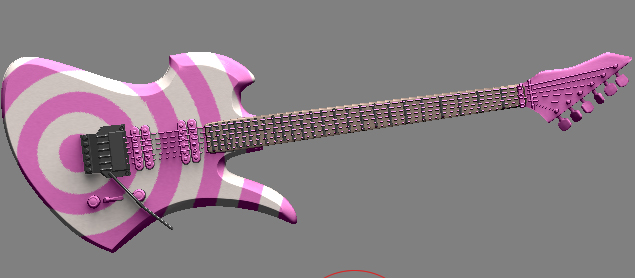
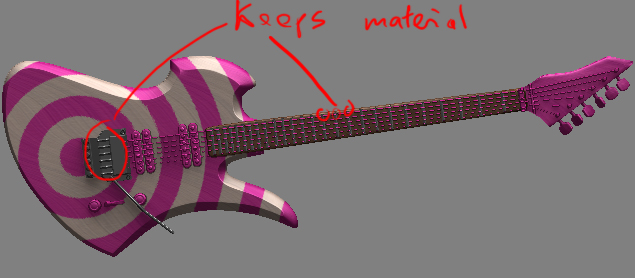
The problem is you must make sure you are using a different material. You are using 1, then painting another, but Zbrush only sees the last one. So make several to start, clone or copy/paste. Then assign the info to each, each will totally cover your object (guitar). Then when in PM and painitng choose the correct one for certain parts of your object. Then when you leave you should be OK. Zbrush like many apps can only have 1 attached at once. Technically. Workarounds exist. You can search the forum for various solutions people have used. I’ve done some hair tests a few years back, had 15 hair materials to work with, each slightly different. Painted them in PM, then they all appear in the render, sorta tricky at first…
Thanks for the reply Jason. I think I understand, I’ll just have to practice and experiment more. Amazing how a something new and seemingly so simple can just flummox you. Somehow I got it to work a moment ago but for the life of me can’t figure out how. Gah.