ZBrushCentral

Guitar troubles.

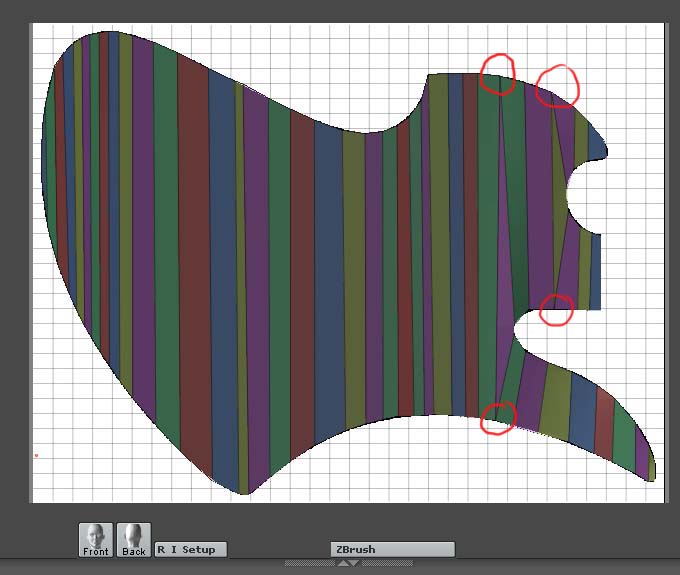
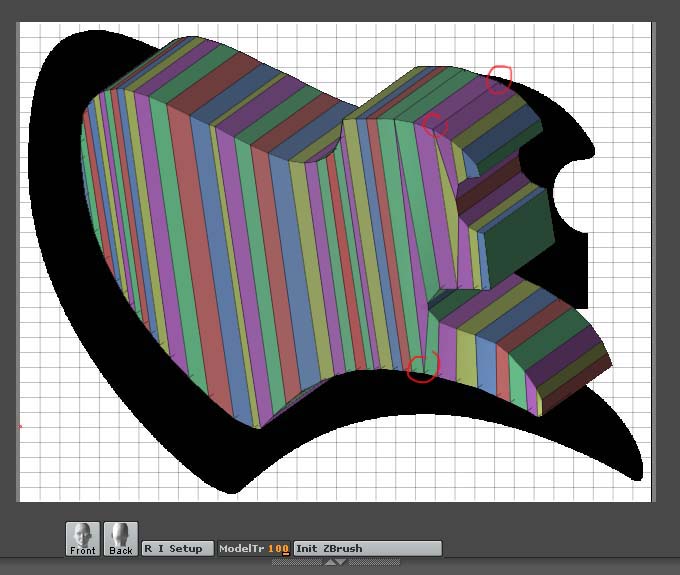
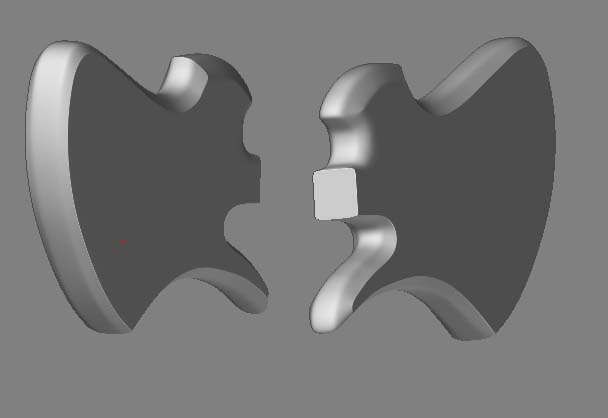
Before I start I fully admit I don’t have the greatest source of knowledge when it comes to illustrating in 3d. For a new project I want to sculpt a cartoony rocker character in zb. His guitar however I would have no idea how to produce in zb so knowing a little max I’ve created it in this. My problem is no matter how I try I can’t get the guitar to look smooth when rendered in zb. I know this maybe a max problem but I’m hoping someone here can help. I’m creating like so.

  1. Draw guitar body outline in illustrator.
  2. Import body ai file into max
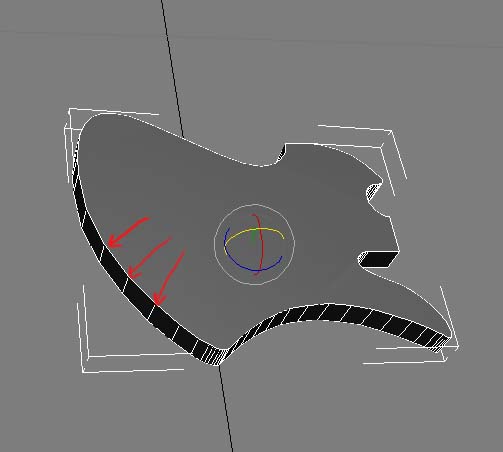
  3. Apply bevel modifier to get body depth
    (at this point I don’t know how to get the body smooth. E.g. I’ve tried a tessalate and exported this into zb but its still keeps the polygon lines)
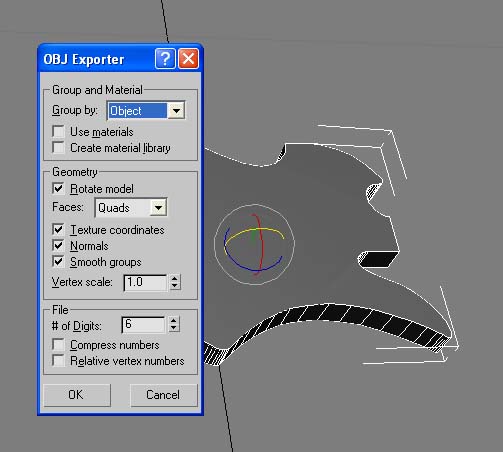
  4. Export as obj using settings I’ve looked up in zbcentral.

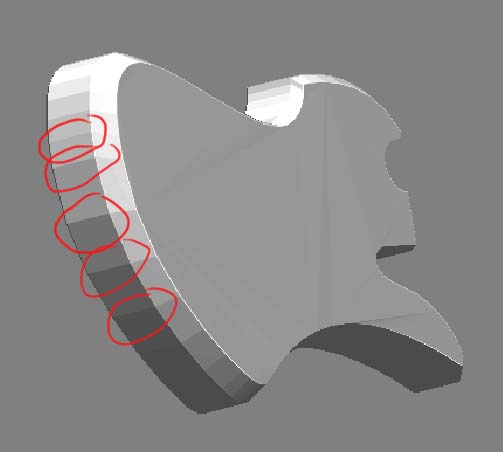
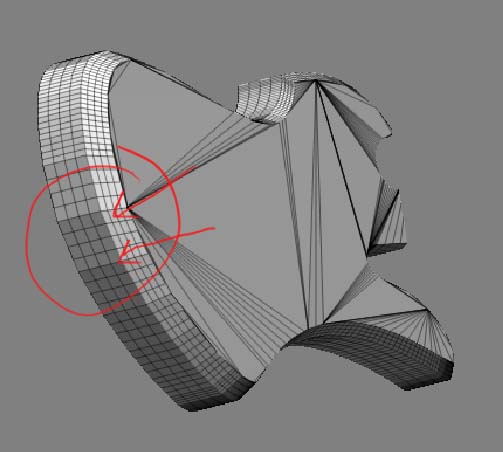
As you can see by the pics my render isn’t nice and smooth around edges. Am I missing somethin simple here (like a brain) or am I going about this completely the wrong way?

Attachments
Guitar2.jpg

Guitar1.jpg

Guitar3.jpg

Guitar4.jpg

Guitar5.jpg

This will not lead to the expected results. It’s a valid way to quickly rough out a structure but you will get into a lot of trouble regarding the details later on. It’s alright to erect a house or some square structure but once you try and bevel it or to smooth it, you will be in ‘tesselation hell’.

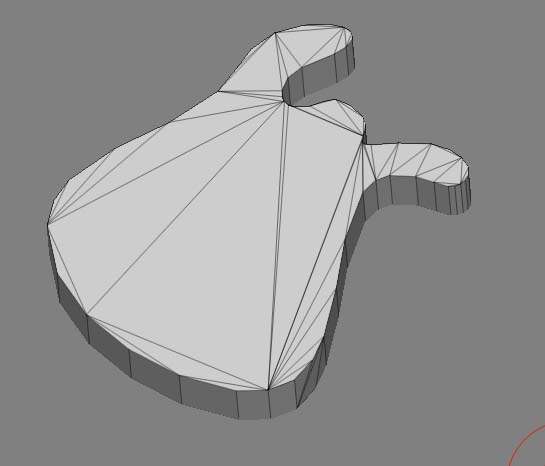
Tesselation is the term for subdividing a surface. Not precisely but it hit’s the meaning. So, you can see the wild triangles forming the body of your object?! Those will not yield smooth deformations later. They will ‘buckle’ and lead to terrible surfaces. Except you are after that 8).

It would end up to be a very lengthy post to describe how you should get at this in detail. But here is a great tutorial which can lead to a solution. You do not even need another program to do it.

http://www.zbrushcentral.com/zbc/showthread.php?t=020370

The first stage of the airplane almost looks like an instrument. Well, it looks like a pipe, but if you tweak that flatter and pull here and there, and look at the information regarding edge creasing, then you will quickly see how it can be done in exactly the way you would like to see your instrument.

Cheers
Lemo

Thanks lemo. Much appeciated. Always thought the face of the guitar with the triangles was wrong but didn’t know of another way to do it.

It’s not really “wrong” as in “omg I’ll roast in hell if anyone sees this” kind wrong. If you take a closer look at how shaders work and how surface normals and their interpolations are taking part in the formation of the final image you will quickly see that the combination of certain geometries will not yield smooth results. A lame example would be glue on your jeans. The fabric with the glue will never conform to the body as the rest does (while renovating my house… I have a few of those jeans 8)).

The best way to do it however, is in max using reference pictures and either splines and then a polygon tool to fill in all the blank spaces with quad’s (polygons with 4 corners(vertices)).

The next challenge you will encounter then is the fact that if smoothed that your model looks very different (ROUND!). Now you have to figure out how to apply ‘weights’ to certain edges to retain some shape. Or how to add geometry which then affects the rounding (subdivision) algorithms. The takes a bit experience as it is not a clear science. While modeling the ‘hard’ frame for your subd model, the inner eye has to envision how it might look subdivided. It is not difficult, just play with it as it depends on experience, and that comes with training. So, go and experiment!
Lemo

PS:WHile working with this topic, you will also better understand where al the smoothing options in ZBrush are coming from and how to apply them to your benefit!

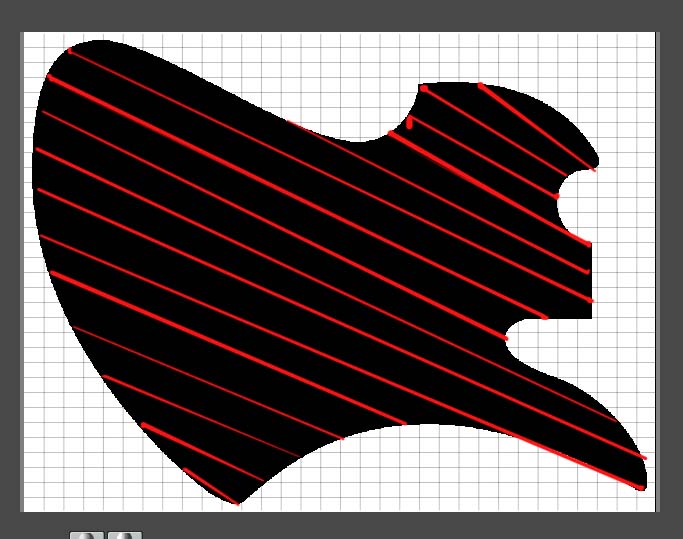
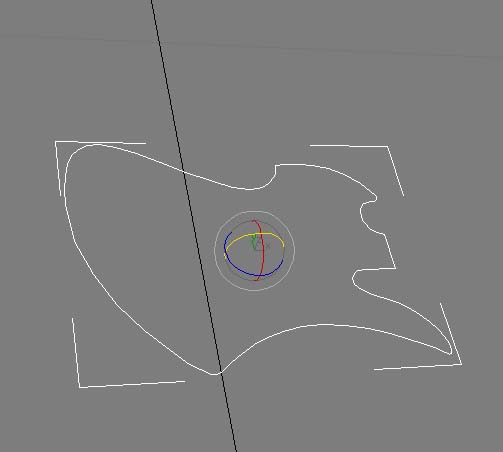
Been modelling the guitar body using that tut you pointed me to lemo and so far roughed this out. Now before I go any further is it wrong that I have the polygon shapes I’ve outlined in pics? I could try to model from another angle I’ve shown in 3rd pic. (which after a coupla hours work I’ve just noticed I may be able to model without any of the shapes I’m asking about. arrrghhhhhhh!).

I guess im asking should I always try to avoid getting those kind of poly shapes?

Attachments

Guitar6.jpg

Guitar7.jpg

Guitar8.jpg

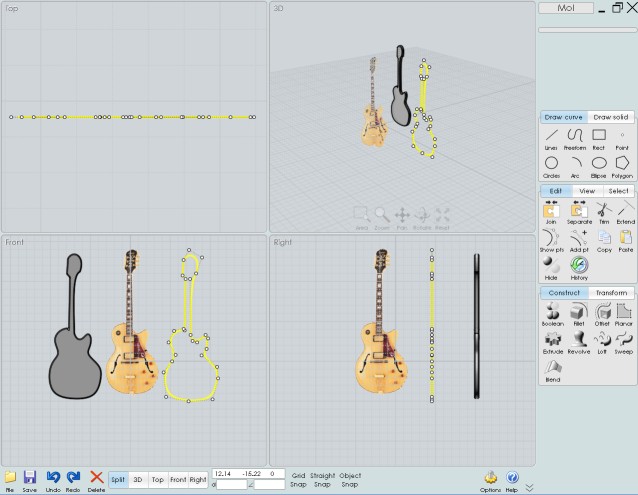
Maybe you must see Moi (Moment of Inspiration) and at the end export your guitar in Zbrush (in obj format) :wink:
It has better and more easy curves 2D drawing than Illustrator !
And of course can works in 3D !
You can make your guitar in 10 minutes! :+1:
It’s free during the beta so try it;)

Ta I’ll have a looksee. So what I’ve modelled is wrong?

Hmmm now this is only based on a quick 30 second sketch and export as quads and tris to zb but it looks like it will give the same result as an export from max.

Attachments

Guitar9.jpg

Something like that :slight_smile: 10 second
Better if you have 3 view of your guitar :rolleyes:

Attachments

guitare.jpg

Hmm think I may be missing the point here somewhere. I’m looking to do a cartoony rocker type character in zb. This i’m happy to model in zb. Now knowing nothing about rendering in other apps I was going to render the whole thing in zbrush. Now the rocker needs a guitar and I could model this in an app like max which I think I’m just about up to. But I would need to bring this into zb for coloring, texturing (which I also know nothing about but was going to use this as another learning excercise.)

Now when the file is in max it looks okay without being a polygon. e.g like second and third pics at start of thread. I have no idea whether in this state e.g without being converted to poly it is any good as a 3d object. (e.g could it be textured and rendered in max like this?) As soon as I convert to poly in max or in the other app it looks very messy on front face and lemo said this would be hard to texture etc which I kind of understand. hehe. Now looking at pics of the wires of premodelled guitars you can buy on internet the face looks like mine does in 2nd and 3rd pics which threw me a bit. Sorry If this threads a bit rambling I'm just trying to understand the problem and good 3d modelling as a whole a bit more.

You are spending to much effor tmodeling the ‘smooth’ parts yourself. You have to have the subdivision algorithm make the work for you. Frenchy is ‘cheating’ as a nurbs modeling program has -ZERO- problems with subdivisions as it represents the surfaces proceduraly rather than with real polygons. That meant you define the edges, and the system creates the faces in runtime. Check out the Telephone tutorial in THE GUIDE. That will give you the right ideas. You are on the right way. Once it clicks, you will create great models. Just hang in there and keep learning/experimenting.
Lemo

Aha. Making more sense now. Ta for the advice. I shall continue to experiment.

A suggested approach - zscript using zspheres… :wink:

EDIT: you will have to position the low res structure closer to your shape and add more zsphere’s for a more advanced shape. Even the neck if you like.

If you want a hole inthe guitar, just ad a zsphere to that area, and push it in to the guitar, it can be shaped later, but will provide a nice clean edge to work with.

Trying the zsphere approach atm. Used em before on other models just didn’t really think to approach modelling the guitar in that way.

The guitar.txt file is interesting. I think it’s similar to what Ive already tried in importing an alpha of the silhouette of the guitar and making it 3d. Trouble is the edges are very jaggy. Got the idea from this thread.
http://www.zbrushcentral.com/zbc/showthread.php?t=10952
Again thanks for the advice. Hopefully post the finished model in a couple of years. Hehe.

Well I hope the zsphere approach works for you. It is very powerful. Zsphere’s are used more and more, even by the current beta testors to get the quick structure necessary to go really insane.

The other approach in the link you provided is very hard to do well in the current Zbrush. Hint, hint…

Waiting to see your rock and roll images! :wink:

Could not stand it any longer, made a quick tut 8).
Hope it is what you are looking for.
I like ‘el cheapo’ ways to do things. If you use markers and add geometry you can easily plop buttons onto the body and mount tuners onto the neck etc.
Lemo

Rockin. Finally getting somewhere. Zsphere to basic mesh (as you can see hehe). Used the ref image plug in to help see how to pull the mesh into shape. Judicious use of the flatten deformation transform to get a nice flat face and back. Just a couple more questions and I can crack on. Does this mesh look ok. And am I going to get problems using the edge loop-crisp feature.

Lemo can’t see any tut in your link. Be interested to see how you aproach the problem. Thanks for the help guys. It’s much appreciated.

Attachments

Guitar10.jpg

Guitar11.jpg

Guitar12.jpg

Guitar13.jpg

http://www.zbrushcentral.com/zbc/showthread.php?t=43175
And, haha, looks like you found a way to make a guitar body out of an inflated goat skin rofl. But you are definitely getting the idea! I simplified it one level. But it’s pretty much the same background. Just no goat haha.
Lemo

Lovely ta. I’ll check it out now. Think I’m there btw. Morph target on body and hey presto 1 guitar body phew. Now for the neck, nuts, strings, trem and paintjob. And of course the owner.

Attachments

Guitar14.jpg

Nice tut. I may just have another crack using that method. I could do with the practice. A lot of those things would of saved me time if I’d seen them 2 nights ago hehe. Spent ages figuring our morph target and that xyz thing.