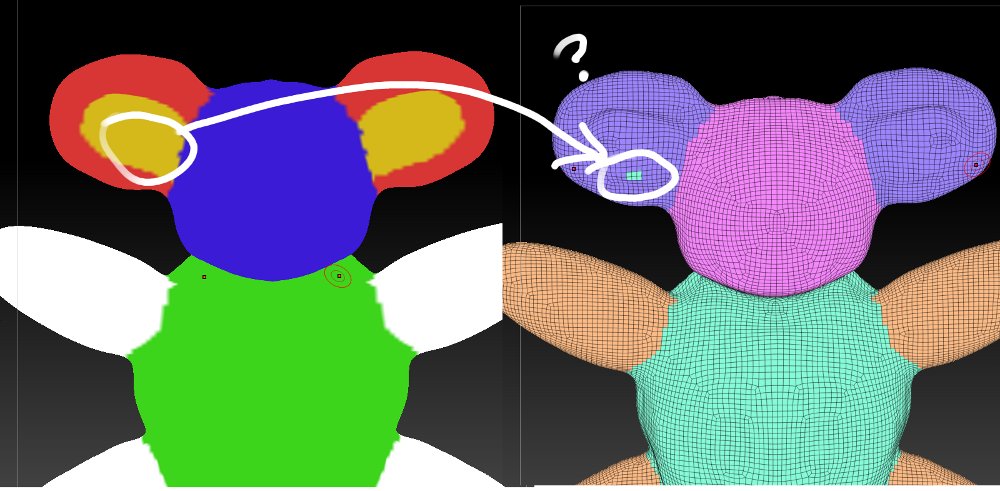
OK. So I figure I’ll back off and play with the tutorial video techniques
on polygroup and polypaint.
Only I pick a slightly different subject as you can see 
A quick sketch, a bit of ZSketching. Clean up the resulting mesh a bit.
I’m careful to keep X symmetry on when I do the remesh, and keep it on
for all editing and painting.
I use the layer brush, 100% RGB and focal shift zero.
Before I hit the polygroup from polypaint button, I run Smart Resym to
check everything is 100% sym’. It is.
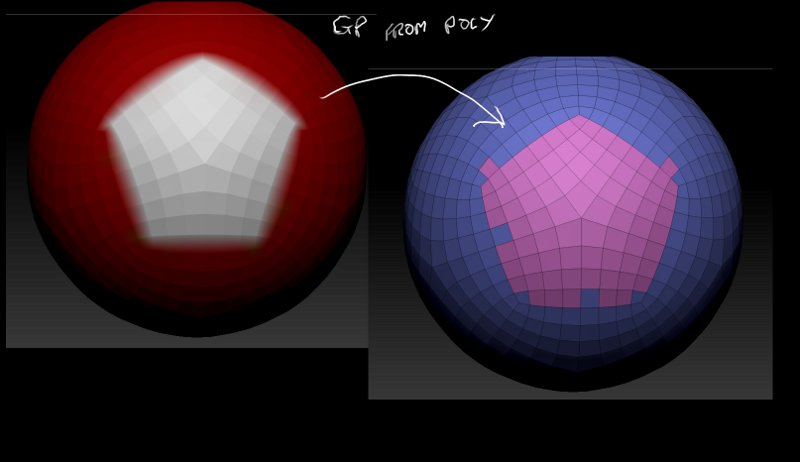
Once again it goes wrong…See attached.
I can repaint over the problem area as many times as I like. It wont fix
the problem. I’ve also reset the PG with ‘group visible’ and tried again.
Same result.
I’ve also checked for stray masking problems. Nope.
Needless to say attempting ‘group loops’ at this point is pointless.
It just seems buggy.
G
Attachments