ZBrushCentral

GoZ to Maya destroying UVs

Hi,

I’m having this problem on two machines and even a full reinstall did not fix it. Happens in Maya 2016 and 2018.

Whenever I send a UVed mesh from ZBrush to Maya through GoZ all UVs come in with disconnected UV edges. Am I missing something? This only started in 4r8 for me and I can not seem to fix it. Please help, anyone!

Thanks!
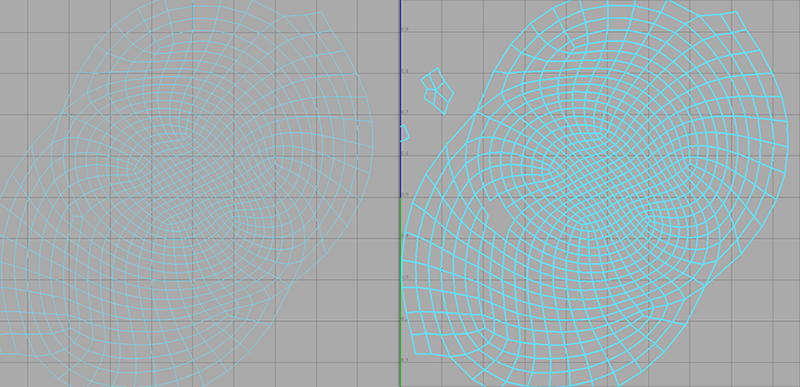
uv.jpg

I’ve seen similar issues with manually exported obj files, too.
You could try the Grp toggle in the export settings of your subtool palette. Maybe that 's causing these issues.

Thanks Marc!
It’s not that, and even worse than the Grp button breakup as it always unwelds every single polygon from each other.

Well, looks like we are in the same boat. Just did my first few GoZ -> Maya transfers with Maya 2018 and I’m noticing the same issue (again - I’ve seen it some years before in other Maya versions, too).
As far as my online research into this issue got me there are people who believe that the vertex order between programs might change - causing this error to appear.
But I’m not quite sure about this. Wouldn’t that mean that the UVs would be all over the place and nowhere near what we’d expect them to be? After all - selecting all UVs in the UV Editor of Maya and merging them with a small threshold seems to produce the expected continuous UV islands.