ZBrushCentral

GoZ Seams

Hello, call me BlueFlash. I’ve been working in ZBrush for about 5 or 6 weeks now but have had a teacher and my peers helping me. However, my teacher was a little baffled by this little hangup.

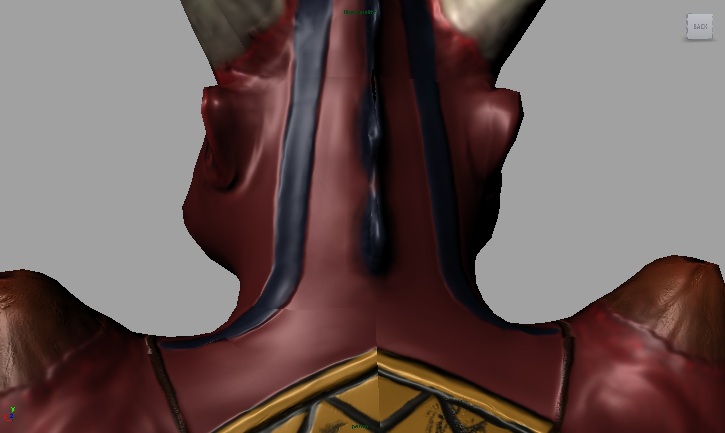
Today, we learned about the GoZ button to export our models into Maya. Mine, however, had this strange problem. Odd seams appeared in my GoZ Maya model. The only fix I’ve seen is that if I VERY CAREFULLY adjust the UVs, then it MIGHT look okay. Any ideas on how to iron this out? Do you need any more information?
error_seams.jpg

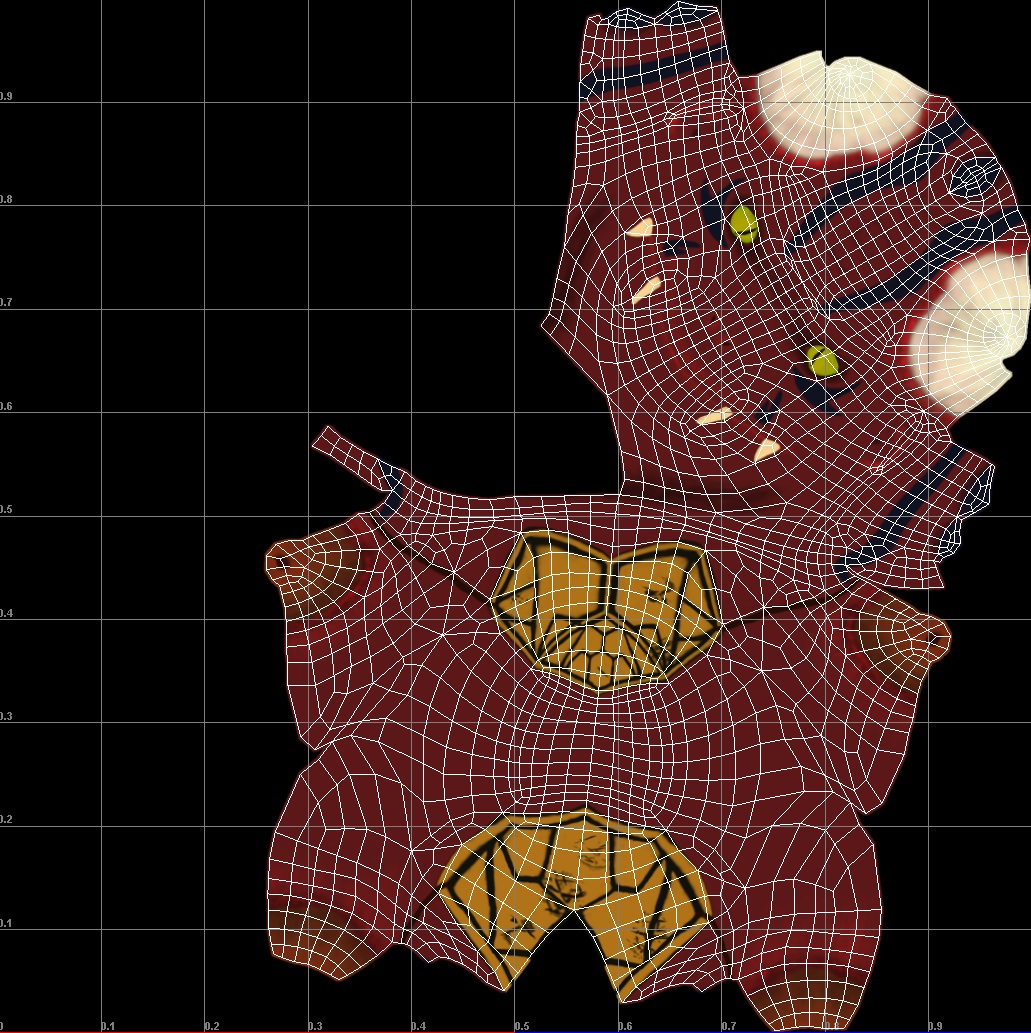
I HAVE noticed that, looking closely, the seams are not at the very edge of the color map. I tried to scale the points of the UV map earlier to match the edge of the sculpture, but it just started to envelope the model in the black area.

Any ideas on what I’m doing wrong? Is my model not smoothed enough on the lowest division level?

Attachments
error_seams_uvcolormap.jpg

image???
UV’s image?
Texture image?
where are you viewing the seams? Maya or Zbrush?
what is your seam overpaint set to?
what resolution is the image you have mapped.

Did you try to flip some RGB channels for your normal maps?
I’m not a maya user, but on 3DSMax, it is advice to flip the green (or blue, I have to check…) channel.

I have the same problem with goz and without it :S, i dont understand why maya UV doesnt match with zbrush… its getting me crazy

What are you settings in Normal Mapping? Does it render like this? You can not rely on the Maya viewer itself. Where did you lay out your UVs?

Paul

i layout my uv in maya, i just discovered how to set it well in this tutorial http://www.3dtotal.com/tutorial/zbrush/punk_character_creation/punk_01.php
the key its on page 3

UV Unwrapping:

I used the standard unwrapping tools in Max to unwrap the model. The only tip I can think of her is to straighten the edges of the various parts and to hit the relax modifier with the Keep Boundary Points Fixed option. This helps in fixing seam issues and also fastens up the texturing phase quite a bit (Fig.11).

your issues come from having seams that aren’t following a channel that can be read easily by a tangent normal map. Basically this means that your seams need to run perfectly vertical or perfectly horizontal to avoid a seam.

thanks goast666, do you have any material that explain it a litle more?
you cant always have uv borders totally vertical or horizontal, what do u do in those cases?

@Totyo I finally got around to flipping the Green Channel (and clicking GoZ again). I can only faintly see the seams now, and that’s only if I look closely in Maya. Thank you.

I don’t know off the top of my head how to alter normal maps in Maya itself, so I just did that back in ZBrush. Nor do I remember how to control how to unwrap the model in ZBrush. (I know how to unwrap it, I just don’t recall how to unwrap the thing the way I want.)

i dont think flipping greend channel its a good idea… but if it works for u its ok