ZBrushCentral

GoZ problem -> "Filename already exist in current project (Cinema4D -> ZB4 on Mac)"

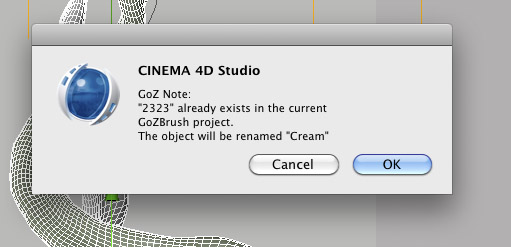
I keep getting this message when trying to send four objects from Cinema 4D to Zbrush4 using GoZ:

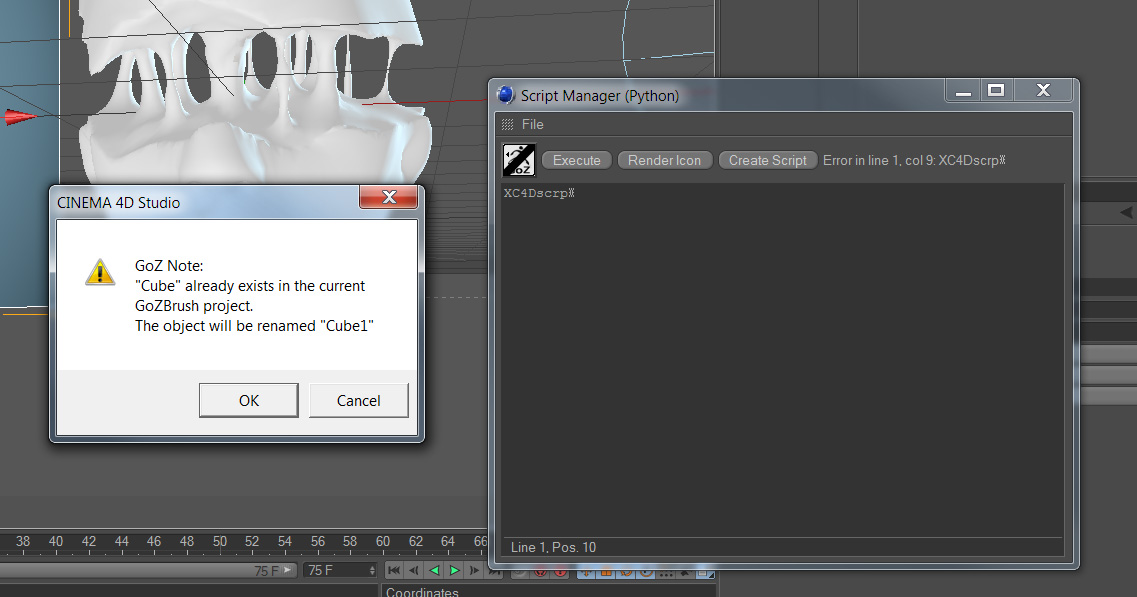
"Goz Note:“mesh_xxx” already exist in the current GoZBrush project. The object will be renamed “mesh_”.

I have deleted all files in the GoZProjects-folder, initialized and restarted Zbrush, but ZB still seems to remember the old mesh name and the same message pops up every time I am trying to GoZ my meshes to ZB4.

Any ideas how to solve this? Many thanks in advance!

/ tennet

Attachments
GozNote_Cinema4d_ZB4.jpg

preferences>goZ>clear cache
make sure nothing is named the same.

Hi! Cleared the cache now, restarted and tried again, but I still don’t get all my objects appended as subtools, only two of them? The other two meshes have now been renamed when going back to Cinema 4D, so that they use the same name as the meshes that were imported correctly to ZB … ? Hope I am making sense…:confused:

Can it be something with the GoZ-script from Cinema? We closed ZBrush, cleaned the projects folder and ran the script from Cinema again -> ZB starts up -> meshes are imported wrong. Thanks! / tennet

Don’t use C4D so I can’t tell you on that side.

just wondering, has anyone figured out this issue… it gave me a monster headache last few nights.

thanks in advance for your time :slight_smile:

Hi! Thought noone else experienced this problem. Marcus Civis sent me a script for Cinema 4D that “unlinks” the mesh in Cinema 4D from Zbrush. It works perfect! I’ll post it here as soon as I get to work.

Here’s the c4d-script that should solve your problem. The script unlinks your mesh from GoZ and Zbrush. To install it, just open the ‘Script Manager’ in Cinema 4D, import this script and ‘Save all’. You can also use the attached icon (‘Load icon’) and add the script to your layout as a button, just remember to save your c4d-layout before quitting.

When you get this error, just select your mesh and run the script. Then you should be able to use GoZ again without getting this error message. Hope it helps! :) / tennet

Thanks for the quick reply!!!

but now i have a problem with this script. :confused:
it seems to missing a few lines. im not much of a python user but i i guess that
it doesnt matter that im a windows user, python script would be the same, right??

sorry for taking your time and thanks for the efforts !!

Attachments

Script manager.jpg

sorry my bad. I tried to run it with script manager (python)…
Now everything is working great!!

Thanks again!!! :smiley: