ZBrushCentral

GoZ for Max - What am I doing wrong? (solved)

I’m using ZB4 and Max 2011 sp1, and I can’t seem to get clean subdivsion transfer results when I bring my mesh back in to ZBrush.

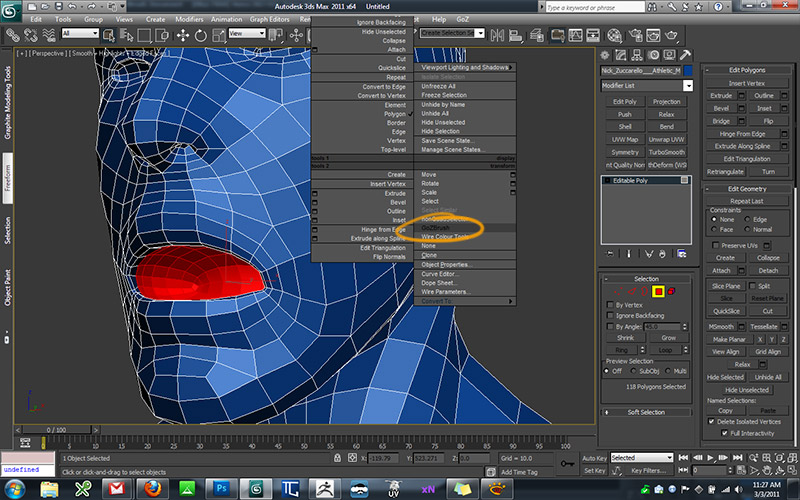
Lets say I want to add a mouth bag. I hit ctrl+g to pass my subtool to Max.
[attach=242130]goz01.jpg[/attach]

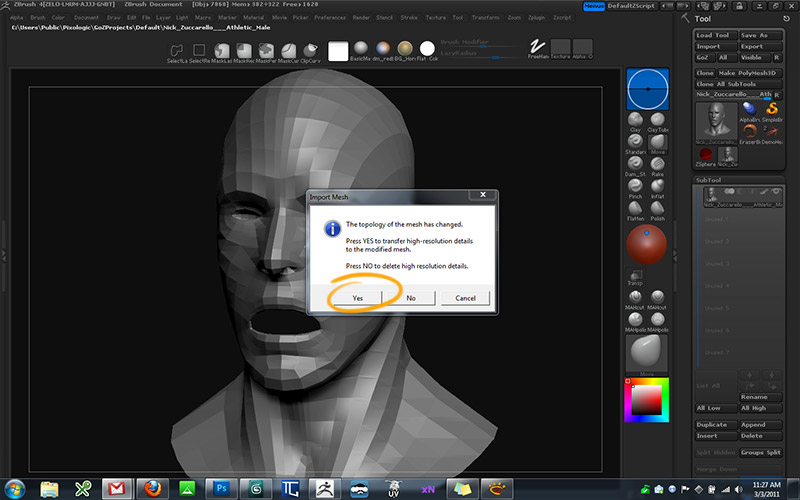
Max loads up and my model appears. I add my mouthbag using poly modeling tools. I have the GoZ button in my quad menu, so I hit that and the model is passed back to ZBrush.
[attach=242131]goz02.jpg[/attach]

It asks me if I want to transfer high res details, and I tell it yes.
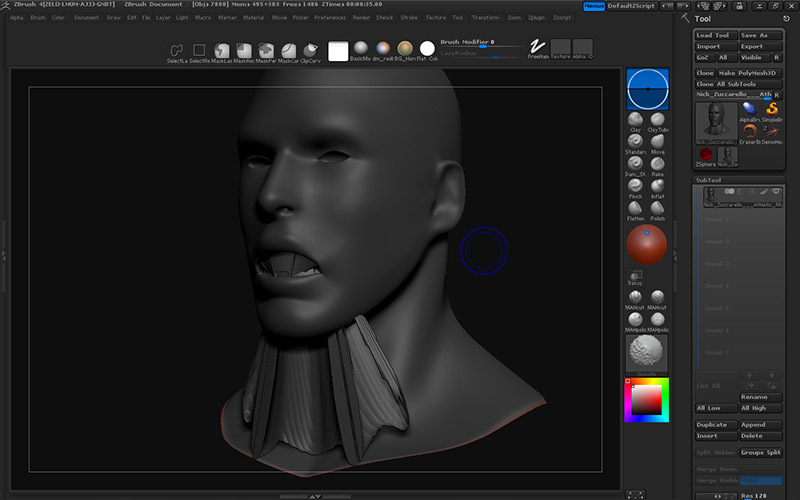
[attach=242132]goz03.jpg[/attach]

Bugger! What am I doing wrong?
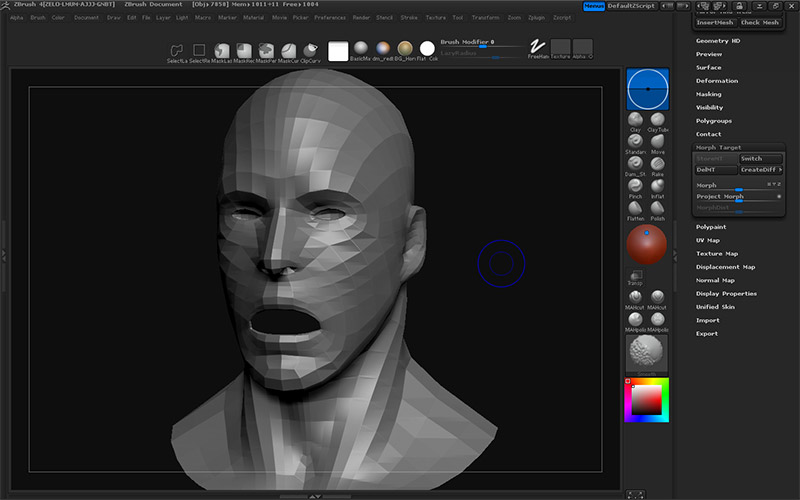
[attach=242133]goz04.jpg[/attach]

I looked on the Tips and Tricks page, and it only left me with more questions. It recommends you export/import using the GoZ format instead of OBJ, but how do I set it to do that? There are no file format options in GoZ’s Preferences panel.

It’ also recommends I make use of import/export templates, but I don’t know how to make them or make use of them. I checked out the files in my ExportTamplates (yep…Tamplates, not Templates) folder. I opened a few of the files in Notepad, but I couldn’t make heads or tales of what I was looking at.

Attachments
goz01.jpg

goz02.jpg

goz03.jpg

goz04.jpg

I just had an ah-ha! moment.

“Transfer high res detail” is for situations where you change the geometry of an existing geometric surface. Like adding an edge loop around an existing nose. The nose was already there, so reprojecting the high res detail will work fine.

If you’re significantly appending the geometric surface, like adding ears, or a mouth bag, you should not attempt to reproject high res detail, because there was no detail in that area to begin with since that area didn’t exist before.

Before going back in ZBrush from 3DSMax, go in the ZBrush SubTool sub menu, and on the right of the Project all button, you have the distant slider which is at 1. Lower this value to something like 0.1 or 0.05, then go back in Max and send your model back to ZBrush.
It should solve your problem.

Thanks! I actually just discovered the GoZ section in the documentation PDFs. I didn’t even realize those PDFs were there until now, I’m used to seeing a Help menu in the UI :slight_smile: Anyway I think I’m good now. Thanks again.

many thx!!!

but coooooomoooooneeeee

i had exact the same issue and i spend about 2 hours to find this threat.

:-1:small_orange_diamond:-1:small_orange_diamond:-1:small_orange_diamond:-1:small_orange_diamond:-1:small_orange_diamond:-1:small_orange_diamond:-1:small_orange_diamond:-1:small_orange_diamond:-1:small_orange_diamond:-1:small_orange_diamond:-1:small_orange_diamond:-1:small_orange_diamond:-1:

            PLZ , developers fix it coz after clean installation of soft and plugin it DONT WORK CORRECTLY. For me its a bug and must be fixed.

:-1:small_orange_diamond:-1:small_orange_diamond:-1:small_orange_diamond:-1:small_orange_diamond:-1:small_orange_diamond:-1:small_orange_diamond:-1:small_orange_diamond:-1:small_orange_diamond:-1:small_orange_diamond:-1:small_orange_diamond:-1:
:-1:small_orange_diamond:-1:small_orange_diamond:-1:small_orange_diamond:-1:small_orange_diamond:-1:small_orange_diamond:-1:small_orange_diamond:-1:small_orange_diamond:-1:small_orange_diamond:-1:small_orange_diamond:-1:small_orange_diamond:-1:small_orange_diamond:-1:small_orange_diamond:-1:

I’m sorry, but it’s not a bug at all. ZBrush can’t know how far you want or need a projection. The default setting is working in most of the scenarios, but sometimes, you may have to tweak, depending of -your- models.

We can’t have a Pixologic developer behind each user computer pre-setting the projection range for each usage! :slight_smile:

if it work on most of situations… but for shure that should be mention on the video.

I have the same problem from time to time and yes, reducing the distance fixed the problem for me.

Thanks for the tips! :+1: