ZBrushCentral

GoB: an unofficial GoZ for Blender.

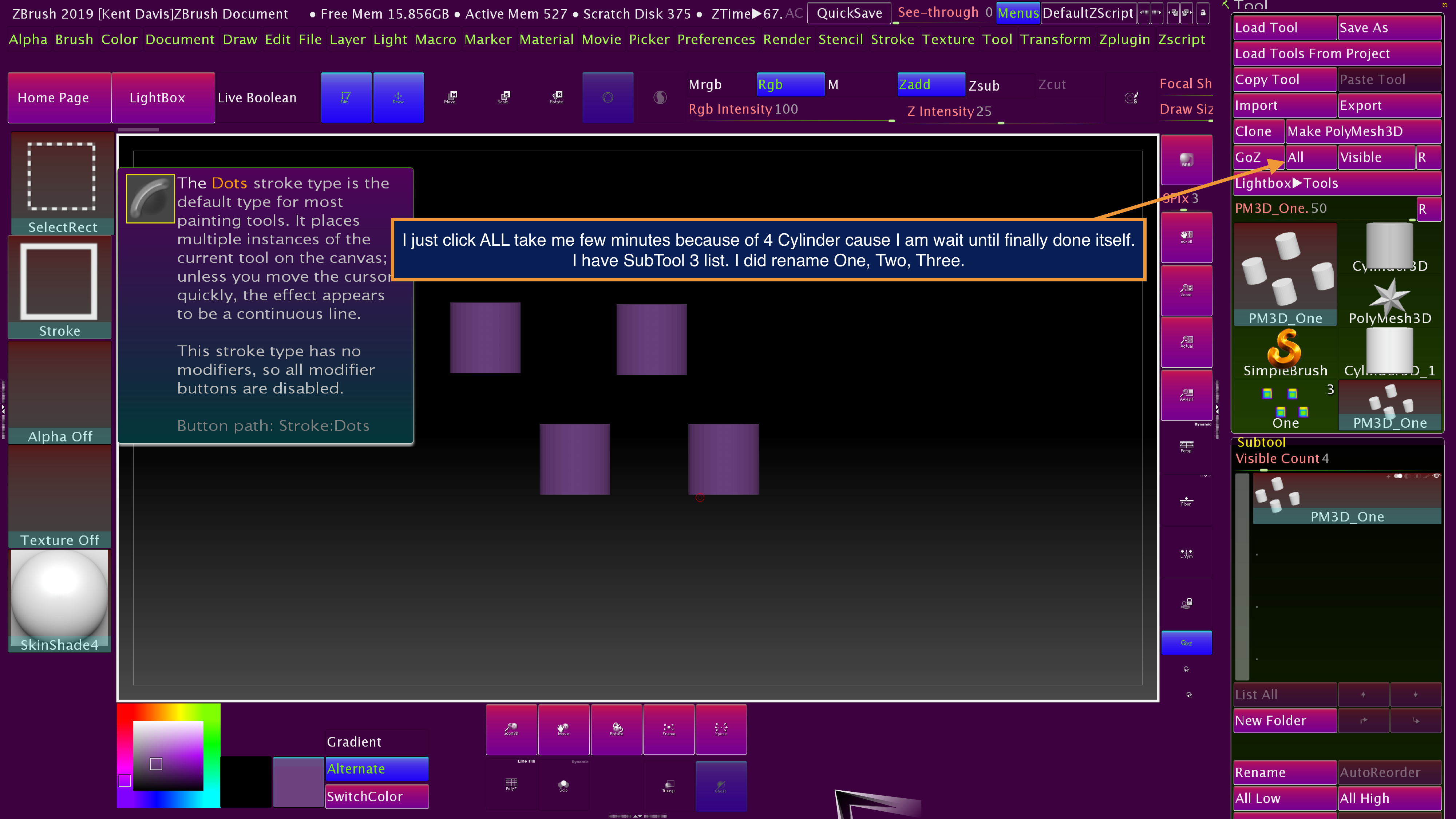
You may create new 3 object (mesh) on zBrush 2019 and Color menu click both fillObject and fillObject GRAD each other 3 objects then GoB click ALL

I did tried and I have fail to process.

  1. When zBrush 2019 create new object.
  2. Click Make PolyMesh3D
  3. Color menu change color then click FillObject GRAD also click FillObject
  4. Color menu change other color then paint a little
  5. GoZ ALL

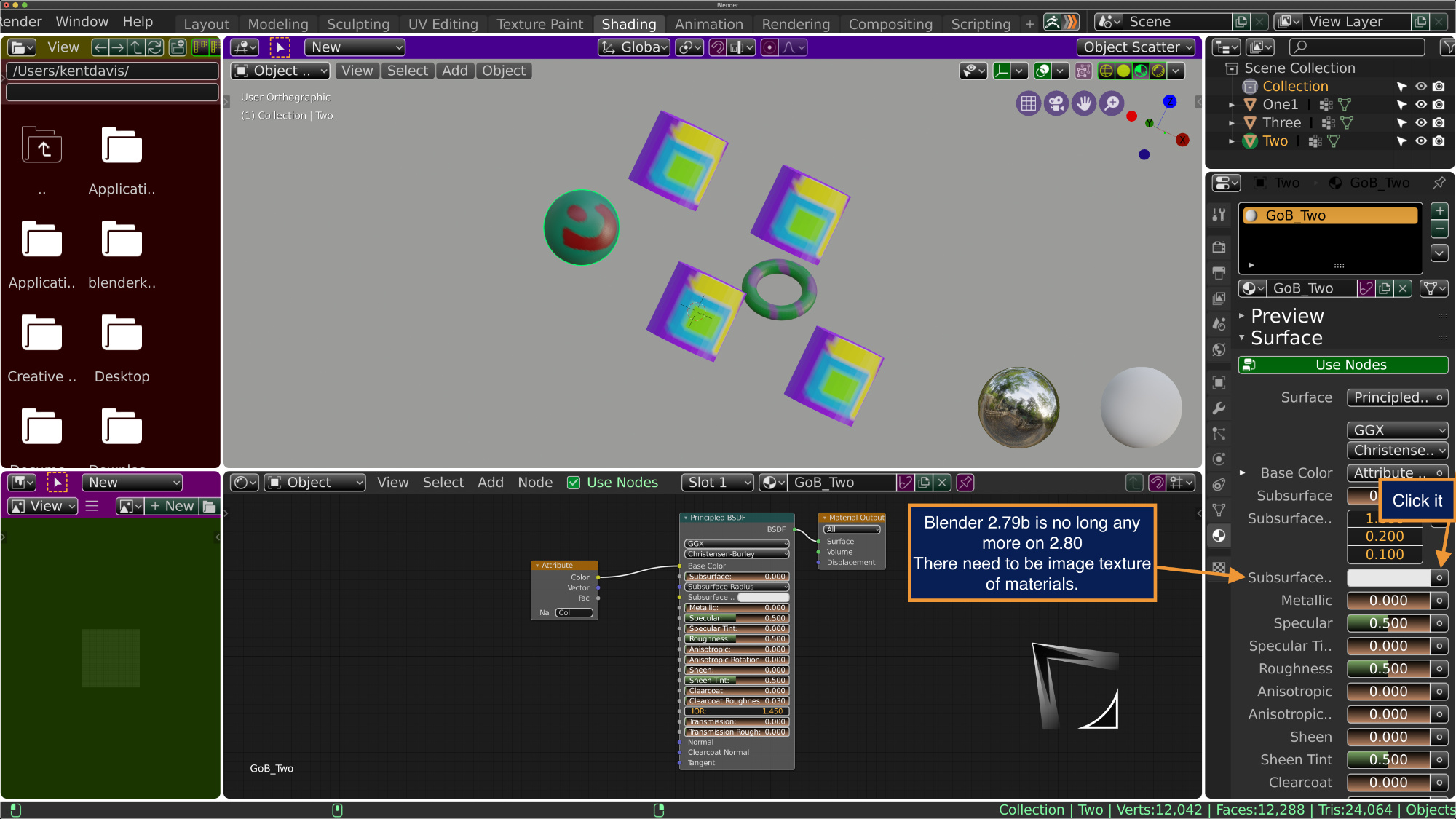
Blender 2.80 doesn’t appear Materials itself but object yes appear.

https://www.youtube.com/watch?v=r6k85KB5qo8

@mac4kent: hey i hacked somethig together so the color gets transfered, im sure there are scenarios that are not covered yet but if you have some time maybe you can give it a shot and see if it does what you would expect.

:warning:experimental :warning:
https://github.com/kromar/blender_GoB/archive/feature/material_import.zip

Yes it work 3.0.1 congratulation good job. There appear Materials finally.
ICONS folder it work.

I can do change to be white from dark on zBrush logo of Blender 2.80 icons

Never mind I remove my sentence. All it work subtools 3 list yaaaaay

https://youtu.be/KsqfDmeFDuc

Sorry my wrong. I mean Base Color on texture

Please point to the most current way to get ZBrush and Blender to GoZ nicely together.
Reading thru the thread looks like Pixologic is not working with creator of “GoB” because Blender is still changing everyday?

Is this the current version, are there different people working on versions of a GoZ for blender 2.8?

GoB for Blender2-57.zip (4.89 KB)

gitHub is not listing “ZBrush to Blender” or “GoB”
This is the instructions from “GoB.2.8.0” but now I don’t find the download link.

First of all GoZ for ZBrush must be installed !

• I) Put the folder named ‘Blender’ directly inside the ‘GoZApps’ folder :
on WINDOWS
c:/Users/Public/Pixologic/GoZApps

on MACINTOSH.
/Users/Shared/Pixologic/GoZApps

This add an Blender entry for GoZ-ZBrush

• II) Install the addon inside Blender :
– If you have a previous version remove it with the addon panel (unroll the GoB entry and remove it) –

Open the addon panel, then click ‘Install From Files…’ button at bottom. Select the GoB_2-72.py file. This will install the addon inside the correct folder.
Check the GoB box and save the User preferences to laucnh it at startup.

Then click on the blue icon on the header (on top of Blender) to acivate autoloading.

• III) Configure GoZ inside ZBrush :
In ‘Preferences’ -> ‘GoZ’, you will see appear the ‘path to Blender’ entry. This will create the config for Blender.
Now you can select it to use GoZ with Blender.
Check the GoZ manual to use it.

~ Cheers!

Hi @sadicus you can find the latest versions here https://github.com/JoseConseco/GoB

I do not know the reason for pixologic not working on GoZ for blender, this is a pure community project without their involvement.

Pleas let us know if you encounter any issues.

Thank you! I will try it later today. *I’m only now learning Blender (from a Maya background.) ZBrush is my favorite and Blender has so much potential, looking forward to getting them together.

File transfer is working!
…20 years later this is still a thing. Coordinating Coordinates!
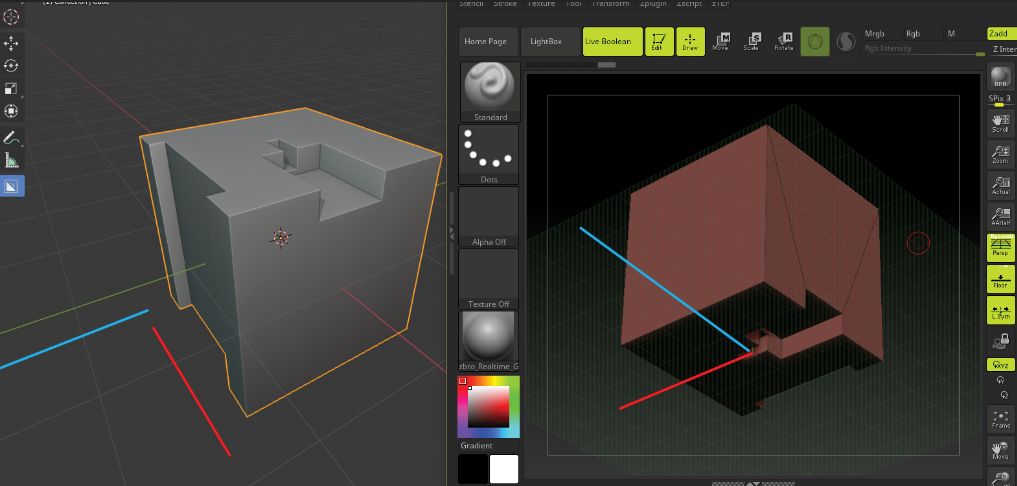
Is there a way to get Blender to be “Y” up? or a way to “set and forget” automate, the process of getting apps to have a 1: 1 Axis viewport?
I mostly work in Ortho view but as long as the objects will import / export in the same (expected) direction would be very helpful.
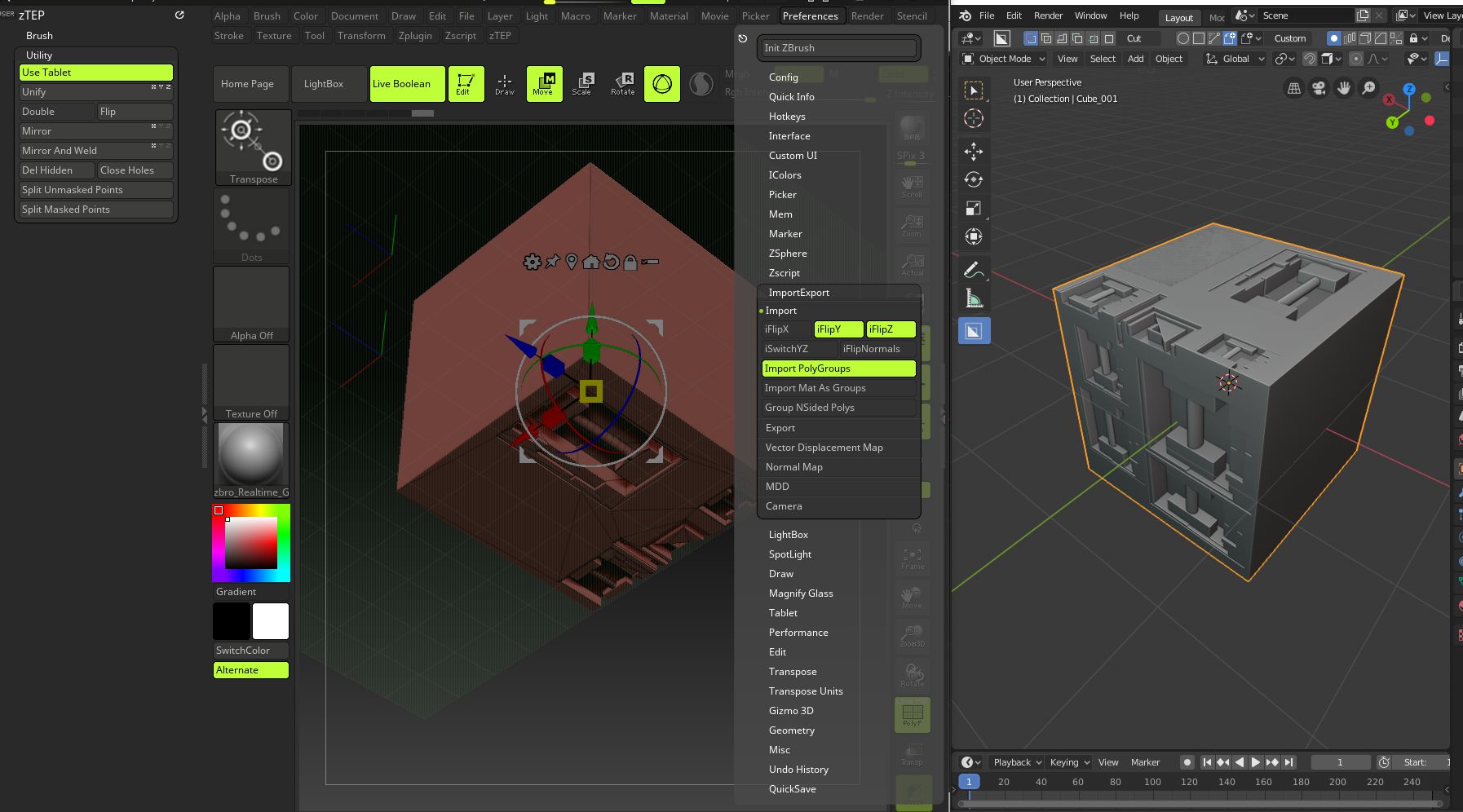
Zb_BlenderGoB

haha yeah it still is^^
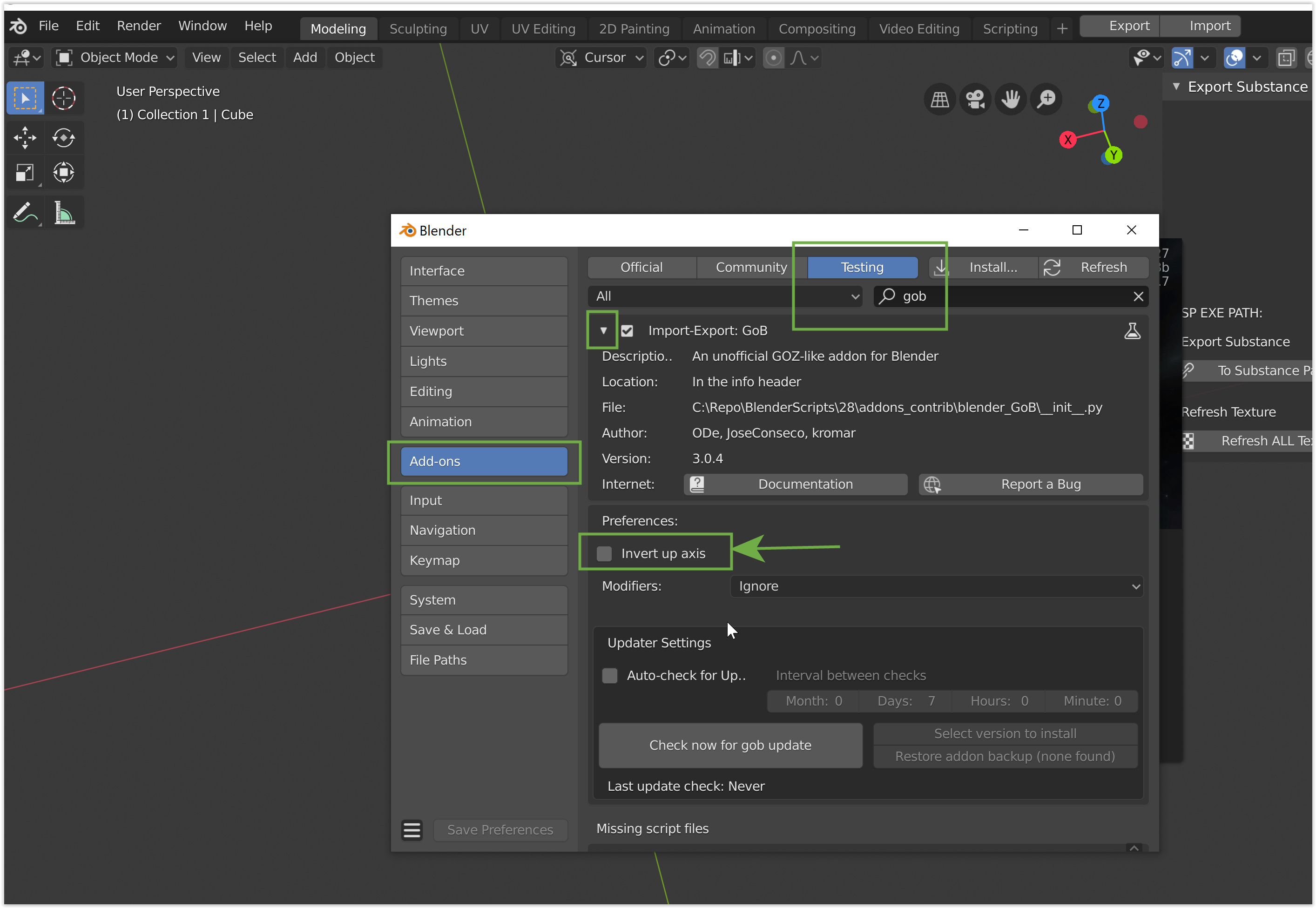
you should find a option in the blender addon preferences of goz where you can flip the up axis. for some reason some users need to change this.

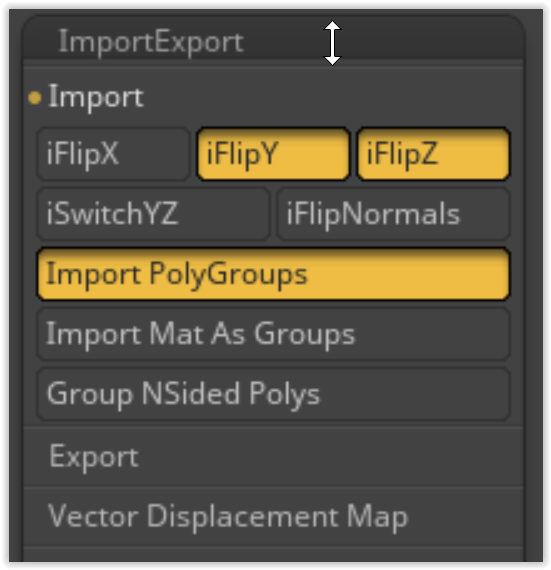
In ZB pref Import, found the “switch YZ” but that works for import and not whatever GoB is doing. (I do realize I can rotate the mesh before GoB but THAT is exactly what computers are suppose to do for us)
Is there another pref setting to get the mesh front to face the front camera in both apps?

OMG this keeps getting better! I really like the way addons are set for updates and change settings, all in one place very nice.
IMO

  • “Preferences” should be part of the Blender Start screen.
    I think the UI is locked down for a while.
    …wait, what’s that feeling? oh, it’s fun! 3D is fun when pipelines actually work.
    ~ Cheers!

@sadicus glad the up axis flip did work.
Flipping the forward axis is certainly something that can be added, so far we never had that inconsistency reported and i think i also never experienced this personally, i will have a closer look and see if i also see some inconsistency.

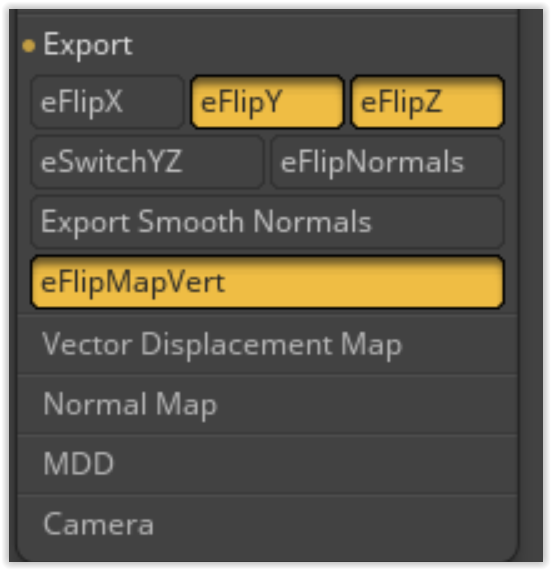
Hmm maybe those import options in zbrush have a impact on GOZ, can you post a screenshot of your import settings?

here is what i have which should be the default of zbrush
image
image

thanks for looking into this, The settings look the same yet it imports upside-down and facing away.

@sadicus i did some testing and can not reproduce the inconsistency. please make sure you safe yur preferences in blender after flipping the up axis.
If there is still a issue if the up axis is correct then we can look further.

1 Like

not sure why yet It’s working now. thanks for the images and explaining.

1 Like

July 7, 2019
Hi Kromar
I know you are still work on update GoZ and GoB processing take a time.
I just did download on your last link GoB 3.0.6 then check update cause 305 and I click make downgrade to be 3.0.4 that weird.

hi,

at the moment im not working on iut, i have to much other things i need to get done. but i plan a push to upgrade to 2.8 in a month or so which also requires updates on GoB.

not sure what happens with the udpates, i will check why this might have happend. thanks for letting me know.

Sure no problem smile.

Version 3.0.8 for Blender 2.8 has been released with a couple of improvements and bug fixes.

https://github.com/JoseConseco/GoB/releases

  • fixed: shading after import
    image
  • new: option to import object smooth or flat shaded
    image
  • new: option to import vertex color as material (currently replaces existing material)
    image
  • new: option to export materials as polygroups
    image
  • new: option to flip forward axis
  • new: cleanup GoB addon preferences into import, export and global sections
    image
3 Likes