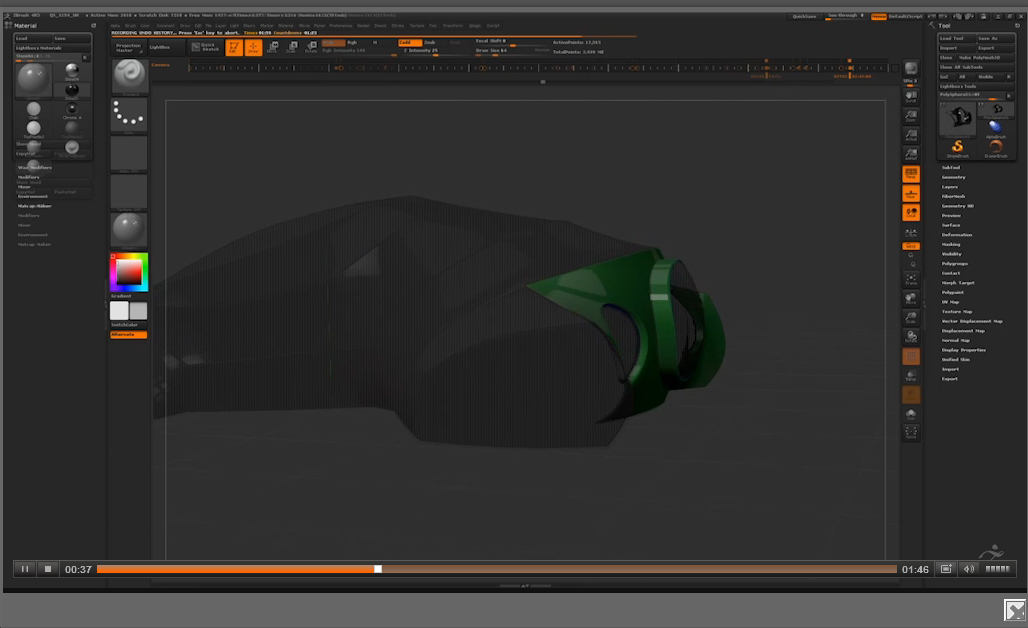
Hello! I have a question.
Is there any possibility to get hidden polygons to appear? When I work with Panel Loops and I create polygon groups I hide and then show the polygons back and forth. Would it be possible to get the invisible polygons to be semi-transparent?
If that is not possible when I sculpt, it’s possible to get that feature when I create a forward history recording. When I look at Pixologics ZClassroom and look at the Overview video (with the “space-vehicle”) then I can see the polygons that should be invisible has a transparent property (This can be seen 0:37 into the video). Does anyone know how to turn this function on. It would create a lot smoother and finer speed sculpting videos.
Thanks in advance! 
Attachments