ZBrushCentral

Ghost? - The wrong button pushed at the wrong time

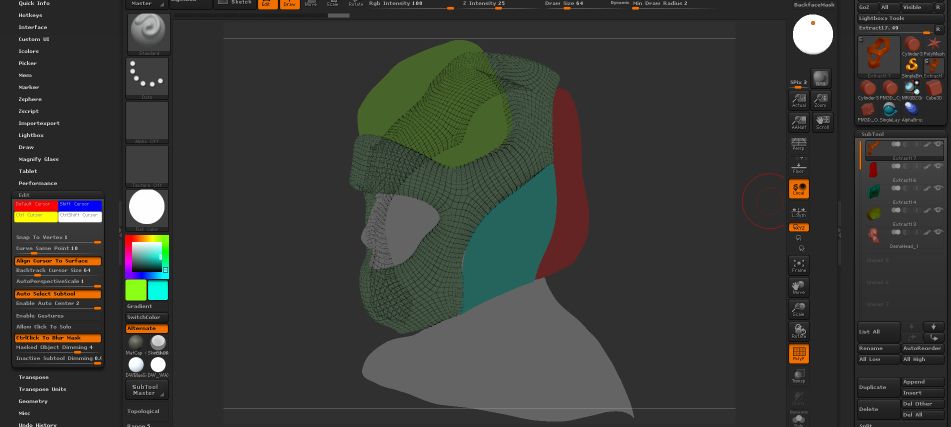
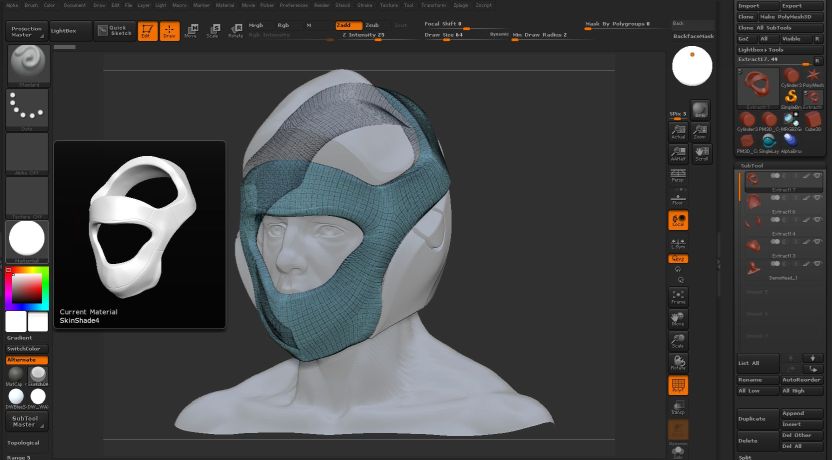
Ok, sculpting along, then all of a sudden the subtools look darker. I check to make sure “C” was not pressed, white is indeed selected.
When Poly Frame is selected, Sub tools are all transparent. It’s acting as if Ghosting is not turning off.
saved project and restarted ZB. Tried filling with White, Flat color.
How to fix?

Attachments
ZB4R6_Ghost1.jpg

ZB4R6 P2? You hacked off your screen grab…There’s a setting to adjust inactive subtools
http://docs.pixologic.com/reference-guide/preferences/edit/

Thanks for the link, I tried that, but it’s not the problem.

Attachments

ZB4R6_Ghost2.jpg

Go to “Preferences > Draw” and make sure “Front Opacity” slider is set to 0.5 and “Back Opacity” slider is set to 0.25.