ZBrushCentral

fur + displacement problem (maya 7.0)

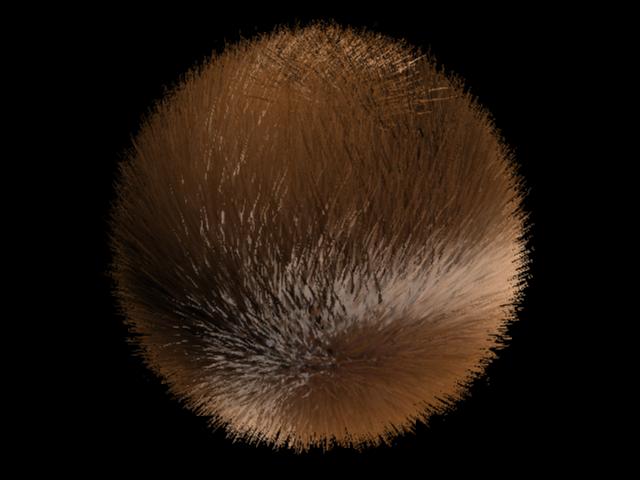
hi everyone, here i have fur on a ball, no big deal.

[attach=46309]18pv.jpg[/attach]

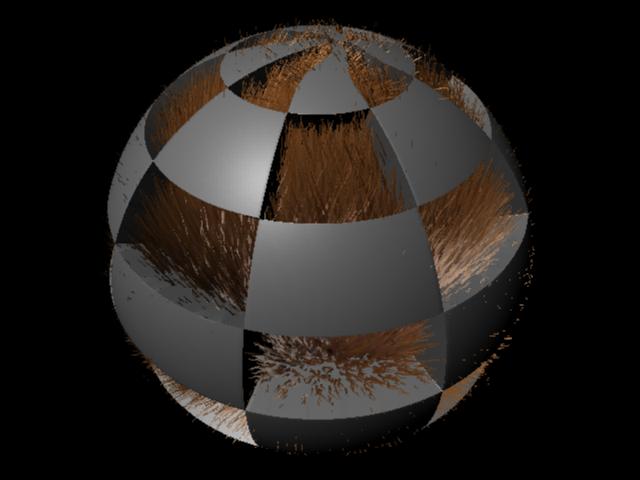
here i have a checker board as displacement on the sphere and the fur doesnt seem to want to follow, i tried plugging in the same checker board into the length of it and still no solution.

[attach=46310]22fu1.jpg[/attach]

i was wondering if anyone knew the solution to this problem?

thanks alot everyone.

Attachments
18pv.jpg

22fu1.jpg

am not sure from your description or how the hair works in maya but is there some way you can create a mask for the hair?

hey andrew!

not sure if it helps, but have you tried to map the baldness channel, with your checkermap. think that might help.
haven’t worked a lot with fur myself.

-r

the answer to this problem is here, and works out very nicely from what ive seen so far. thanks to everyone for their consideration and help.

kaelmd vbmenu_register(“postmenu_3210007”, true);
New Member

Join Date: Nov 2004 Posts: 1 You can put an offset to your fur in the fur description. If you want your fur to follow the surface of your mesh after the displacement you have to apply the same texture to your fur offset.

Is not as easy as one could think because you cannot directly connect a texture file to your offset. You have to go to your paint fur attribute tool and assign a texture to your fur offset. In order to do that select offset as fur attribute in the tool setting. Then in your paint attribute go under attribute map / import and load your displacement map. Now if you go back to your fur description under the tab details you will find an offset map attribute were you will find attributes to modify your map. Et voila… Now your fur will follow your displaced mesh.

I think it’s not possible to use a procedural map as an offset.I’ve not been able to connect it to the offset except when I bake my texture. If somebody know how to use procedural on fur details (not in the shading part) please let us know.

I think that converting your displacement to geometry will increase drasticly your scene files as well as loose all the benifit of a displacement map.

AndrewHwang -

If somebody know how to use procedural on fur details (not in the shading part) please let us know.

Try using the ‘JS ObjSpace’ shader by Jan Sandström (Pixero) available
from:

http://pixero.com/downloads_maya.html

‘JS ObjSpace’ is a utility shader that converts a 3d texture world space
placement matrix to object space.

For Maya 6.0, 6.5 and 7.0 Windows
and Maya 7.0 Linux.

Bear in mind this is just a suggestion; please let us know if you try it out :wink:

Chris

I´m now working with fur, and I´m thinking, … if my displacement map has alpha offset expresion on it to drive the displacement correctly over my model, is it necesary to set the same expresion over the file for the fur offset?, and also the “alpha is Luminance” box?, thank you very much.

hey there,

i tried off setting the fur with a displacement map, like andrew mentioned. the problem is that the fur is now slightly distant from the geometry.
here is a screenshot

man04.jpg

to get the disp map for the head workin i had to offset the alpha. i think i have to do the same for the fur. does anyone know how to do that in maya? i already played around with the map offset and map multiplayer.

any help would be great, thanks a lot, philipp