ZBrushCentral

Frozen Tool

Hey!

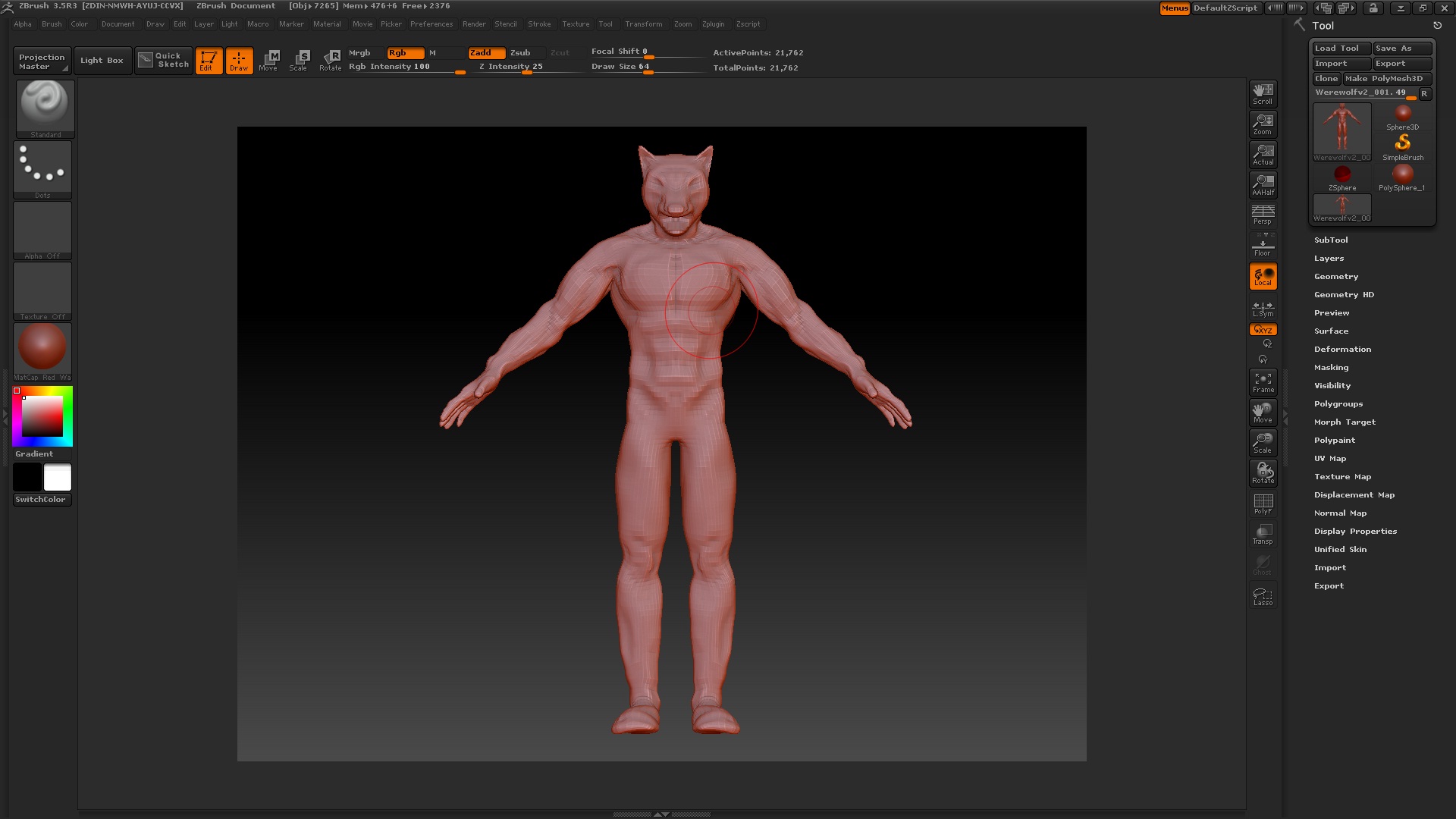
I am currently working on a werewolf creature, and just something weird happened. I dunno if I hit a button or anything but the entire mesh seems to be frozen. At first I thought it might just be transparent or something like that, but it’s not.

I am unable to sculpt at it at all. I can only rotate around it and transpose it.

I used the Basic Material, grey, when I was sculpting, and It seems now that it’s simply a lot bright shade of grey, with less obvious shadows.

Anyone encountered this problem before?

Please help :slight_smile:

Thank you.

Does your model have multiple SubTools? Your description sounds a lot like you selected a different SubTool. With Ghost turned on, the non-selected SubTools will become light and transparent. And you can only ever edit the selected SubTool, which is why the non-selected parts would be uneditable.

If that’s not the case, could you show some images?

Well, I have the mesh on my other(alot better) computer, and the prinscreen seems to be a bit disfunctional, so I’m having trouble getting images. Really sorry D:

But I checked, and no, I don’t have a subtool selected. I have two subtools. I clicked the other subtools to see if I got a response, but they suffer the same problem.

Is there a way to reset zBrush or, at least the tool I am working in?

Got it! I am uploading a printscreen of it now.

Please keep in mind that this is my second sculpt, ever, so it’s not really that good.

Does anyone see the problem here?

Attachments

zBrush Issues Pic.jpg