ZBrushCentral

Freaking Uvs!!

I started a snake from a zsphere and after i was done sculpting it i retopologozed it. I have been using ZMapper and any other program i have seen in these forums to lay out the UVs and bring it back into ZBrush so that i can use ZMapper. Hasnt worked.

SO! I did a Cylindrical UVMap on the model in ZBrush, nothing shows up. Try the tiles, nothing shows up, tried the AUVTiles, nothing shows up. In the ZMapper screen i choose transform to uv layout and it lays it out and it just looks horrible. you cant tell what it is when it tries to lay out everything. i have tried everything i can in this program AND maya and it is not working.

This is the first time i have had to lay out UVs, infact, i know nothing about UVs. Can i just get someone to layout the UVs in lightwave and then bring the low res model back into ZBrush and still have it retain all the higher subdiv levels?

I NEED A VIDEO TUTORIAL BADLY!!! PLEASE PLEASE HELP!!
It’s not a video tutorial, but have you seen the PDF by Ken Brilliant? http://www.zbrushcentral.com/zbc/showthread.php?t=8558

Thanks for the reply Aurick. That was the first tutorial i did and it is not working at all. At the point where he says to choose which projection you want, cylindrical, planar, sphere, i choose Cylindrical and it is supposed to show how it projects on the model with black and white squares and it never does. No matter what model i put in and try the tutorial over and over AND OVER again.

I have my manager laying out the UVs in lightwave right now and most likely ill just start over again. This is the first model we have used for a project in ZBrush and it was supposed to be easy to do these UVs according to what ive read. Ive also tried the UVMapper thats within that tutorial by Brilliant and its not working either. I chose cylindrical projection and it lays it out perfectly, but when i export the model and import it back into zbrush it doesnt do anything at all.

I really love ZBrush and want to use it in our pipeline but with problems like these it doesnt seem like that is an option any longer. I know that ZBrush is made for this type of pipeline so its really frustrating, like pounding-the-desk frustrating when nothing is working the way it is supposed to and its not working the way the tutorials are reading either.

The models are due tomorrow and i have spent 3 days trying different tutorials and methods and NOTHING IS WORKING!

I REALLY NEED SOME HELP!

THANKS AGAIN AURICK!

Unfortunately, the Spherical and Cylindrical mapping methods are known to have issues in Z3. They’re also inappropriate for all but the simplest of models. For now, the only options are planar or AUVTiles/GUVTiles. The first is no good for you, and you’ve stated that you don’t like the latter two. The reason I pointed you to that tutorial is that it also gives help with using UVMapper.

The bottom line is that UV mapping is a fairly complicated process. Since ZBrush is all about removing the tedium from digital art, we created the AUVTiles and GUVTiles mapping methods. Those methods give zero-distortion mapping with the click of a button. However, that mapping only makes sense to the computer. It’s not easily interpreted by the eye. This is not an issue for most users, though, because ZBrush also allows you to paint on the model itself rather than requiring you to paint on the unwrapped map.

But if you want total control over your mapping, then you pretty much have to use something like UVMapper. Before you put in the time with that, though, ask yourself: Do you need to paint on the unwrapped map? Does anyone ever need to see that map? Or can you do the painting on the model itself (with or without ZAppLink), and will the map only be displayed to others as being wrapped onto the rendered model? If the latter applies, then your resistance to GUVTiles is strictly psychological. Trust the computer. You’re likely to be quite surprised.

(Note: The exception to my above statement is if you’re going to be using a Tangent space normal map. Those maps are extremely sensitive to where the UV seams are, and you need to manually UV the model in order to hide the seams as much as possible.)

So i should use the AUVtiles or the Planar UV? Its a snake by the way, the model minus the body is in the WIP forum here at ZBrush Central under Hognose Viper. I dont know if you have the time, but could you take a look and suggest a method?

Do the following:


  1. Skin the model if necessary. You can’t remap a ZSphere preview.
  2. Go to subdivision level 1. You can only remap a model at this level.
  3. Apply a blank texture to the model that’s the same size that you intend to paint. A good rule of thumb is that it should have about the same number of pixels as your model has points. So if your model is 1 million polys, use a map that’s 1024 in size. From 1-4 million, use a 2048 map. From 4 million + use a 4096 map.
  4. Press Tool>Texture>GUVTiles. Your model is now mapped and ready for texturing. You will need to export the model together with the texture, since it’s the OBJ that contains the UV mapping info.

Ok ill try that soon as i get back to the office and i will let you know what i come up with. Thanks for the feedback Aurick i really appreciate it. Hopefully this will fix the problem. I am the guinea pig of the office when it comes to ZBrush ha!! So when this gets fixed i get to teach everyone else.

Thanks again Aurick!!!

But now it is working. Thank you so much Aurick. Last time i did GUVTiles it didnt work. I guess it was just magic!!!

You’re the best Aurick!

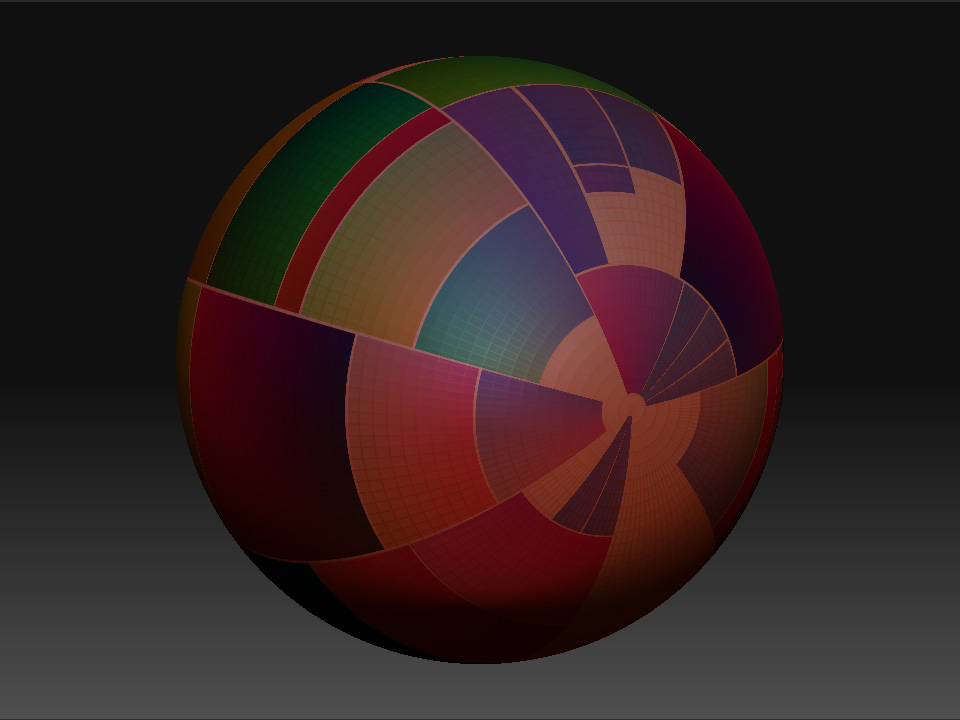
Ok, so that process worked for the snake wonderfully but now when i use the same process for the eyes, just two polyspheres, the displacement, cavity and colour maps come out looking like a Mondrian painting. I went through the process you gave me over 5 times just to make sure before asking for more help haha!!!

PLEASE HELP AURICK!!! With great knowledge comes great responsibility lol!

Um, I don’t know what a Mondrian painting looks like. Perhaps if you actually showed a picture of what’s happening, and explain exactly where it happens?

[Normal Map central.jpg]

This is what is happening after i do the normal maps.

See the comparison?

Mondrian

If anything, I’m more confused than before. Was the normal map created for this sphere? Or was it created for a different model?

The map looks like it is a GUVTiles mapping method. As I stated before, that mapping method doesn’t appear to make sense to the human eye. However, it makes perfect sense to the computer. Assuming, of course, that it’s applied to the model for which it was created.

Texture maps – including normal and displacement maps – ONLY wrap correctly onto a model with the UV mapping that the map was created for. If you try applying these maps to other models, they won’t work. But if you apply it to the original model, it should wrap fine.

Oh oh oh oh ok. Damn, im sorry Aurick. Thanks for taking the time. I really appreciate it!