ZBrushCentral

Framing Picture workspace

Hi all,

After long time I reopend Zbrush latest release to give it a whirl and found, that I somehow cant use my full “pictureworkspace”
any longer (see picture)

Any hints, how I could expand it till the frame?

Any advise would be great.

Attachments
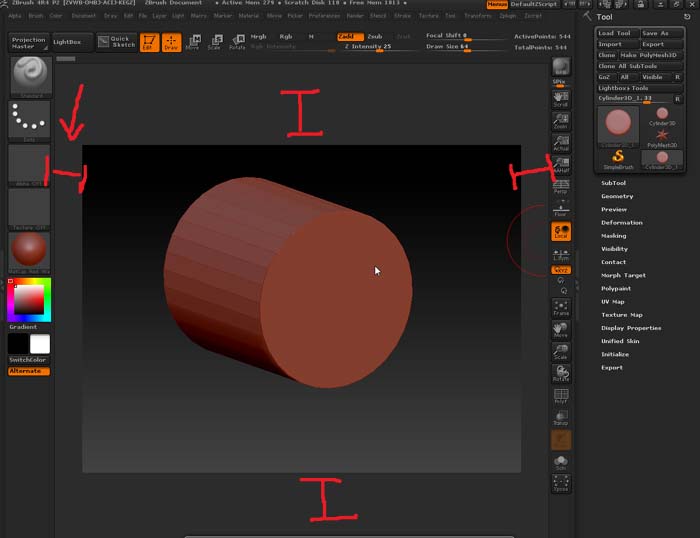
Frameproblem.jpg

Make your changes in the ‘Document’ menu. Turn ‘Pro’ button off. Change the ‘Width’ and ‘Height’ then click ‘Resize’ button. When you get the document to where you want, click ‘Save As Startup Doc’ button so ZBrush will start up that way every time.

If you use Document: New Documment with the WSize option on, it will automatically have the document fill the entire area.

Thank you both. That helped a lot.

:wink: Jake