ZBrushCentral

Flat meshes - how?

Newbie as I am, I have been fiddling with this for days now with no luck… and I can’t find any tutorials on this matter. Now, sculpting humanoid beings and similar life forms as well as things that have some sort of volume is fully comprehensible. But, how on earth do you go aby doing FLAT objects. Atm I’m trying to model a rather flat but rectangular shaped shield, meant for a game.

For this shield, I used the tool called “ThickPlane” as a starting point. Then I used masking to map out the shape of the shield, hid it and deleted unvisible. That left me with a basic shape - only, it’s completely flat, like a piece of paper. When using Inflate brush, it splits into two surfaces with no edges. So, could someone point me in the right direction on how to create a flat doublesides shape, with edges? :rolleyes:

Tool: Subtool: Extract

You can adjust the thickness slider to add thickness to the resulting extraction.

Omg… it was THAT simple!? I can’t beleive I tried so many awkward ways to do this, but never saw this one :laughing: Thank you!! :+1:

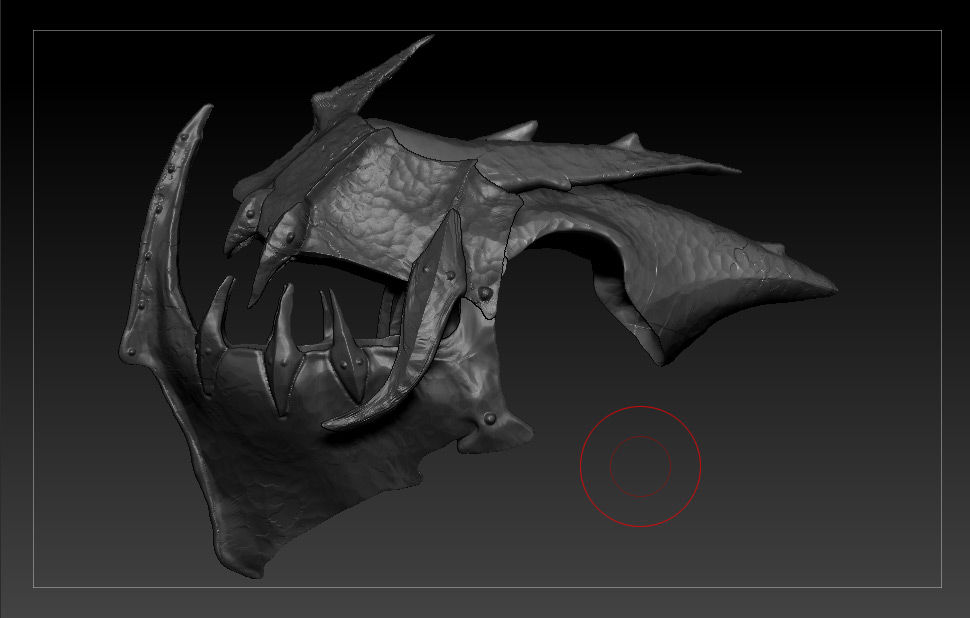
Using the flat surface, and Extract tool, I was finally able to model this in what I’m guessing is a very unconventional and almost embarrasing way. Using the Move brush I bent the 3 different meshes (and then fixed details with other brushes) into this object. It took me about 12 hours. :o Now, if there was a simple “BEND” brush/tool it would have been 100 times easier, but there is none, is there? It quite puzzling to me how people can create such immensly illaborate models in these forums, using the brushes that I know of. So there must be tons of stuff I’m missing? This can’t be a good way to scuplt a helmet, as it brings a bunch of distorions to the mesh’s topology…

In short, is there a simple way to bend a flat surface into any curve I like without using the move tool, which is based on a sphere shape that bends the mesh in that shape which means I have to adjust with smaller brushes - and that takes a LOT of time :confused:

6c652d058d4cdcb14db700f1c41b4c52.jpg

Masking areas you wish to remain stationary and using Transpose with rotate will sort of do what you want.

Ahaaaa… the Transpose tool? :bulb: Right, I guess this video is showing what you are refering to? I will experiment with this and hopefully learn better ways to create bent shapes like the helmet above…

Thanks for quick reply and pointing me in the right direction. This forum is awesome! :+1:

[video=vimeo;52831516]http://vimeo.com/52831516[/video]