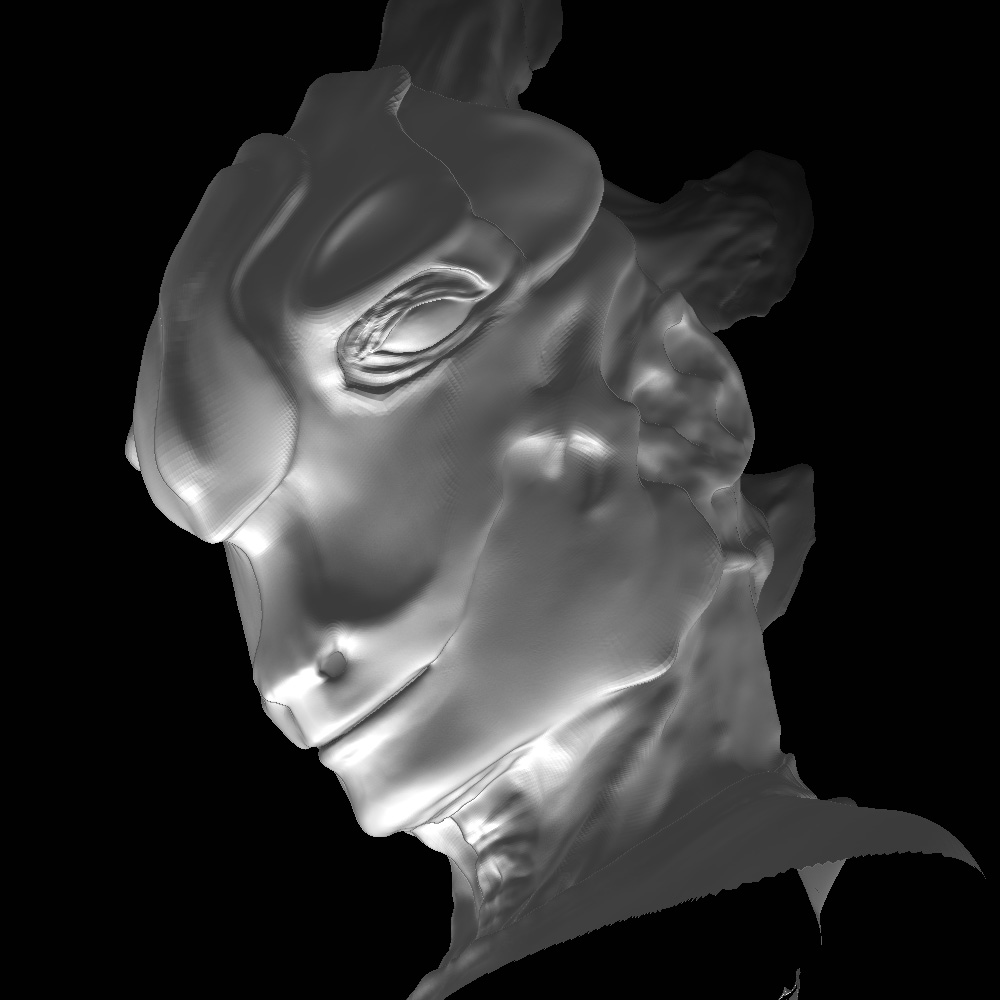
Hello All!
I am happy to say that after three nights I’ve made enough progress on my first model to post it. I’ve been working with ZBrush diligently and I’m very excited by the control and precision ZBrush gives the modeler! Modeling in Maya seems clunky and barbaric by comparison!

Anyway, I drew this creature for my “Clothed Figure Drawing” class and decided it would make as good a subject as any. The model isn’t finished but it is coming along! I have the head done and once I’ve caught up with my diligently ignored homework I’ll be able to finish the rest of him.
I created a base model in Maya, unfortunately I made a mistake. I found that ZBrush doesn’t align the faces according to curves you create while modeling in ZBrush. It goes off of the base models poly alignment. I’ll remember that for next time. My first models poly count was way to low and some edges were a pain unless I built up the detail to insane amounts. I just figured ZBrush would handle the ploys direction. Is there a way to pull or change the direction or flow of polys as I see fit?
On a similar note, is it possible to add polys to a model? If I bring in a base but find that I need an extra finger or fold of skin, would I be able to arbitrarily add polys to my surface? Will this affect the divide history? Do the lower levels automatically add the missing polygons?
I was also wondering about creating holes in the model, for instance the handle to a coffee cup or a large ear ring hole in a character’s ear. Would I have to build the holes into the base model, or is it possible to do this in ZBrush?
My first real mistake was adding the eyes too late. It seems that if the original geometry is meant to be divided, the second geometry (such as eyes) is expected to be added early on in the modeling process. If not, all the divide history of the original geometry will be lost. Why can’t I rotate two separate models on the same axis while still keeping the history of the original geometry’s divided mesh? I need the eyes to figure out the eye sockets and how the skin connects to the eye. This area is tough enough to model with out dealing with the possibility of ruining the eye it self. This situation goes for any secondary geometry. Am I missing something? Does the displacement map solution solve this, or maybe someone’s got a work around?
PS – I created the model using a mouse! I don’t suggest attempting this at home kids.
Attachments