ZBrushCentral

First creation: Alien skull

Hi, I’ve installed Zbrush two days ago and can’t seem to do anything else since… I simply love this tool.
I’ve never been into regular 3D tools but this is simply to amazing to let be.
Well anyway here’s my first piece, I hope you like it :stuck_out_tongue:

[attach=29584]alien.jpg[/attach]

I do have a few questions;

  • How do you create decent looking eyes?
  • How can you create two (or more) seperate models and add them together afterwards?
  • If you accidently select a different tool whilest working on one, how can you go back and select the previous tool?

Any useful comments & crits are welcome!
Greetz

Attachments
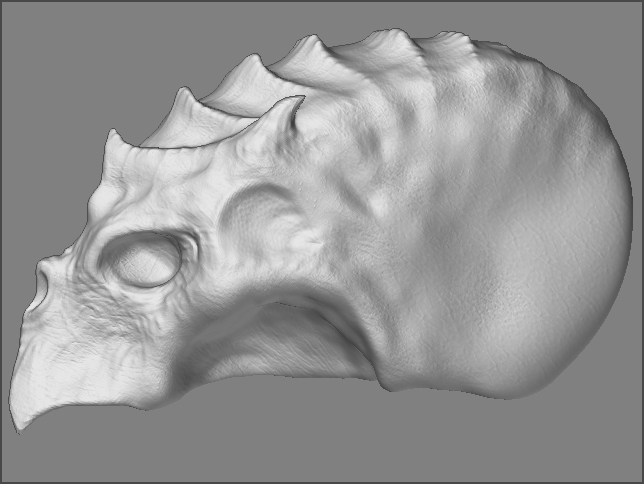
alien.jpg

#1 practice :wink:
#2 search for multimarkers
#3 it will ask you before you switch, so it’s usually not a problem. if you do drop it, it’s still in the pallette though, so you can just put another live one down and continue.

Hmm thanks, I’ll be sure to check that out.

looks pretty cool can we see it from some other angles. is this just a piece for a larger character or just a test. Good work Keep it up

No sorry, it was only a test and it’s been made for only one angle… it’s not entirely 3D. (I didnt know how to mirror yet :p)

Press the X key next time when you sculpt it :wink:
No other angle ??? Ohhh… it looks good man for not to have a different angle for appreciation… :frowning: :cry:
My advice, redo it again but this time with the mighty X key pressed please for Symmetry.:cool:
I assume you are reading the Practical Guide… right!.. :wink:

Maybe you can try the smart resym tool…
Nice work…