ZBrushCentral

FillObject does not work correctly for me

Hi guys,

Newbie here. Using ZBrush 4R6 on Maya.

I have multiple subtools for this mountain character. I am trying to do a simple “Fill Color” for each subtool, using “Color Menu->Fill Object”

It worked for most subtools, except for the Eyelid-top and Eyelid-bottom.

https://drive.google.com/file/d/0B0OKp4m2GRdTWEdCZ2E5VkN5dkU/edit?usp=sharing

I tried with keeping just “M” or “MRGB” – nothing has worked. It just looks quite grainy, not as smooth as the rest of the subtools.

There’s no masking either.

Greatly appreciate your input.

Thanks.
-Anil

Attachments
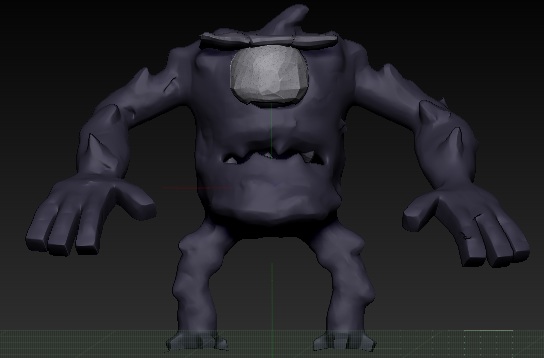
Screen Shot 2014-06-07 at 4.06.15 PM.jpg

Make sure nothing is masked.

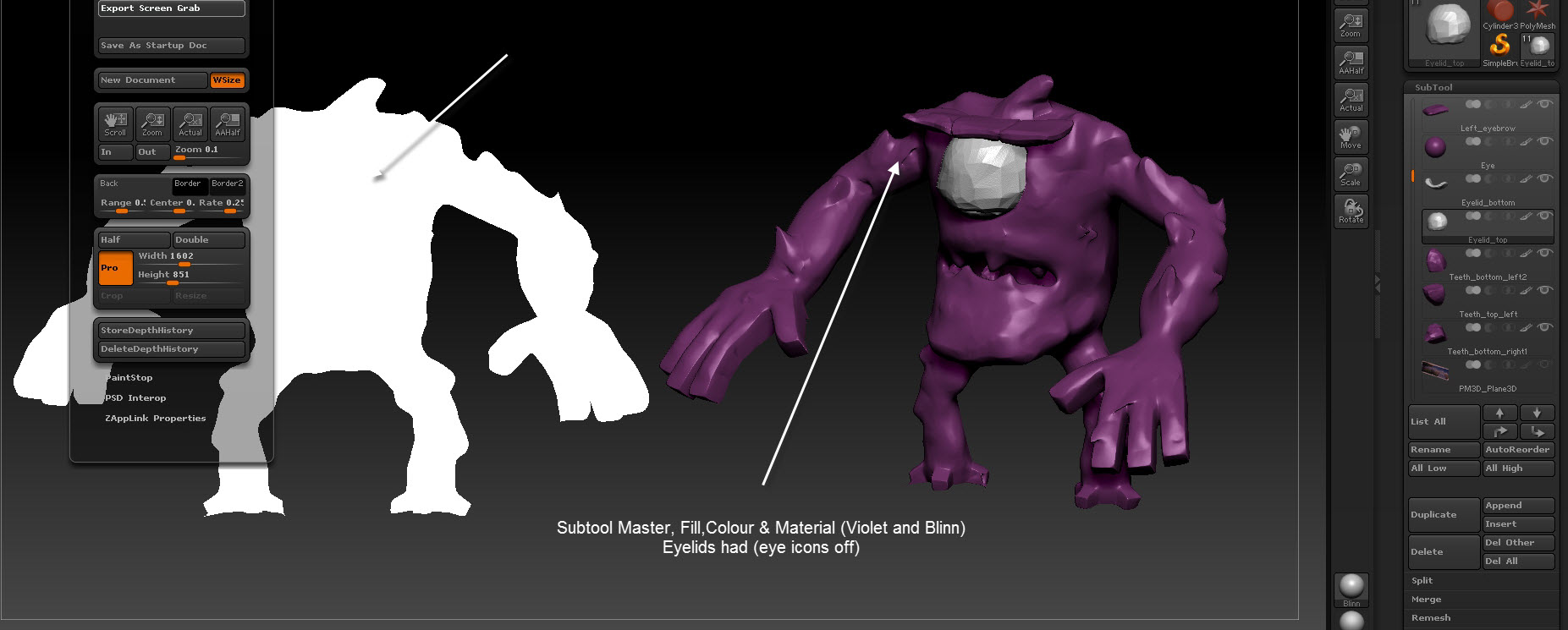
Just had a look at your model. Have you tried filling the model with flat colour to erase existing colour problems (use Subtool Master to fill all visible tools with colour and material). Then choose the colour and material you are looking for and then carry out the same step as before (Subtool Master!).

I see you have a surface noise on the eyelids is that the grainy you are talking about?

Attachments

Subtool Master.jpg

It is the surface noise that is causing the problem. It has a color blend which is covering the material & color you are using. Either turn off Noise in the Tool>Surface sub-palette or, if you want the grainy surface, press Tool>Surface>Edit and then set ColorBlend to 0.