ZBrushCentral

Fill with Tiles

Hi,

I’m looking for a method in order to fill my object with a texture, repeated any number of times that I want… something like the “alpha repeat” in the stencile, or like
“alpha tile” in brush settings.

As I didn’t find how, to know if this is a possible task to do inside Zbrush or not, would also be a valuble information to me.

Thanks for any help you could bring.

Regards,
Oliman

Hi,

I’m looking for a method in order to fill my object with a texture, repeated any number of times that I want… something like the “alpha repeat” in the stencile, or like
“alpha tile” in brush settings.

As I didn’t find how, to know if this is a possible task to do inside Zbrush or not, would also be a valuble information to me.

Thanks for any help you could bring.

Regards,
Oliman

Try the UV Map palette. In there are options for tiling your UVs using Hrepeat and Vrepeat.

Thanks, but this is not a solution for an unwraped uv… the only left solution
is to multiply texture tiles in a bitmap editor, create a huge texture to fill an object with… not so funky, isn’t it?

Take a look at the Hrepeat and Vrepeat sliders in the Tool>UV Map submenu. The effect varies depending on the UV mapping you choose but you may be able to get what you want.

Please don’t post the same question more than once. There’s no need to post in different forums.

Thanks,

Hi… ok, no more duble question errors.

Thank you Marcus… supose you have just unwaped your mudle inside Zbrush by using UVMaster… or lets take the by default Zbrush sphere allready unwraped.

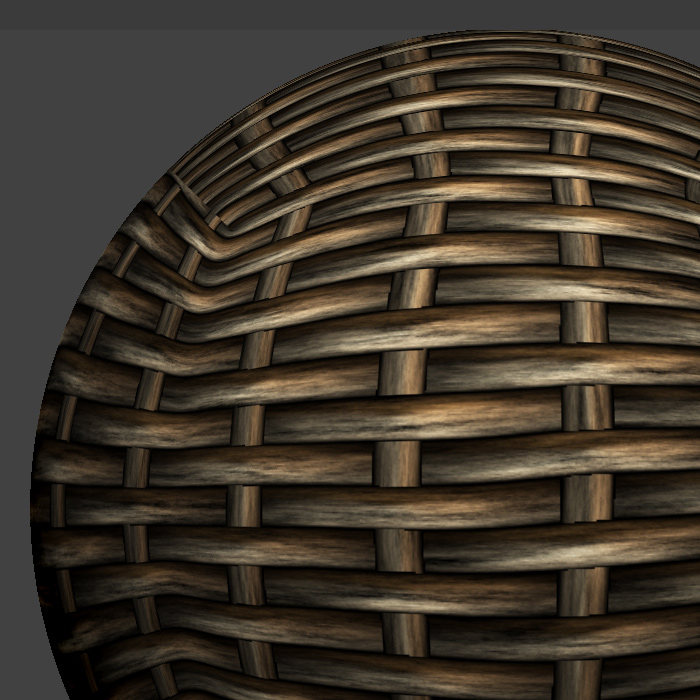
So you want to fill it with your tilable texture, but if the texture remains unrepeted you will get this …
ref1.jpg

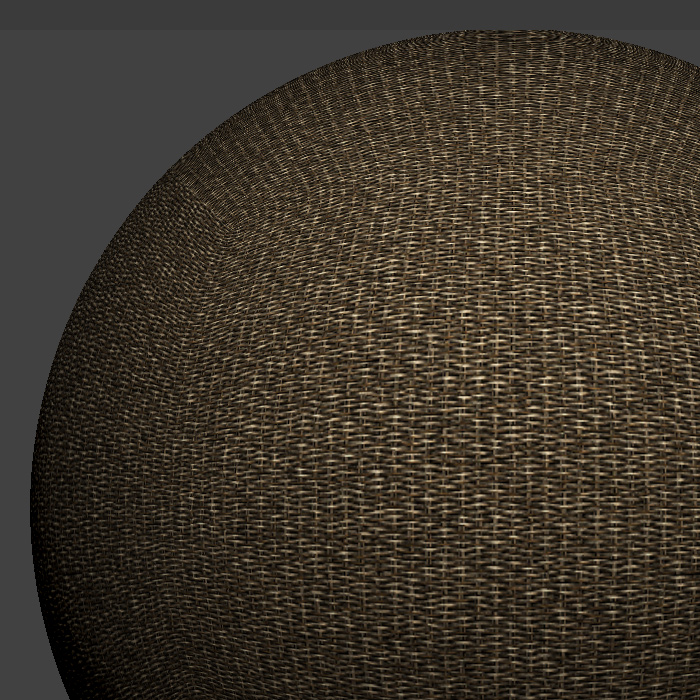
Here for this second result, the original 2k tileble texture was 4 times mutipled in photoshop and the resulting 8k texture was imported and used to fill the sphere.

So if there’s no other way to get this, then I would be gratefull to be noified.

Best regards,
Oliman

Attachments

ref2.jpg

I think you are misunderstanding how UV mapping works. For a simple shape like a sphere it would be straightforward to tile a texture map when, say, spherical mapping was applied. You’d get a tiled near-seamless texture. But for anything more complex, and with an unwrapped UV map such as produced by UV Master, this is impossible. Essentially what you are asking for is two UV mappings, one on top of the other.

The best way of doing what you want is probably:

  1. Lay out the UVs so that they can be edited in Photoshop. Ideally the seams would need to be where the object naturally has joins (e.g. for a basket, the edges).

  2. In Photoshop, use the tiled texture to paint appropriate parts of the map.

HTH,

How did you multiply it in photoshop?

Hi,

I made a script in photoshop for that…
you can download it here : http://www.iconrange.com/ps/multiply.rar

flaten your file (Background), then it’s going to work…
eatch action play will multiply your pixel count by 4.

Marcus, to me filling an unwrapped object is a step only, not the end goal.
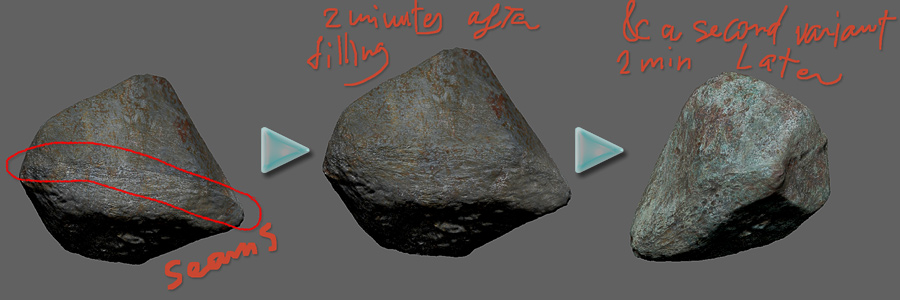
sure that map seams are not going to match after filling the object and the texture shuld be finished with brushes…
However, this task (brush finishing) could be dramaticly minimized with a tool like UVMaster, as you decide where the seams are going to show.
mutiplying any downloaded texture before filling an object can speed the workflow…
(only seams to brush)
fille.jpg

Marcus, thanks for having helped.

Best regards,
oliman