ZBrushCentral

Fibermesh question

Hi,

How does one unlock the roots of the fibermesh when one exports and reimports the obj? I thought by exporting the fibers as an OBJ this would be a no brainer but it comes back in just the same, locked root ends. I want to move them into a nicer shape and as it is now I can’t do that.

Thanks for the advice!

Richard

I don’t think it’s possible to tell ZBrush that the strands are fibermesh, and the OBJ doesn’t hold that information. Once it is lost it is gone for good, I’m afraid.

But if it is simply masking that is stopping you doing what you want try pressing Tool>Masking>Clear.

Asked around to cover my bases. This is what I was looking for:

Go to your brush palette and look for Auto Masking. Uncheck Auto Mask Fibermesh :smiley:

Hi Richard!
Yes the default root masking catches a lot of people out. :slight_smile:

Great, glad you solved it!

Hi Again,

I posted another thread but got no responses. So perhaps those that are still watching or subscribed to this thread might help.

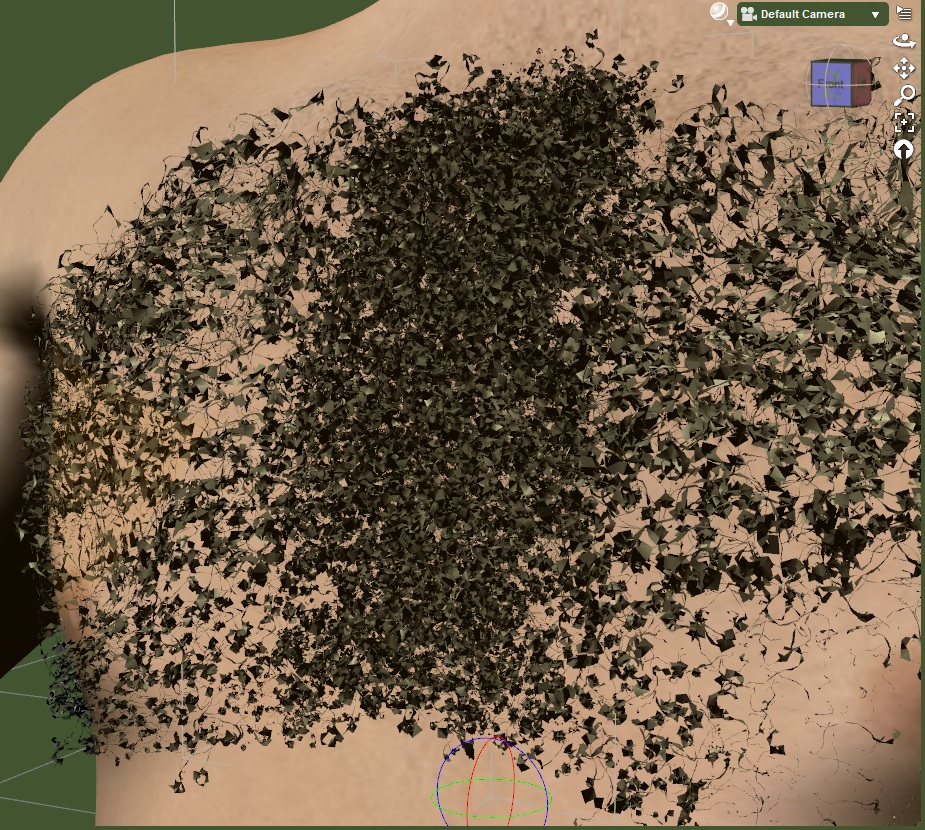
I exported a chest hair fibermesh set up but in DAZ Studio where I do my renders when exporting the fibers through the fibermesh export area, they import and show in the viewport but do not show up in the render. I guess they are essentially guide hairs so that makes sense.

When I export them as an obj through the normal export option they show up but they are not hairs, they look more like what you see below. Twisted, wide geometry. I’ve done all I can to thin them out in the Fibermesh properties area but still look weird in the export and imported into DAZ Studio.

I can sort of get them looking like hairs if I apply a smoothing modifier to the prop but I don’t think I should have to do that to achieve a hairy look.

I must be doing something wrong but with other exports in the past this was never an issue.Exported as OBJ.jpg
OK, found a work around for THAT issue. All I do it open up the Deformations tools and used a couple of the polish tools to get something that looks like hair when imported into another program as an OBJ!Polish FiberMesh.png