ZBrushCentral

Fibermesh Export Curves OBJ PROBLEM , other export files works (.ma,..)

I cant import curves/guides/splines from fibermesh with OBJ… to 3ds max(or Maya, but it doesnt work with .obj, with .ma it works, but i need .obj because is the only export format that 3ds max read from zbrush fibermesh curves).

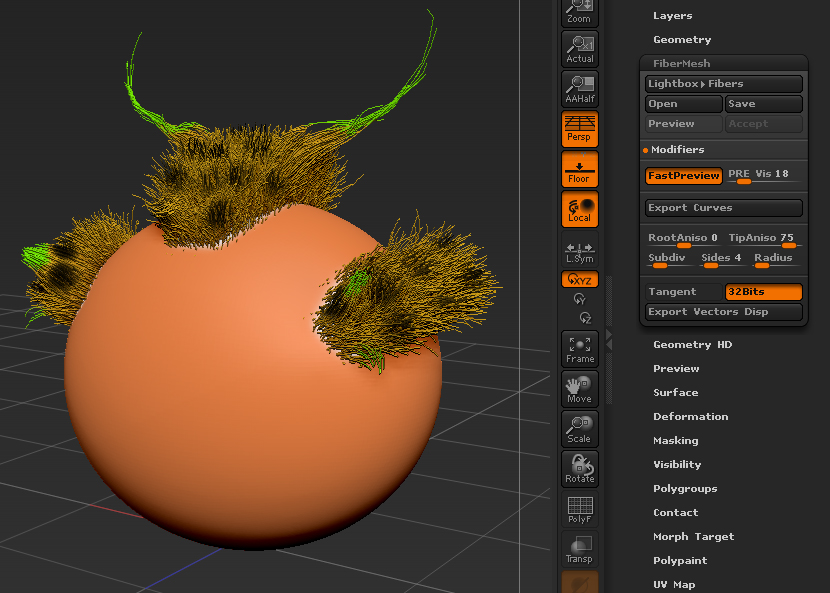
1- this is what im trying to export to 3ds max, a test scene that i made it. A tried with Fast Preview button check and uncheck.
Click Export Curves and select .obj

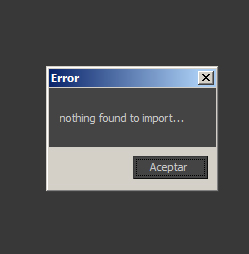
2- I open 3ds max and click import and select the FBcurves file. I tried every combination in this dialog…

3-… And always get the same message: “Nothing found to import…” 3ds max 2011 and 2012

EDIT: If i export in .ma format into MAYA its Ok, the problem seems to be the OBJ export option!! Doesnt works in Maya neither.

Attachments
Nothing02.jpg

Nothing01.jpg

Nothing00.jpg

update edit ^

update ^… somebody try export .obj? is a bug on the last update? maybe i need re-update? please, somebody try to export as .obj and tell me about it!!!:cry:

Hi there !

I got the same problem :wink:

But unfortunately, I won’t be able to help you cuz I use Maya, so importing a .ma file is alright for me :confused:

Cuz yeah, it works if I import an .ma file in Maya. But it doesnt if I try to import the .obj (Nothing happens when I do it, and the outliner stays empty).

Sorry mate ! :confused:

But i’m interested aswell about importing a .obj curve file in Maya/3DS … If someone got any news or tricks for this…

Thanks

Cheers,
Lad

Hi there!

Any update about solving this problem?

I can’t import the curves into 3ds Max 2020.