ZBrushCentral

Few basic questions please.

Hello guys,
can I please ask few basic questions?
When I click on quick sketch my viewport disappear and now i have some kinda paper I can draw on. What is that used for? But mainly, how do i go back to 3 for sculpting?

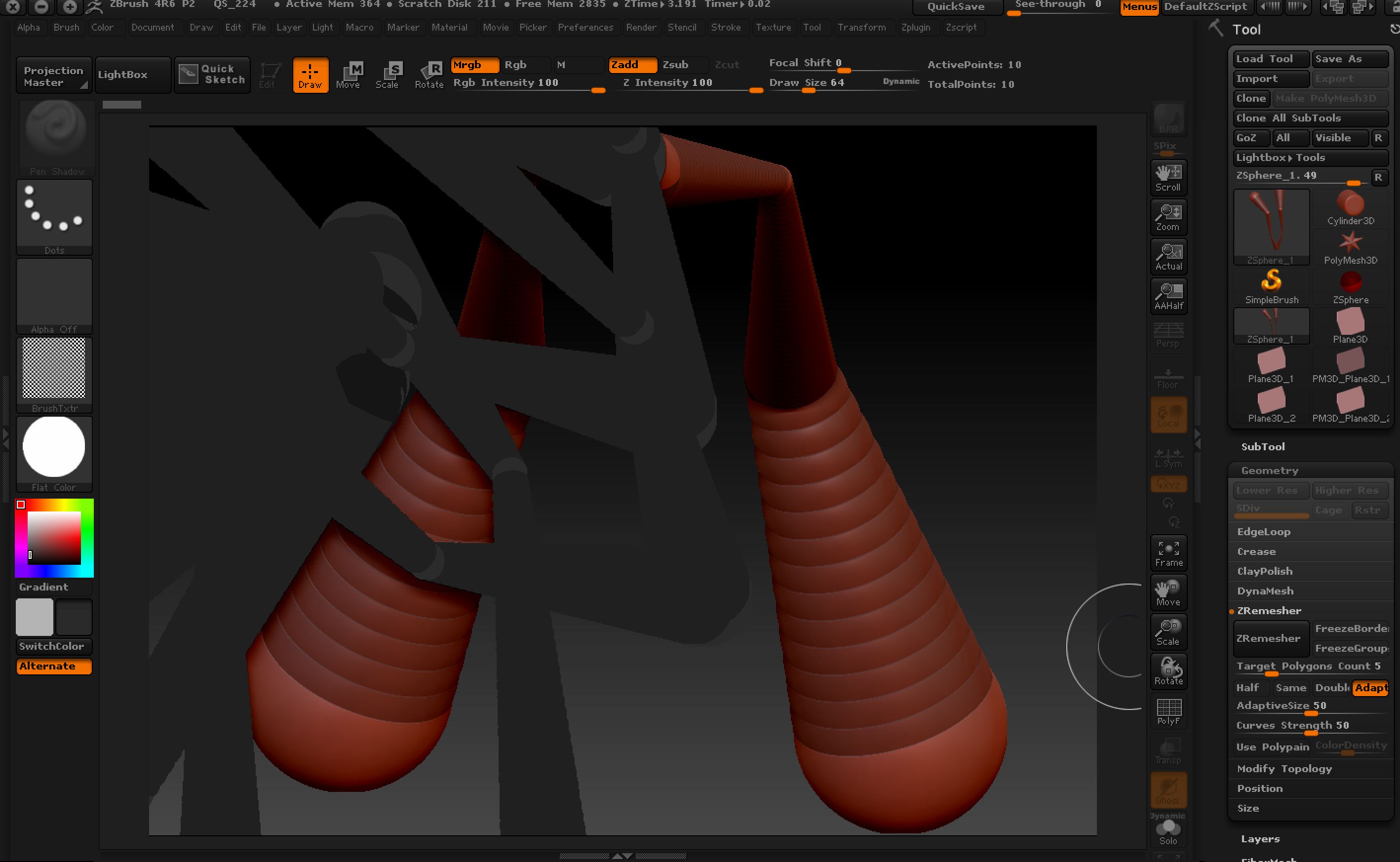
And another is that I was testing zspheres and suddenly it turned gray and i could only do instances of it but couldn’t go back to the red colour nor couldn’t go to the original one to continue zsphering :slight_smile:
See pic below to see what I mean. Can I please ask what did I do wrong and how to get back to it?
Thank you

Attachments
zbrushproblem.jpg

1 - quick sketch is for just that by default lets you draw in symmetry for concept drawing of models to go back to sculpting
pick another 3d tool and another material
2 - by your screen grab it looks like you switched to flat material which has no depth - pick another like basic

Thank you Gary, that helped. The only bit I’m still confused about (and that comes from Maya) is that on the picture I have the normal coloured zsphere shape and then the weird coloured ones. The normal one was the first one and all I want is this: like in Maya, I wanna click on that object to start adding more spheres etc but when I click it just draws more instances of the tool in weird colour. The usual shortcut “T” doesn’t work like with normal sculpting so how does one ‘select’ the normaled coloured one and then start continuing with the work?

In normal tool scultping when it starts drawing these instances I can just hit ‘T’ and it deletes everything except the last one and I can start scultping but it doesn’t work here. :frowning:

What did I overlook, please?

Btw, thank you for helping. I really appreciate that. I watch tutorials but those don’t tell you what to do when something goes wrong :)))

I think you need to ‘clear your canvas’ with Ctrl+N.

Thank you! That saved me. I already had new scene but I wanted to learn from this so next time I know what to do. Also, often troubleshooting teaches you way way faster about the software so thank you so much for your help. My little star :slight_smile: