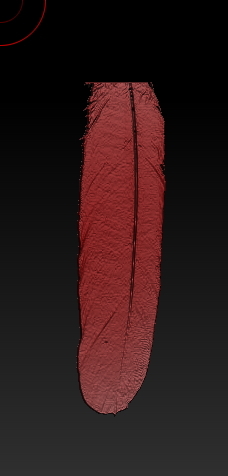
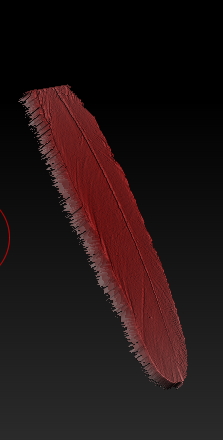
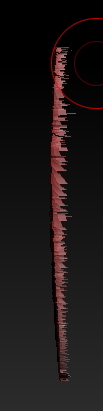
I made this feather by sub-dividing a plane and painting on an alpha using zadd set to 25 and rgb on and chose a red color then polygrouped by polypaint. I then went and hid part of the plane without the feather and deleted hidden but as you can see it has very jagged edges when viewed from the side … I want a very clean edge like you would see on an actual feather I tried to smooth or clip the edges with just about every brush there with no good result . Please if any one has any ideas on how I can get a clean edge like on a real feather please let me know… including any ideas that would involve making it with an entirely different work flow. I basically have the alpha I want to work with and want to end up with a detailed feather zbtool… thanks for any input you have happy zbrushing
Attachments