ZBrushCentral

eyelid creation

hello,

again… admitted newbie here. if you read/buy books about zbrush im following “Introducing ZBrush 4” by Eric Keller. ISBN:978-0-470-52764-1

i just started chapter 4 which talks about using subtools and mesh extraction to create an eye and eyelid. i understand everything but i dont think i’m doing it correctly.

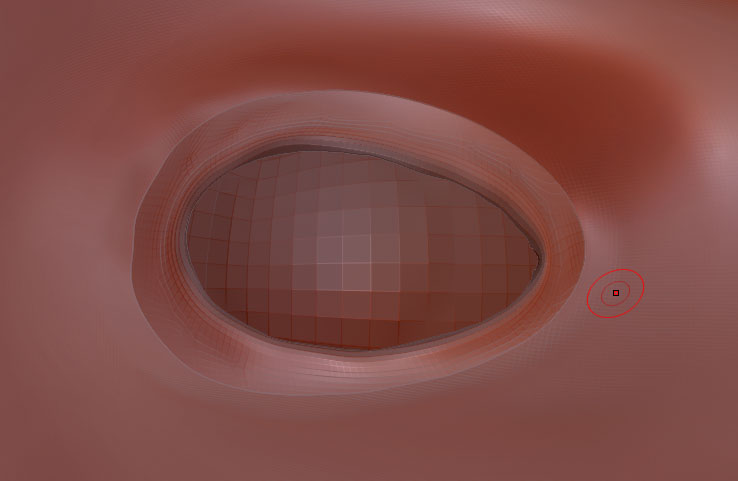
this is the “before” pic. by before i mean… i’ve put the eye in place, extracted the mesh, and now i “massage” the extracted mesh into the main mesh.

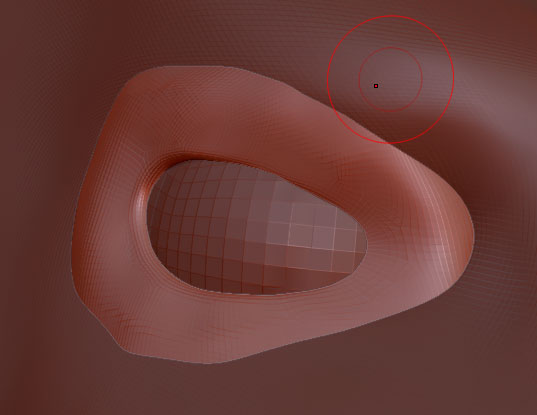
Now here is my “after” mesh. by after i mean i’ve “massaged” (forgive me dont know the correct terminology yet) the two together

If you look though there is a line where the two meshes meet. i’ve started over 4 times, and i’ve spent at least 5 hours trying to get this perfect. but i dont feel it is yet. can anyone with more experience point me to the tool or brush that will help me get rid of that line?

following the book after i’ve created the extracted mesh, i’m suppose to combine it with the main body but the book specifically mentions disabling “weld” do i want to enable welding?

thank you very much for any help.

Attachments
eyelid-before.jpg

eyelid-after.jpg

Hmm… I don’t have the book so I am not sure exactly what it’s telling you to do. Weld probably isn’t going to work in this situation. If you want to get rid of the seam there are a couple options. Both of which will wreck your topology and remove your subdivsions. I am not sure if you plan on using your base mesh as your low poly mesh so make sure to try these things on a new save.

One option is to turn on Dynamesh in the Geometry Palette then turn it off again. This will combine any unique meshes within a subtool into one uniform mesh. This may be the easiest way but if you don’t know how Dynamesh works first it could not be what you want.

Another option is using “Re-Mesh All” in the bottom of the subtool palette. This requires your eye-lid mesh to be it’s own subtool. Re-Mesh All will basically make a new single mesh out of your visible subtools. The result is usually a lumpy mess so you have to tinker with the settings. After you subdivide the new single mesh a few times then you may want to use “Project All” which will take the high res detail from your original separate subtools and bake it into the new single mesh you made. In some ways this method is more complicated.

I appreciate the answer. if those are my only options it looks like i just may have to spend more time smoothing, and using clay and other tools to eventually smooth it out by hand. but something that is going to destroy the hours i spent putting into the upper levels of my mesh if neccessary i’ll do it, but at least i know next time to use it before i go spending tons of time on my mesh.

thank you again.