hello i have sculpted a hard surface object in zbrush with using the awesome crease property. i created my displacement map and then i exported my lowest subdiv level back in maya but in maya my object doesnt have creases anymore. why? what can i do in this situation?
The displacement map is correctly imported?
i fix the crease problem. it was because i have switched back to my morph target to export the disp map which has no creases on it. but now another problem occured. i am getting a strage result in maya with the displacement map. here it is.
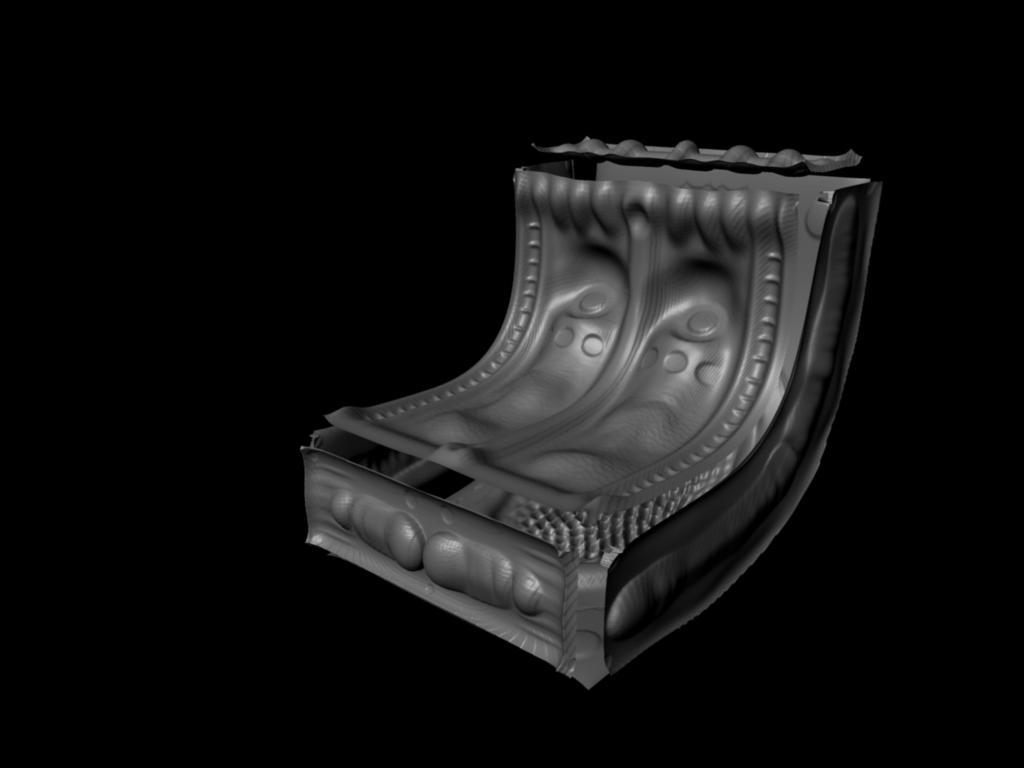
this is because of the creases i think becaus if i put the displacement map on my non-creased low poly it doesnt give a problem like that. but i need my creased to maintain the overall hard edge shape.
whats the problem ?
Sorry don’t have maya. Can only say, that you need the morph target object and the displacement map as the material. Perhaps verticaly flipped. Sometimes you have to adjust the strenght and the black/white settings if you find something like that in your software.