ZBrushCentral

Exported mesh has X axis offset

When I export a mesh with either GoZ or the default Exporter to any other App like Houdini or Blender, the mesh has an offset in the X axis. In Houdini it’s about 0.0032 with the default Units.

And it’s a negative offset when I export a mesh into Zbrush from another app.

I tested with the default Zbrush cube in Houdini, Blender, Modo and XSI, all showing an offset in the X axis. I attached a screengrab from Modo where it’s best visible.

Using Zbrush 2026.1.1

Has anyone else noticed this ? Smells like a bug to me…
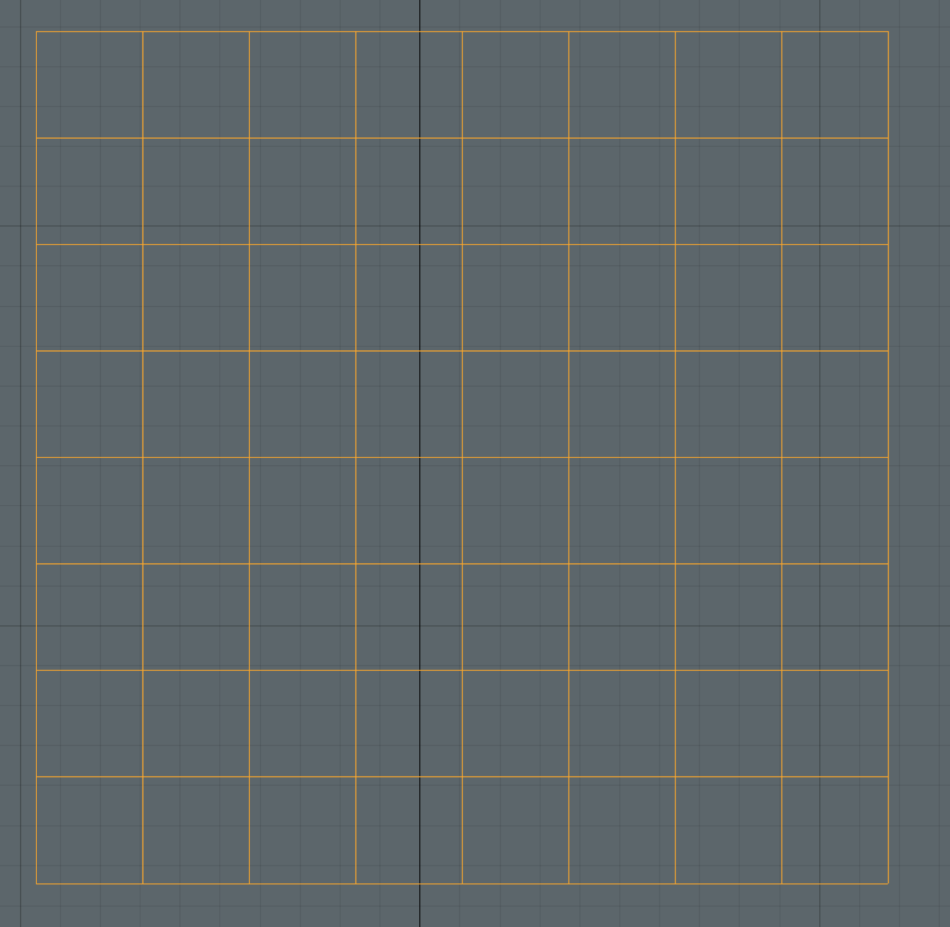
Offset_bug_Modo_01

Just in case someone else runs into this, it’s the “Export” offset settings all the way down at the bottom of the Subtool panel that were somehow magically adjusted without my knowledge.

I never touched these settings but there suddenly was an offset added to the Subtool Export settings.

Why hide important settings that can be adjusted without any warning in a place like that ? At least give a warning, or add these offset settings to a panel when exporting geometry.