Hello!
I’m having some troubles with a character I’m working on. I’ve spent days trying to solve this and still no luck.
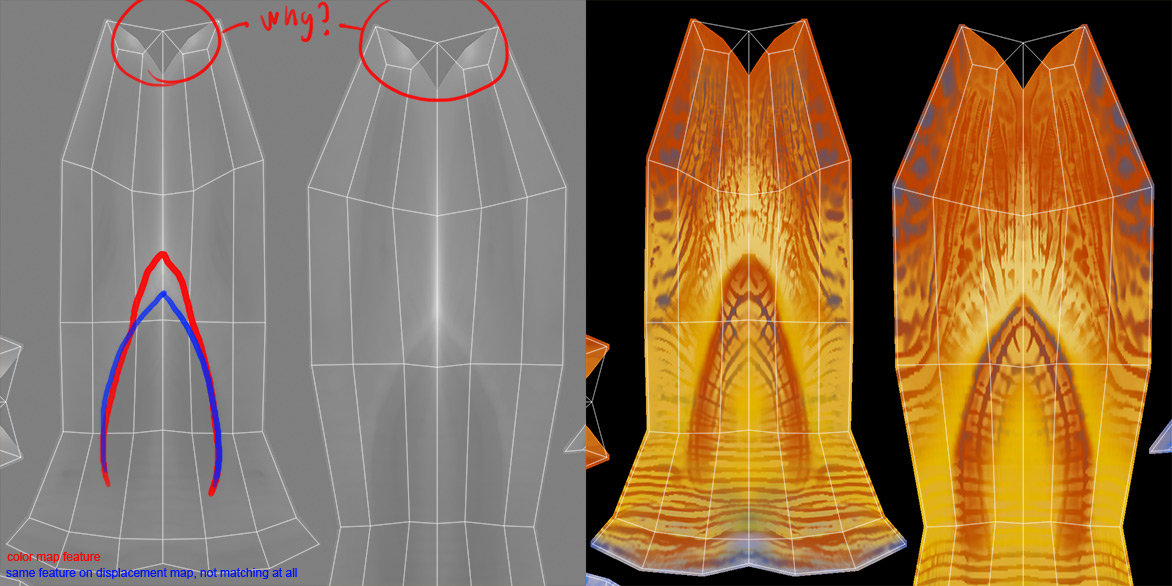
The issue is that when I export displacement and later polypaint/color and go to Photoshop and overlap them to control that everything is in order, they are not matching perfectly. Zbrush even seems to partly contract the UVs at certain areas.
Is this a known issue? I’ve never noticed this before.
I did some search and found another guy having the same problem, but no answers/solutions.
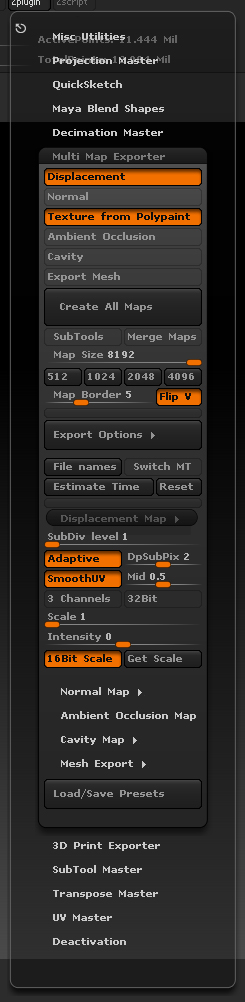
I use the Multi Map Exporter for displacement and the regular way for color/polypaint. Going to highest subdivison, enabling Suv and the ReUV and so on.
I’m attaching the displacement export settings (from Multi Map Exporter) and an example picture from Photoshop.
Attachments