ZBrushCentral

export obj problem, plz help

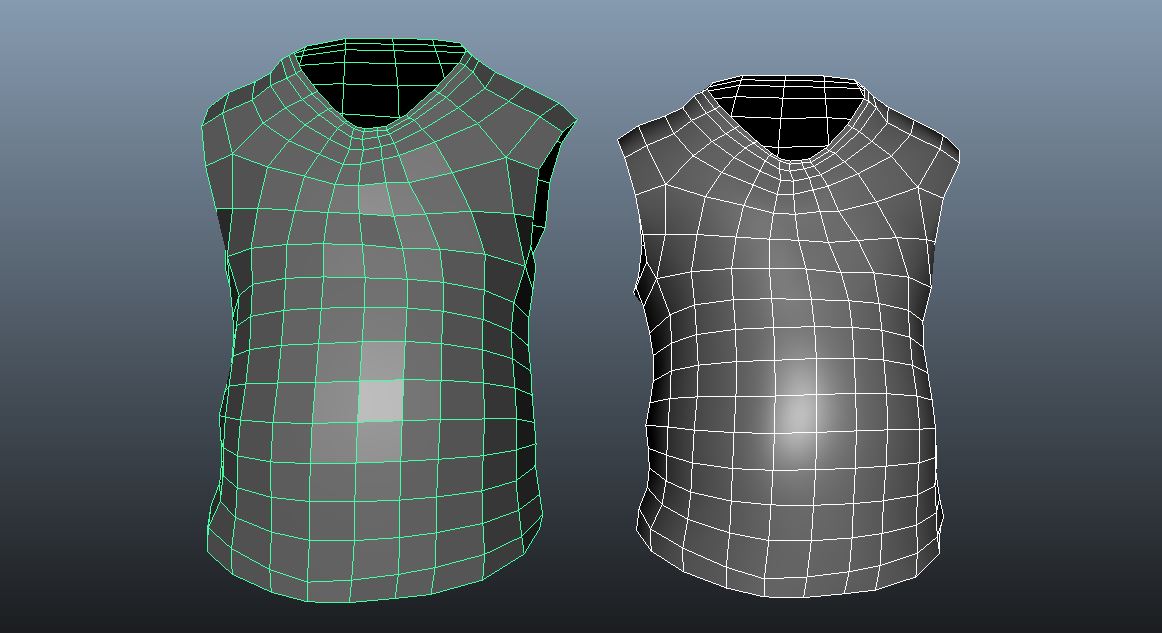
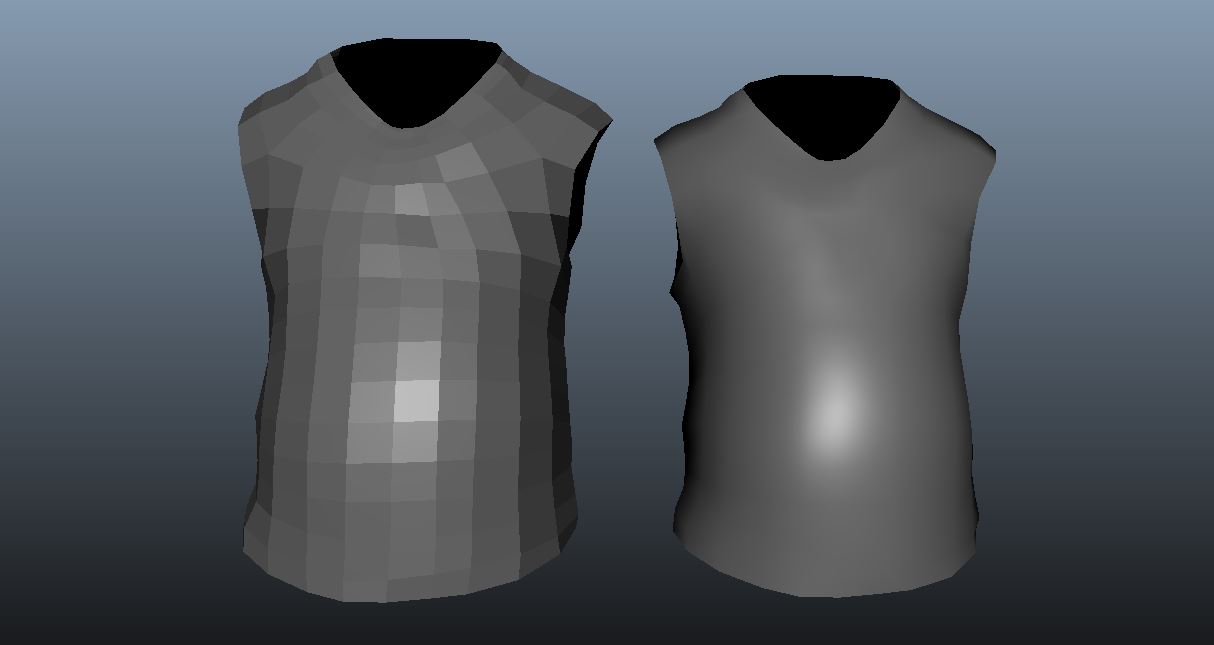
these is the same meshes display in maya, except the left one is obj from zbrush exported, right one is the original. even i do a simple render it’s the same result. can’t figure how to fix this. plz help if u know. all 2 meshes are at the lowest display stat

Attachments
1.JPG

2.JPG

I’m guessing your problem is the faceting on the left mesh; you want the surface to be smooth like the one on the right? You need to adjust the smoothing groups. Basically it’s about unifying vertex normals. In 3ds max, this is a trivial task, not sure how it works in maya. I found these two clips though:

https://www.youtube.com/watch?v=PMgjVJogIbc&list=PL6A7DF3D7866EB076&src_vid=O_7tHqgqpvw&feature=iv&annotation_id=annotation_245047

https://www.youtube.com/watch?v=O_7tHqgqpvw

hope that helps! :slight_smile:

Under polygons section (not tab) search in upper menu for Normals > Soften Edge

thx ,both of u . u r very kind , problem solved.