Me again  I have a problem again and again and again, this is one of my oldest and I really would like to have a solid solution for it… Here’s the thing…
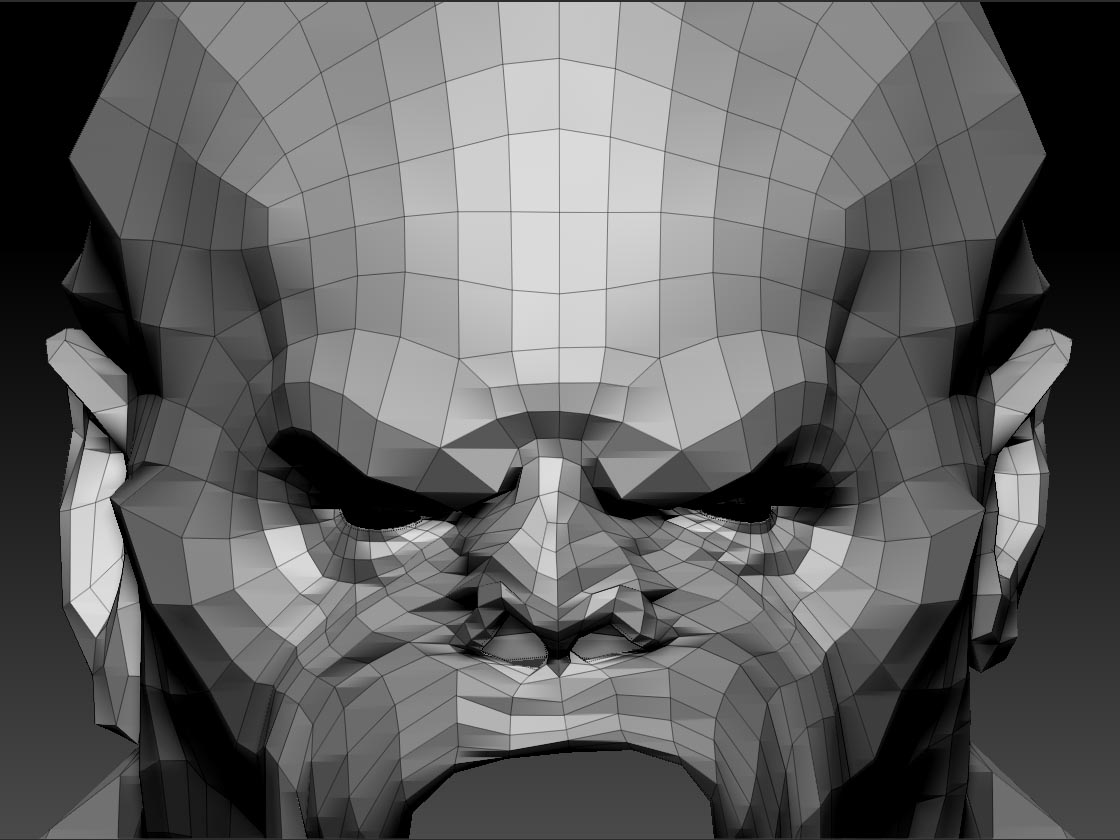
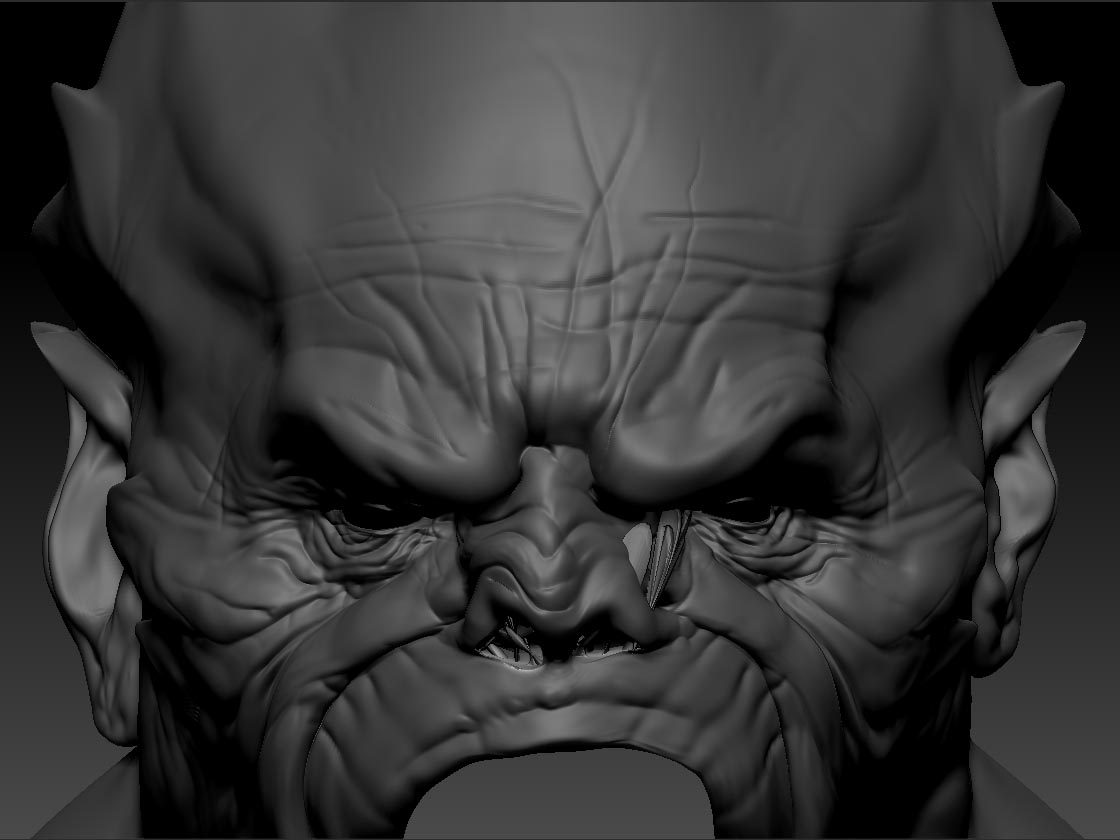
I’d normaly model in zbrush from nothing (cube, sphere) then I’ll retopo in topogun, and then I’ll model some more back in zbrush. But sometimes I’ll accidentally smooth over the edges (like the eyes, notes holes, mouth hole) and it’ll all mess up. Is there any way to fix this?
This is my try…deleting some edge loops of the mentioned holes, and introducing new ones (go z to max and back), but every time I get this kind of result, which I obviously don’t want. And smoothing really doesn’t help at all.
Does anyone know how or can it be saved?
Thanks!
[ ]
]
 The first one didn’t quite work, because it somehow doesn’t take my mask into consideration. The second solution you provided works like a charm.
 small_orange_diamond