ZBrushCentral

exploded normals in zmapper.

Hi I’ve got a problem with zmapper (zbrush 3.1).
I’ve made object in zbrush, mapped it in maya, back to zbrush, detailed and now I want to burn normal maps on it.
I’m loading the “3ds max 9 tangentspace bestquality” configuration file and zmapper makes the normalmap wrong - even not "on the model (see screenshot) After all the map is completly mished.
I think, that something with model must be not ok, because when I’m doing the same with standard “zbrush models” everything goes ok.
This model hasmultiple uv’s but I’m making normalmap only on part of it (with one uv map).

I really please about help and advices :(:(:frowning:
Thank you very much.

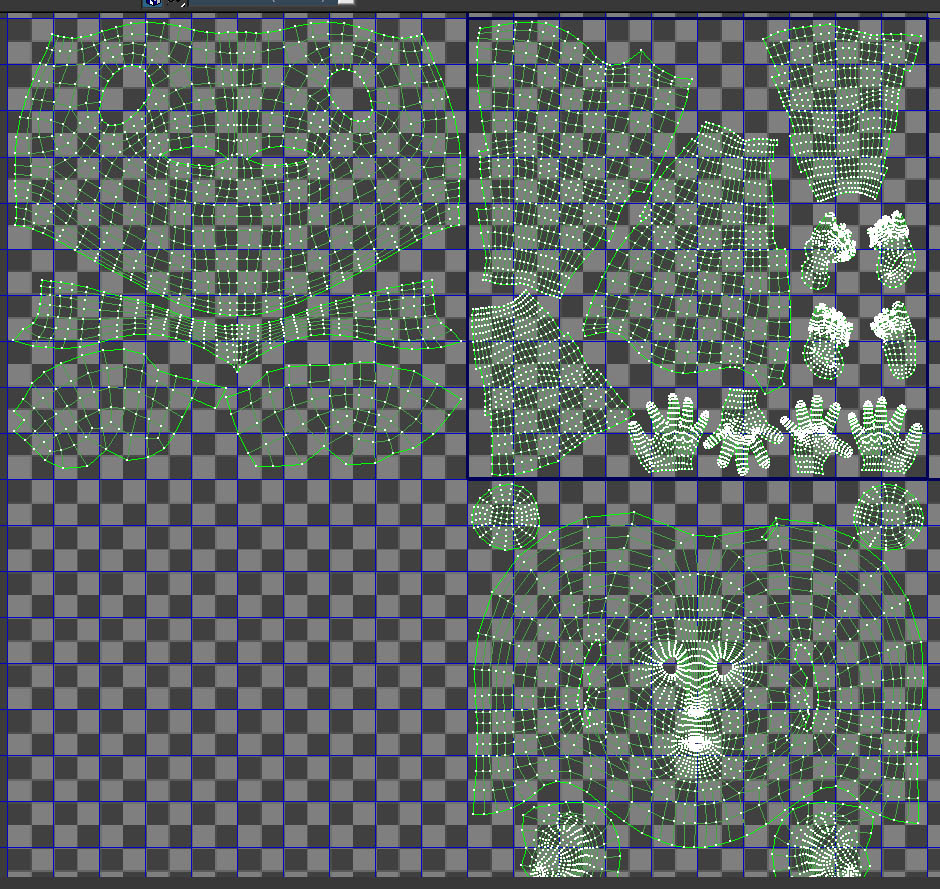
What are the UV’s like on this model?

here’s max’s screenshot of uv’s

Attachments

problem2.jpg

In the face space there are UV’s that appear to go outside the UV space. Those would then get read as part of the torso region, which is most likely what’s creating the issue.

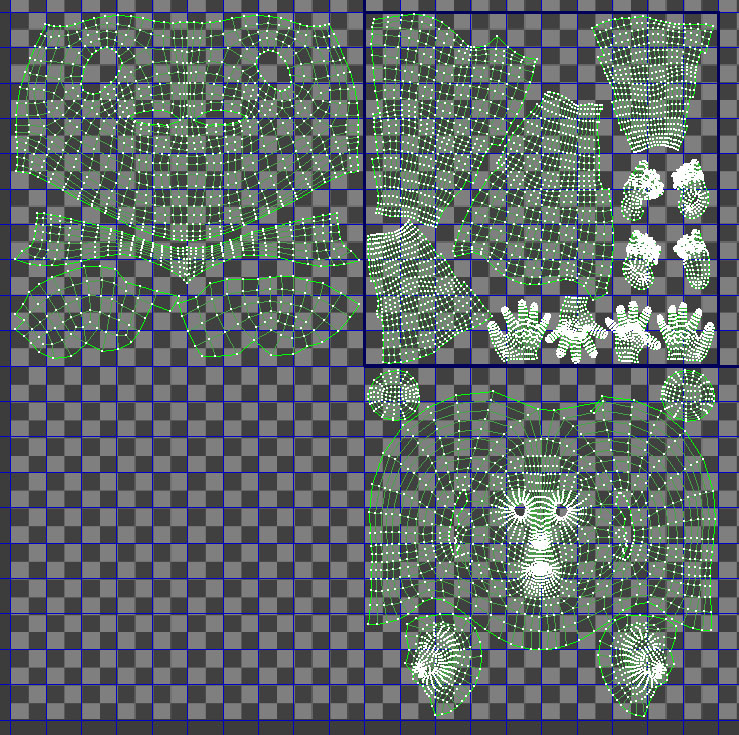
Oh, sorry for my screenshot, that’s not it :frowning:
Plese here’sanother screenshot, that shows, that there are no UV’s that “go outside” their region:
(Additional I have to say, that when ZMapper works longer, then these color pixels are around the object (NOT ON OBJECT) - on the left side, right side, bottom etc…)

Attachments

problem3.jpg

try not using a negative value in your UV offset and see if that helps. I read somewhere that Zmapper gets confused with -UV coords…i think.

Isimply can’t change my UV’snow :frowning: But I noticed, that when I’m deleting all parts of my model apart of that on which I want to burn normalmap everything goes ok. So I haveto make polygroups by UV’s -hide everything apart of one part , del hidden and then Zmapper works :slight_smile:

This is not the best answer, but when there’s no other this works :slight_smile: