ZBrushCentral

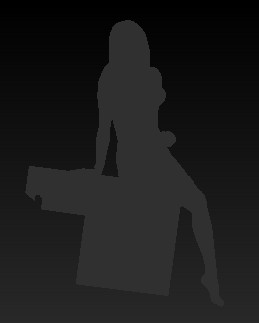
Everything appears as a silhouette

Every once in a while ZB enters a state where it shows all my tools as a silhouette, like in the attached pic. Even if I save it to file and exit and re-run ZB, everything stays that way. What causes this and how do I recover the original state?

Attachments
zb.jpg

are you looking at flat color for your material and a gray color selected?

Thanks for answering!

I know that choosing a flat material will have this effect. But I don’t think I did that (at least not intentionally). Also, there are several subtools that have polypaint on them. Somehow they suddenly all became like that. This effect happened twice. But I have not been able to reproduce it since. Maybe it’s a ZB bug?? If it happens again I’ll double check the material used for each subtool.