ZBrushCentral

Error encountered while importing a file. (Zbrush -> Rhino -> Zbrush)

Recently purchased Zbrush 3.5R3 to aid in rapid prototyping. Wanted to test sending files back and forth between Zbrush and Rhino to ensure proper scale size and orientation. Discovered upon sending obj files to Rhino and back I had issues.


  1. Export obj from Zbrush 3.5R3

  2. Import to Rhino (Rhino 4.0 SR7 build 14-Dec-2009.)
  3. Export Obj from Rhino
  4. Import to Zbrush, error :(
Making brand new obj files in Rhino and sending them to Zbrush works fine. Zbrush originated obj files imported into Rhino are fine. Anything sent from Zbrush to Rhino and back seems to have an issue. Tested this on both Zbrush generated content as well as Rhino originated content.

Also tried a number of export options from Rhino. Keep in mind that I had no problem exporting original Rhino content to Zbrush to begin with.

Anything that I can do to properly re-import these files to Zbrush?

Thanks in advance to anyone that can offer helpful advice,

Michael

Attachments
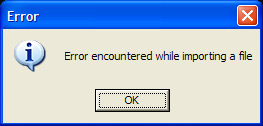
Error.jpg

Not that i know anything about Rhino, but switching on Merge in the ZB export options might help. Go to Tool/Export (at the bottom) and hit the Mrg button.

Hope that helps.

You must be magic, I tried exporting with and without Merge on. Discovered that the files are now importing back in with no issue with either option.

This was not working yesterday or during the morning.

Did a few more experiments and did discover that I would get the “Error encountered while importing a file.” prompt if I moved/Moved&rescaled the object.

Seems to be something related to centering an object around 0,0,0